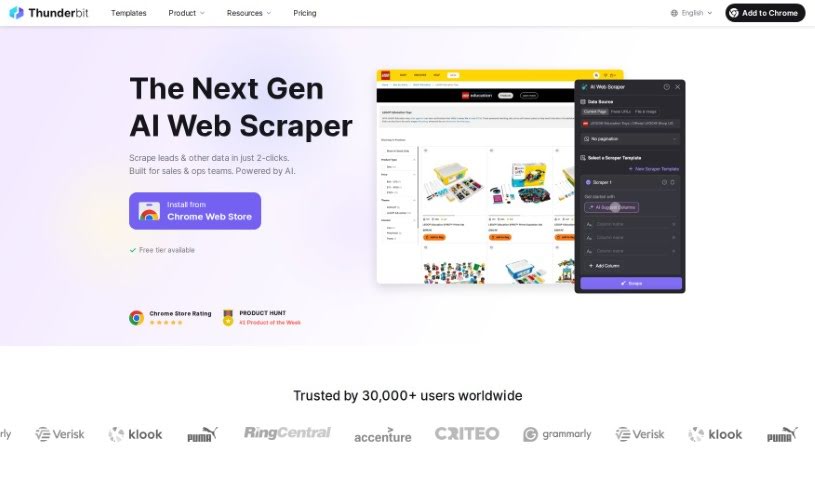
Screenshot of Thunderbit

Thunderbit

Discover what Thunderbit is and how to use it effectively in 2025. We'll explore its features and see how it stacks up against other Automation Tools.

Screenshot

What is Thunderbit?

Thunderbit is a really neat AI toolkit and a no-code app built for automating business tasks and developing applications. It is a super simple, 1-Click No-Code Solution that lets you quickly get prebuilt AI apps and automations up and running. You can tweak and connect AI features with the apps you already use, all without needing to write a single line of code. What’s great is that Thunderbit offers a free tier, so you can start using it right away without needing a credit card. It supports all sorts of AI tools, like ones that summarize text, translate languages, or even help you understand legal documents. It’s a really user-friendly option for businesses that want to bring AI into their workflow smoothly and without breaking the bank.

Who created Thunderbit?

While the specific founder’s name isn’t publicly available in the documents we have, Thunderbit was established by an individual focused on making AI accessible. This company is all about providing a comprehensive AI toolkit and a no-code app designed for business automation. They offer services like ready-made AI apps, the ability to customize them without coding, and seamless integration with your current apps. To make sure everyone can try it out, Thunderbit offers free-tier access, meaning you don’t need a credit card to get started. This approach makes it a very approachable choice for businesses aiming to integrate AI into their operations easily and affordably.

What is Thunderbit used for?

Thunderbit can help you with a wide range of tasks:

  • Translating languages
  • Deploying AI applications and automations quickly with its 1-Click No-Code Solution
  • Easily connecting AI features with your favorite existing apps
  • Customizing AI apps and automations using a simple drag-and-drop interface – no coding needed!
  • Accessing many AI tools through its free tier, no credit card required
  • Using a variety of AI tools, such as summarizers, translators, and legal document interpreters
  • Summarizing content from the web
  • Making text clearer and easier to understand
  • Defining terms based on their context
  • Automating personalized emails
  • Performing searches using AI
  • Interpreting legal documents
  • Asking questions to find information on the web
  • Converting text into speech
  • Converting speech into text

Who is Thunderbit for?

Thunderbit is a great tool for a variety of users, including:

  • AI professionals
  • Business users
  • Individuals looking for automation
  • Large Enterprises
  • Business Automation Specialists
  • App developers
  • AI developers
  • Legal professionals
  • Translators
  • Content writers
  • Email Marketers

How to use Thunderbit?

Getting started with Thunderbit is straightforward. Just follow these simple steps:

  1. Installation: First, add Thunderbit to your Chrome browser. You can do this for free from the Chrome Web Store, and no credit card is needed.
  2. Accessing Features: Once installed, you can start using Thunderbit’s AI-driven toolkit. This includes prebuilt AI apps and automations, all accessible with that easy 1-Click No-Code Solution.
  3. Creating Custom AI Applications: Want to build your own AI tools? Use the AI-Driven Form Builder. You just pick a use case and fill out a simple form to create personalized AI applications and automations.
  4. Task Performance: Thunderbit’s AI tools are ready to help with many tasks. You can summarize web content, clarify text, translate languages, define terms in context, automate emails, perform AI searches, interpret legal documents, and even navigate web information by asking questions.
  5. Integration: Make your workflow even smoother by easily connecting Thunderbit’s versatile AI functionalities with your favorite apps.
  6. Free Tier Model: Remember, you can take advantage of Thunderbit’s free-tier model. It gives you access to a range of AI tools without ever needing to provide your credit card details.

By following these steps, you’ll find Thunderbit’s interface really easy to use. You can customize it and take advantage of its strong AI capabilities to simplify business automation and application development without any hassle.

Related AI Tools

Discover more tools in similar categories that might interest you

Stay Updated with AI Tools

Get weekly updates on the latest AI tools, trends, and insights delivered to your inbox

Join 25,000+ AI enthusiasts. No spam, unsubscribe anytime.