What is Thumbsup?
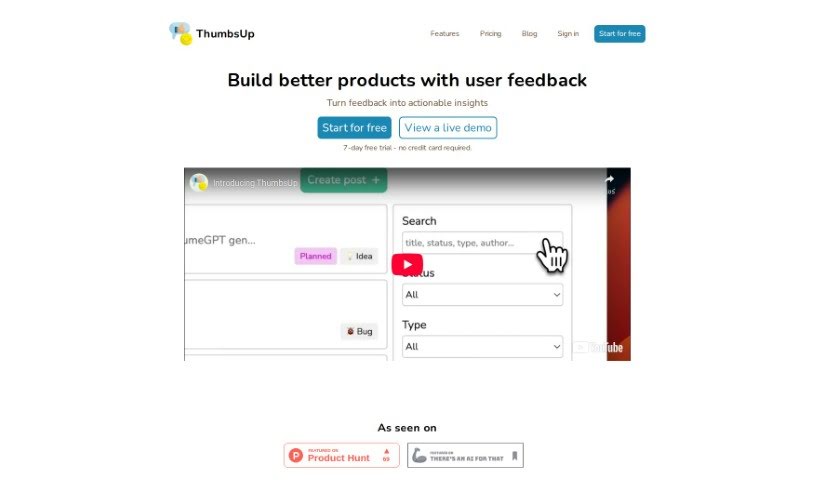
ThumbsUp is a smart tool that uses AI to help you gather and understand what your users are saying. It’s packed with features like sentiment analysis, which tells you if feedback is positive or negative, and it can track keyword trends to show you what people are talking about most. Plus, it gives you AI-powered suggestions to help you make better decisions. Getting ThumbsUp set up on your website is super easy – just a single line of HTML code. This lets businesses easily collect all their customer feedback in one place, get clear, actionable insights, and ultimately boost customer satisfaction and loyalty.
Who created Thumbsup?
Raul created ThumbsUp, launching it on August 15, 2023. The company behind ThumbsUp offers two main pricing plans: Starter and Pro. The Pro plan, in particular, unlocks more advanced features. You’ll get unlimited responses, more ways to customize things, detailed sentiment analysis, tracking of keyword trends, and those helpful AI suggestions designed to really improve customer satisfaction and loyalty.
What is Thumbsup used for?
- Saves you time and resources
- Performs sentiment analysis to understand user feelings
- Consolidates customer sentiments all in one place
- Tracks keyword trends to see what users are talking about
- Provides data-driven recommendations for smarter choices
- Fosters customer satisfaction by helping you respond better
- Allows feedback question customization to ask exactly what you need
- Offers a branding removal option for a cleaner look
- Supports informed decision-making with clear insights
- Helps you build better products based on real user feedback
- Offers sentiment analysis to gauge user reactions
- Unlimited responses are included with the Pro Plan
- Feedback question customization is also available in the Pro Plan
- The branding removal option is a Pro Plan feature too
- Provides data-driven recommendations to guide your strategy
- It’s quick and easy to set up
- Lets you monitor keyword trends in feedback
- Offers AI suggestions for informed decision-making
- It fosters customer satisfaction
- It supports informed decision-making
Who is Thumbsup for?
- Business analysts
- Product Managers
- Customer Support Representatives
- Marketing professionals
- Software developers
- Customer service representatives
- Marketers
- Product designers
- Entrepreneurs
- User experience researchers
- Website developers
- User Experience Designers
- Customer Satisfaction Representatives
- Market Researchers
- Content creators
- Customer Success Managers
How to use Thumbsup?
Here’s how you can get the most out of ThumbsUp:
- Integration: It’s really simple to get started. Just copy and paste a single line of HTML code from ThumbsUp into your website. This activates the tool, and you’ll immediately start collecting user feedback.
- Feedback Analysis: ThumbsUp is specifically designed to analyze the feedback you get from your website. It really digs into the sentiments, emotions, and opinions your users share.
- Benefits: Using ThumbsUp gives you some great advantages. You’ll get a clear picture of customer sentiments, detailed sentiment analysis, insights into keyword trends, helpful AI-driven recommendations, and it saves you a lot of time. Plus, it makes your decision-making process much better.
- Sentiment Analysis: ThumbsUp uses Natural Language Processing (NLP) to figure out if user feedback is positive, negative, or neutral. This gives you really valuable insights into how customers are experiencing your product or service.
- Keyword Trends: By keeping an eye on keyword trends in the feedback, ThumbsUp helps you spot what users are starting to prefer, what their concerns are, and what interests them. This means you can make smart, proactive changes to your products or services.
- Pricing Plans: ThumbsUp offers a Starter plan, which is great for smaller teams, and a Pro plan for growing businesses. Each plan comes with different features. For example, the Pro plan gives you unlimited responses, more customization, and detailed reports on sentiment analysis and keyword trends.
- Additional Features: If you go with the Pro plan, you’ll also get features like customizing your feedback questions, choosing where the feedback button appears on your site, removing ThumbsUp branding, getting detailed sentiment analysis reports, keyword trends reports, help with tracking improvement tasks, and those handy AI-driven suggestions.
- Free Trial: You can try ThumbsUp for free! Just sign up for a 7-day trial – no credit card details are needed.
- Demo Calls: Want a more in-depth look? You can book a personalized demo call with ThumbsUp’s founder. They can walk you through exactly what the tool can do and all its features.
By following these steps, you’ll be able to effectively use ThumbsUp to gather, analyze, and act on user feedback. This will help you boost customer satisfaction and make smarter business decisions.