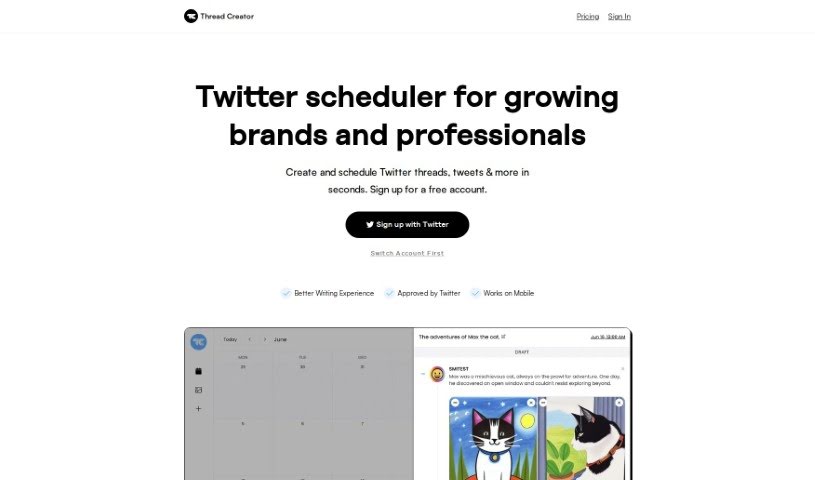
Screenshot of Thread Creator

Thread Creator

Discover what Thread Creator is and how to make the most of it in 2025. We'll walk you through its features, compare it to other social media management tools, and show you how to get started.

Screenshot

What Exactly is Thread Creator?

Thread Creator is your go-to Twitter scheduler, built specifically for brands and professionals looking to grow their presence. It’s designed to be super user-friendly, making it a breeze to create and schedule your Twitter threads and individual tweets really fast. You can easily add pictures or videos, shuffle your content around until it looks just right, and even add numbering to make your threads pop and keep readers engaged. A really neat feature is that you can link up all your different Twitter accounts in one central spot, which makes managing them so much simpler. Plus, if you need to post a lot of media, you can upload and store it all in bulk, letting you whip up all sorts of posts in no time. Basically, Thread Creator offers a smooth and efficient way to schedule your tweets and handle your social media campaigns. Getting started is easy: you can sign up for a free account that lets you schedule up to 5 tweets each month. If you need more, there’s always the option to upgrade for unlimited scheduling.

Who’s Behind Thread Creator?

Thread Creator was founded by an individual or a team who prefer to remain anonymous, operating under the company name Thread Creator. This platform is essentially a Twitter scheduler, crafted with growing brands and professionals in mind. It aims to provide a better writing experience and has received approval from Twitter itself. Users find it straightforward to create and schedule Twitter threads and individual tweets, with handy extras like integrating media, rearranging content easily, and adding numbering to make everything more engaging. The platform also lets you manage multiple Twitter accounts all from one central hub, which really simplifies switching between accounts and keeping your threads organized. On top of that, Thread Creator makes it easy to upload and store media in large quantities, so you can quickly put together different kinds of posts, whether they’re images, videos, or carousels. You can start off with a free account that allows you to schedule up to 5 tweets per month, and then upgrade if you need unlimited scheduling.

What Can You Do with Thread Creator?

Here’s a quick rundown of what Thread Creator helps you accomplish:

  • Effortless Creation & Scheduling: You can create and schedule your Twitter threads and individual tweets quickly and easily.
  • Engaging Content: Add media, drag and drop to re-order your content, and include numbers to make your threads more visually appealing and easier to follow.
  • Centralized Account Management: Connect multiple Twitter accounts into one convenient hub, making management much simpler.
  • Bulk Media Uploads: Upload and store your media in bulk, allowing for the quick creation of various types of posts.
  • Free Tier: Start by scheduling up to 5 tweets per month at no cost.
  • Unlimited Access: Upgrade to unlock unlimited scheduling and access even more time-saving features.

Who Should Use Thread Creator?

Thread Creator is a great tool for:

  • Brands looking to build their presence.
  • Professionals aiming to share their expertise.
  • Growing Brands that need to scale their social media efforts.

How Do I Get Started with Thread Creator?

Ready to streamline your Twitter scheduling? Here’s how to get going with Thread Creator:

  1. Sign Up: First, create a free account on the Thread Creator website.
  2. Connect Accounts: Link your Twitter accounts within Thread Creator so you can manage them all from one central place.
  3. Create & Schedule: Easily craft and schedule your Twitter threads and individual tweets. Don’t forget to add media, re-order content as needed, and make them visually appealing to capture attention.
  4. Bulk Media: Take advantage of bulk media uploads to quickly create posts featuring images, videos, or carousels.
  5. Choose Your Plan: You can start with the free plan, which lets you schedule up to 5 tweets per month. If you need more, consider upgrading to the Pro plan for unlimited threads and extra features like Auto Retweet and Content Recycling.
  6. Pricing & Support: If you have questions about pricing or need assistance, you can reach out to Thread Creator via email at [email protected] or use the live chat feature available directly within the app.

Ultimately, Thread Creator really simplifies the whole process of scheduling tweets. It offers a user-friendly platform that helps individuals and professionals manage their Twitter accounts and content scheduling much more efficiently.

Related AI Tools

Discover more tools in similar categories that might interest you

Stay Updated with AI Tools

Get weekly updates on the latest AI tools, trends, and insights delivered to your inbox

Join 25,000+ AI enthusiasts. No spam, unsubscribe anytime.