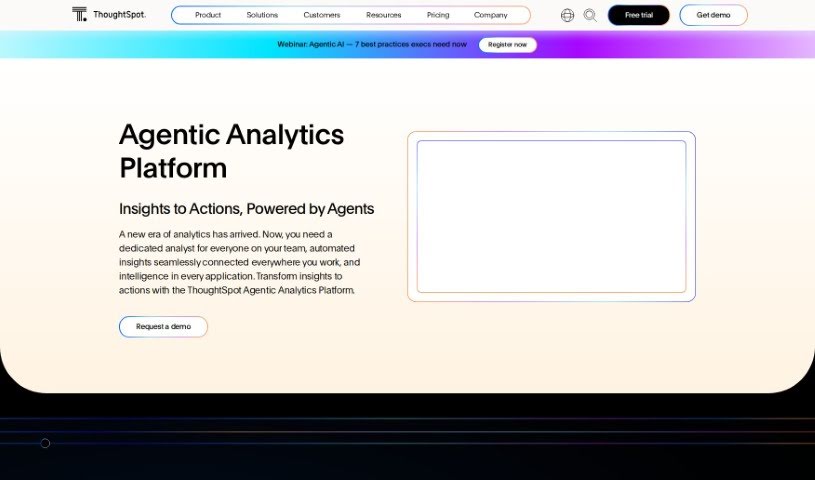
Screenshot of ThoughtSpot

ThoughtSpot

Discover what ThoughtSpot is and how to use it effectively in 2025. We'll explore its features and compare it to other data analytics tools.

Screenshot

What is ThoughtSpot?

ThoughtSpot Sage is an AI-powered analytics tool. It combines GPT’s natural language processing and generative AI with ThoughtSpot’s own search technology. The goal? To make interacting with your data much more intuitive and accurate. You can talk to the system using everyday English, which makes asking questions and giving commands super smooth. ThoughtSpot Sage wants to change how we all experience data analysis, offering a simple way to explore information and find insights, no matter your industry.

Who created ThoughtSpot?

ThoughtSpot Sage was launched on March 10, 2023. Sumeet Arora, who’s the Chief Development Officer at ThoughtSpot, and Srikant Gokulnatha, the Senior Vice President of Engineering, were key players in its creation. The company itself, ThoughtSpot, was co-founded by Ajeet Singh and Amit Prakash. Their big idea was to completely change how businesses analyze and use data to make decisions.

What is ThoughtSpot used for?

  • It completely changes how people interact with data.
  • You can talk to the system using natural language.
  • Just ask questions or give commands in plain English.
  • You’ll get back information that’s relevant and accurate.
  • It handles a wide variety of data analytics needs.
  • It can be used in any industry or field where analyzing data is important.
  • It’s an AI-powered analytics tool.
  • It offers natural language search capabilities.
  • You can query your data cloud or lake in real-time.
  • You can build search-friendly data models within ThoughtSpot.
  • It helps balance giving users self-service options with maintaining enterprise-level control.
  • It surfaces actionable insights quickly using AI.
  • You can schedule and sync cloud data directly to your business applications.
  • It allows you to embed analytics into your customer-facing apps.
  • It can perform correlation analysis.
  • It helps you visualize data insights.
  • You can follow key business metrics to get proactive insights.
  • It helps you draw insights from your data.
  • It provides relevant and accurate information.
  • It allows for live-querying of your data cloud or lake.
  • You can build search data models.
  • It balances self-service with enterprise-scale control.
  • It’s used for creating Liveboards for visualization.
  • It implements ‘Operationalize’ to sync cloud data to business apps.
  • It offers mobile analytics.
  • It provides spreadsheets data visualization.
  • It uses augmented analytics for fast insights.
  • You can create insights in seconds with AI-powered search.
  • You can query your data cloud or lake in just a few clicks.
  • Keep up with your business’s performance using Liveboards.
  • Schedule and sync cloud data directly to business apps.
  • Search to create visualizations from data in Microsoft Excel and Google Sheets.
  • Get detailed, actionable insights on things like sales growth and turnover, and much more, very quickly.
  • Use natural language to ask your own questions and get answers.
  • You can create new columns based on calculations from existing measures.
  • You can create views using custom SQL.
  • You can represent your model in a scriptable TML format.
  • It provides auto-generated models based on your dbt models.
  • It offers secure, enterprise-grade controls and governance for your entire organization.
  • It helps drive higher app engagement by embedding Live Analytics into customer-facing apps.
  • You can get insights on the go with the mobile apps.
  • You can use community-based support and other support options.
  • It provides assistance with data encryption, both when data is at rest and in transit.
  • It offers enhanced data security with advanced encryption features.

Who is ThoughtSpot for?

  • Sales Strategy teams
  • Software Sales professionals
  • Product Management departments
  • Human Resources teams
  • VPs of Sales Strategy
  • Chief Information Security Officers (CISOs)
  • SVPs of Strategy, Operations, and Enablement
  • VPs of People
  • VPs of Client Success
  • Chief Information Officers (CIOs) & Chief Data Officers (CDOs)
  • Performance Marketing Managers
  • Senior Managers of Data Science
  • Product Owners of Self-Service Reporting
  • Sr. Managers of Customer Development Analytics
  • Data Analysts
  • Data scientists
  • Business Users
  • Developers
  • Individual analysts
  • Customer development analytics managers
  • Performance marketing managers
  • Product owners of self-service reporting
  • VPs of client success
  • CIOs & CDOs
  • Senior managers of data science
  • Product executives
  • VPs of Product Management
  • People VPs
  • Business Analytics teams
  • Data Science departments
  • Engineering teams
  • Customer Development Analytics teams

How to use ThoughtSpot?

To get the most out of ThoughtSpot Sage, here’s a simple step-by-step guide:

  1. Connect Your Data Sources:
    • First, link ThoughtSpot Sage to your preferred cloud data platform. This could be Snowflake, Google BigQuery, Amazon Redshift, or others you might use.
  2. Model Your Data:
    • Next, you’ll want to structure your data so it’s easy to search. You do this by creating models and joining tables together, using different types of joins as needed.
  3. Interact and Analyze:
    • Now, you can start asking questions using natural language. You’ll get AI-powered insights back in just seconds.
  4. Visualize Your Data:
    • Create charts, dive deeper into details, and build data stories using search. You can even pin charts for quick access and arrange them however you like.
  5. Monitor and Manage:
    • Keep an eye on key metrics, set up alerts for specific thresholds, and detect anomalies in your KPI charts. You can schedule alerts and subscribe users to receive notifications.
  6. Secure Your Data:
    • You’ll benefit from enterprise-grade controls, encryption for data at rest and in transit, row-level security, and monitoring features to keep your data safe.
  7. Embed and Share:
    • Boost engagement by embedding Live Analytics directly into your customer-facing applications. You can also share Liveboards and insights securely with specific users or groups.
  8. Support and Accessibility:
    • Take advantage of community support, in-app help, and various other support channels. Plus, you’ll always be up-to-date with the latest features and updates.

These steps cover the main things you can do with ThoughtSpot Sage, from connecting data and modeling it, to analyzing, visualizing, monitoring, securing, embedding, sharing, and getting support. By using these features, you can really make the most of AI-driven analytics.

Related AI Tools

Discover more tools in similar categories that might interest you

Stay Updated with AI Tools

Get weekly updates on the latest AI tools, trends, and insights delivered to your inbox

Join 25,000+ AI enthusiasts. No spam, unsubscribe anytime.