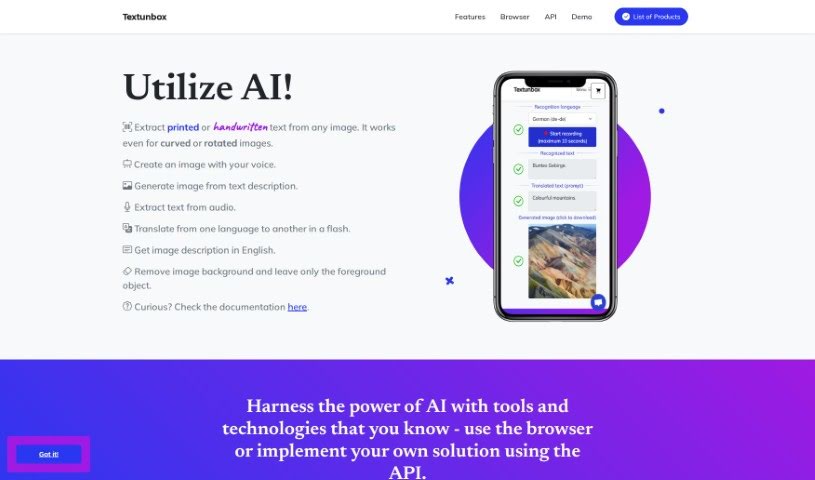
Screenshot of TextUnbox

TextUnbox

Discover what TextUnbox is and how to use it effectively in 2025. We'll explore its features and see how it stacks up against other image generators.

Screenshot

What is TextUnbox?

TextUnbox is a really versatile tool that uses AI to do a bunch of different things. You can use it to pull text right out of any image, whether it’s printed or handwritten. It can also create images just from your descriptions, extract text from audio files, translate languages, describe what’s in an image, and even remove backgrounds from pictures. It’s quite the all-in-one package!

Who created TextUnbox?

TextUnbox was developed to offer a variety of useful functions, like pulling text from images, generating new images, providing translation services, and transcribing audio. The platform boasts some neat features, including something called ‘voice drawing’ and the ability to remove image backgrounds. Unfortunately, we couldn’t find specific details about when TextUnbox first launched, who created it, or the company behind it in the information we have.

What is TextUnbox used for?

Here’s a rundown of what you can do with TextUnbox:

  • Extract Text from Images: Get printed or handwritten text from any picture.
  • Create Images with Your Voice: Describe what you want, and it’ll make an image for you.
  • Generate Images from Text: Create original images based on your text descriptions.
  • Extract Text from Audio: Pull text directly from audio recordings.
  • Translate Languages: Switch text from one language to another.
  • Get Image Descriptions: Receive a description of an image, usually in English.
  • Remove Image Backgrounds: Easily isolate the main subject of an image by removing everything else.
  • Voice Drawing: This is pretty cool – you can create unique images using just your voice.
  • Image Generation: Make original images from text prompts or by choosing specific visual styles.
  • Audio Transcription: Turn audio recordings into written text.

Who is TextUnbox for?

This tool is especially helpful for professionals who need to extract text from various sources, like images and audio data.

How to use TextUnbox?

Using TextUnbox is pretty straightforward. Just follow these steps:

  1. Extract Text from Image:
    • This feature uses AI to grab printed or handwritten text from any image. It even works if the image is a bit curved or tilted.
  2. Create Image with Voice:
    • Want to make an image just by talking? Describe what you envision, and the tool will generate it.
  3. Image Generation:
    • You can create original images here. Just give it a text prompt, or pick a visual style you like.
  4. Translation:
    • Need to translate something? It’s quick and easy to switch text from one language to another.
  5. Audio Transcription:
    • This lets you transcribe audio recordings, turning spoken words into written text.
  6. ChatGPT:
    • You can have dynamic conversations using ChatGPT, though this feature is still being developed.
  7. Text to Audio Conversion:
    • This feature, also under development, transforms text into pleasant-sounding audio.
  8. Remove Image Background:
    • It’s simple to remove the background from an image, leaving just the main object.
  9. API Integration:
    • If you want to build your own custom solution, you can use the standardized REST API that TextUnbox provides.

All these features are designed to help you work efficiently with text, images, translations, and audio, giving you a great set of tools for many different jobs. For more in-depth information, it’s always a good idea to check out the official TextUnbox documentation.

Related AI Tools

Discover more tools in similar categories that might interest you

123RF AI Image Generator

Creative Image Generation
Learn More

Stay Updated with AI Tools

Get weekly updates on the latest AI tools, trends, and insights delivered to your inbox

Join 25,000+ AI enthusiasts. No spam, unsubscribe anytime.