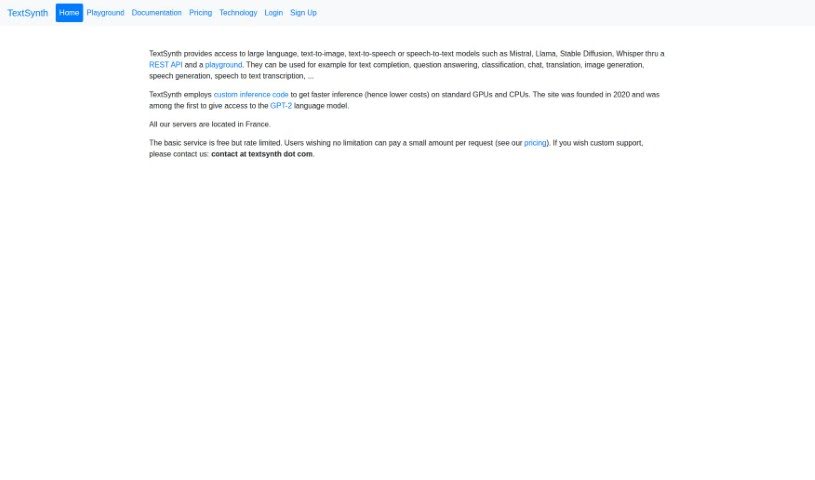
Screenshot of TextSynth

TextSynth

Discover what TextSynth is and how to use it effectively in 2025. We'll explore its features and see how it stacks up against other AI assistants.

Screenshot

What is TextSynth?

TextSynth is a really versatile AI tool that works with many languages and purposes. It uses big language models, like GPT-J, Boris, and GPT-NeoX, to create text completions based on what you type in. You’ve got a bunch of different models to choose from, each good for something specific. You can also tweak settings like ‘temperature’ (how random the output is), ‘max tokens’ (how long it can be), and ‘stop at’ (what words or phrases should make it stop). What’s pretty neat is that TextSynth can generate text in languages other than English, like French, thanks to models such as Boris that are made for particular languages. Plus, it comes with ready-to-go examples for all sorts of jobs – think finishing text, answering questions, writing code, and more. You can even customize and fine-tune how the text generation works.

Who created TextSynth?

TextSynth got its start back in 2020. They were actually one of the first services to offer access to the GPT-2 language model. Today, they provide access to several language models for text generation, including GPT-J, Boris, and GPT-NeoX. The service is free, though there are limits on how much you can use it. If you need more, custom support is available. You can adjust settings like ‘temperature’ and ‘max tokens’ to guide what the models produce.

What is TextSynth used for?

  • Creating images
  • Translating languages
  • Writing creatively
  • Answering questions
  • Chatting
  • Categorizing information
  • Completing text
  • Editing text
  • Transcribing speech to text
  • Linguistics tasks
  • Tech-related tasks
  • Programming tasks
  • Writing code
  • Generating instructions
  • Creating dialogues

Who is TextSynth for?

  • People who create content
  • Teachers
  • Students
  • Copywriters
  • Programmers
  • Professionals in the tech industry
  • Linguists
  • Creative writers
  • Technical professionals
  • Anyone in a creative field

How to use TextSynth?

Here’s a simple guide to using TextSynth effectively:

  1. Get to know TextSynth: First off, TextSynth is a really flexible AI tool. It uses big language models like GPT-J, Boris, and GPT-NeoX to help you complete text for all sorts of things – from linguistics and tech tasks to creative writing and beyond.
  2. Pick the right Model: TextSynth has a variety of models available, such as GPT-J, Boris, and GPT-NeoX. These are designed for different languages and tasks, so you can choose the one that best fits what you need.
  3. Tweak the Model Settings: You can adjust settings like ‘temperature’ (which controls how creative or random the output is), ‘max tokens’ (to set a length limit), and ‘stop at’ (to tell it when to finish). This helps you get the exact kind of text you’re looking for.
  4. Choose an Example: TextSynth comes with helpful pre-loaded examples for common tasks. You might see things like ‘letter of motivation,’ ‘Unicorns that speak English,’ or ‘C program.’ Just pick the one that matches what you want to do.
  5. Generate Your Text: Let’s say you want to write a letter of motivation. You’d select that example, type in your starting text, and then TextSynth will generate the rest of the letter for you.
  6. Explore Other Features: TextSynth can also do things like convert text to images and generate code, making it a super handy tool for many different projects.
  7. Check Out the Docs: If you need more guidance, TextSynth has documentation right on its website. It’s like a user manual that can help you get the most out of the tool.
  8. Pricing and Signing Up: You can use TextSynth for free, but there are usage limits. If you need unlimited access, you can sign up for a paid plan. Just follow the link on their site to get started.

By following these steps, you’ll be able to use TextSynth effectively for all sorts of text completion jobs, no matter the language or application.

Related AI Tools

Discover more tools in similar categories that might interest you

Stay Updated with AI Tools

Get weekly updates on the latest AI tools, trends, and insights delivered to your inbox

Join 25,000+ AI enthusiasts. No spam, unsubscribe anytime.