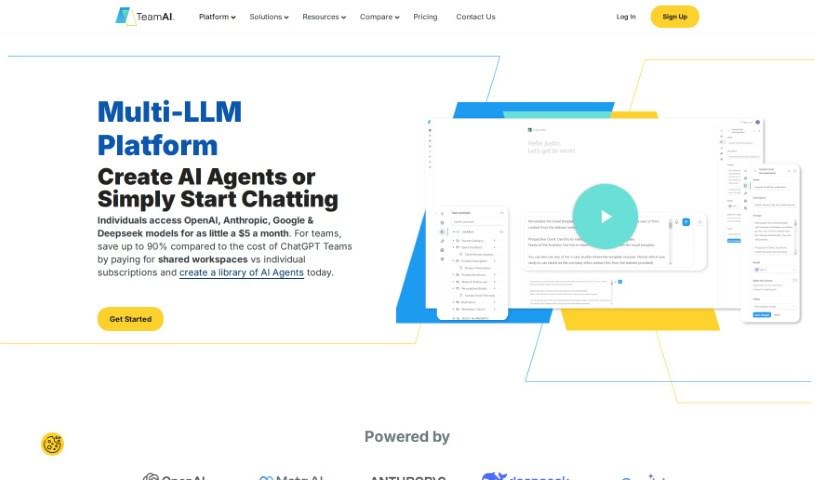
Screenshot of TeamAI

TeamAI

Discover what TeamAI is and how to make the most of it in 2025. We'll dive into its features, compare it to other project management tools, and show you how to get started.

Screenshot

What is TeamAI?

TeamAI is a powerful team workspace that uses AI to help teams and businesses collaborate smoothly and keep their resources organized. It is your team’s central hub for getting things done. It comes with handy features like prompt libraries you can customize, the ability to chat directly with your documents, and a neat folder system with subfolders. What’s really cool is that TeamAI lets you tap into advanced AI models from big names like OpenAI, Anthropic, Google, and Meta, all without needing your own API keys. You can integrate these models, have collaborative conversations, and create personalized AI experiences. Getting started is easy: the platform begins at $15 a month, which gives 100 team members access to models like GPT-4, PaLM, Claude, and LLaMA. There’s also a free tier available with usage limits. Ultimately, TeamAI aims to make team collaboration simpler, boost everyone’s productivity, and provide a great space for inviting team members and working together effectively.

Who created TeamAI?

TeamAI was developed as a robust, AI-powered team workspace. While the available information doesn’t point to a single founder, the platform’s core mission is clear: to offer collaborative tools, shared prompt libraries, and personalized AI experiences for teams and businesses. It’s all about enabling seamless collaboration and keeping resources well-organized. TeamAI integrates AI models from various providers, including OpenAI, Anthropic, Google, and Meta, so you don’t need to worry about API keys. Pricing starts at $15 per month for up to 100 team members, making advanced AI accessible.

What is TeamAI used for?

TeamAI is incredibly versatile and can help your team with a wide range of tasks:

  • Organize your work: Create your own prompt libraries and use folders and subfolders to keep everything tidy.
  • Chat with your documents: Get instant insights and answers directly from your uploaded files.
  • Collaborate effectively: Have shared conversations and work together in a central team workspace.
  • Personalize your AI: Build custom plugins for extra features, create branded workspaces, or even host it on your own domain (like chat.yourdomain.com).
  • Access top AI models: Use powerful AI like GPT-4, PaLM, Claude, and LLaMA without needing separate API keys.
  • Boost productivity: Automate tasks with custom workflows, generate interview questions, analyze documents, summarize reports, brainstorm content ideas, learn new topics, adopt specific personas, find fresh angles, and share insights with your marketing team.
  • Refine your communication: Improve your messaging and collaboration efforts.

Who is TeamAI for?

TeamAI is a great fit for a variety of roles and industries looking to improve their processes:

  • Data Science: For analysis and insights.
  • Collaboration: Enhancing teamwork and communication.
  • Document Chat: Quickly getting information from your files.
  • Prompt Library: Building and sharing effective AI prompts.
  • Workflow Optimization: Streamlining tasks and improving efficiency.
  • Marketing: Brainstorming, content creation, and strategy refinement.
  • Sales: Finding new angles and improving outreach.
  • Public Relations: Crafting messages and managing communications.
  • HR + Ops: Streamlining HR and operational tasks.
  • Design: Potentially for idea generation or feedback.

How to use TeamAI?

Getting the most out of TeamAI is straightforward. Just follow these steps:

  1. Sign Up and Log In: Head over to the TeamAI website to create your account. Once you’re registered, log in to start exploring the platform.
  2. Pick Your AI Models: TeamAI offers a selection of AI models, including GPT 4.0, PaLM, Claude, and LLaMA. Choose the ones that best suit your team’s specific needs and tasks.
  3. Collaborate with Your Team: Dive into the collaborative features. You can share prompts, organize your team’s resources, and have productive conversations together.
  4. Tailor Your AI Experience: Make your AI assistant truly yours. You can select different characters, set your preferred language, and adjust writing styles to match your team’s voice.
  5. Work with Your Documents: Upload your documents directly into TeamAI. The AI can then analyze them, create summaries, and offer insights based on the content you provide.
  6. Put AI to Work: Use the AI for all sorts of tasks! This includes generating interview questions, brainstorming creative content, refining your team’s communications, or exploring new angles for your sales strategies.
  7. Boost Team Productivity: Take advantage of features like shared prompt libraries, team usage reports, and no-code automation workflows. These tools are designed to simplify processes and significantly boost your team’s efficiency.
  8. Explore Custom Plugins: Want to add more power? You can build custom plugins to extend TeamAI’s functionality, connect to external databases, and enhance your AI assistant’s capabilities even further.
  9. Try Different Approaches: Create ‘forked’ chats to explore various strategies, compare how different approaches play out, and make more informed decisions based on the results.
  10. Stay in the Loop: Keep up with the latest features, updates, and best practices. The TeamAI website and its resources are the best places to find this information.

By following these steps, you’ll be well on your way to using TeamAI effectively, improving collaboration, streamlining your workflows, and harnessing the power of advanced AI for your team’s success.

Related AI Tools

Discover more tools in similar categories that might interest you

Stay Updated with AI Tools

Get weekly updates on the latest AI tools, trends, and insights delivered to your inbox

Join 25,000+ AI enthusiasts. No spam, unsubscribe anytime.