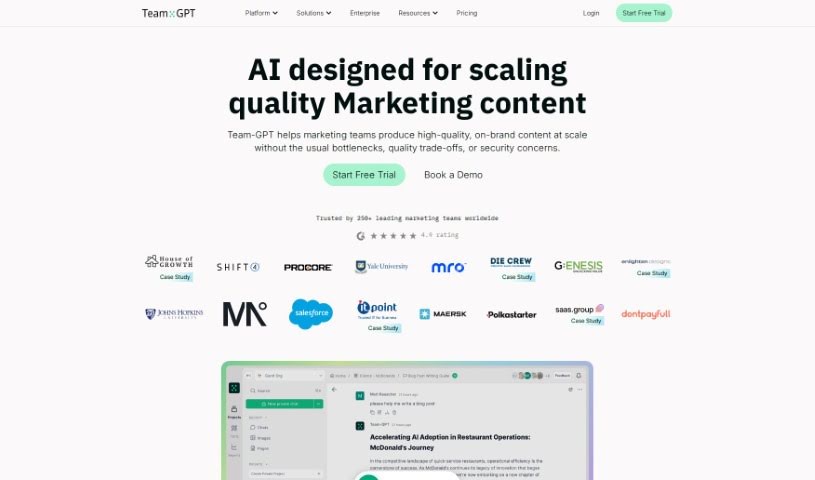
Screenshot of Team-GPT

Team-GPT

Discover what Team-GPT is and how to make the most of it in 2025. We'll explore its features, compare it to other chatbots, and guide you through its setup.

Screenshot

What is Team-GPT?

Team-GPT is a platform built specifically for team collaboration, powered by OpenAI’s ChatGPT API. It’s designed to help teams work together smoothly, using the capabilities of ChatGPT. This tool lets you harness AI to boost your team’s collaboration and productivity. For those new to AI, there’s a free onboarding course, and a comprehensive Knowledge Base is available for extra help. While it’s free for up to two people, you’ll need an OpenAI API key if you want to use it with more team members. Once you connect your API key, you can start using Team-GPT and only pay for what you actually use, which makes it a really cost-effective way for teams to collaborate with AI.

Who created Team-GPT?

Team-GPT was developed by the team behind the platform itself. Their goal was to create a space where teams could collaborate more effectively using OpenAI’s ChatGPT API. This platform makes it easy for teams to work together with ChatGPT, enhancing their collaborative efforts. You can even invite colleagues to join for free and access helpful resources, including an interactive course called ‘ChatGPT for Work’.

What is Team-GPT used for?

  • Team Collaboration with ChatGPT: Work together with your colleagues using the power of ChatGPT.
  • Organizing Knowledge: Keep your team’s information and insights well-organized.
  • Mastering AI: Become proficient in using AI within a shared workspace.
  • Facilitating Collaboration: Make collaboration easier for teams of any size.
  • Simplifying AI: Cut through the complexities of artificial intelligence.
  • Onboarding Non-Technical Users: Get new team members up to speed with the ‘ChatGPT for Work’ interactive course.
  • Providing Resources: Access an extensive Knowledge Base packed with helpful information.
  • Ensuring Team Adoption: Help teams of 2 to 2,000 people successfully adopt ChatGPT.
  • Boosting AI Proficiency: Improve your team’s skills in using and benefiting from AI.
  • Learning GPT Models: Understand and learn how to use GPT models effectively.
  • Discovering AI Collaboration: Experience the benefits of AI-powered teamwork, especially for those new to it.
  • Valuable Onboarding: Offer comprehensive Knowledge Base resources to help onboard your team.
  • Shared Workspace Mastery: Combine AI mastery and knowledge organization in one central place.
  • Cost-Effective Teamwork: Collaborate with others affordably using OpenAI’s API.
  • Consistent Model Output: Ensure that the AI’s output remains consistent.
  • Human Collaboration Value: Appreciate the importance of human teamwork alongside AI.

Who is Team-GPT for?

  • Non-technical users: Anyone who wants to use AI without needing deep technical knowledge.
  • Collaborating Teams: Individuals and groups who want to work together using ChatGPT.
  • AI Experts: Those who already work with AI and want a dedicated platform for team use.

How to use Team-GPT?

Getting started with Team-GPT is straightforward. Just follow these simple steps:

  1. Get Your API Key: First, you’ll need to obtain an API key directly from OpenAI’s website. This key is essential for connecting the services.
  2. Sign In and Connect: Once you have your key, sign in to your Team-GPT account. Then, find the ‘Set API key’ option in the menu.
  3. Enter and Save: Paste your OpenAI API key into the designated field and save the changes. This links your account to Team-GPT.
  4. Free for Small Teams: Team-GPT is free for up to two people, which is perfect for small teams looking to start collaborating.
  5. Invite Colleagues: To explore what you can do together, invite another person to join you on Team-GPT.
  6. Learn with ‘ChatGPT for Work’: For users who aren’t technical, the integrated ‘ChatGPT for Work’ interactive course is a great way to learn more about AI collaboration.
  7. Onboard Effectively: Use the extensive Knowledge Base resources to help your team get onboarded smoothly, building AI expertise and understanding its value.

Following these steps will help you and your team use Team-GPT for smooth collaboration with ChatGPT, making it easy to bring the benefits of AI into your daily work.

Related AI Tools

Discover more tools in similar categories that might interest you

Stay Updated with AI Tools

Get weekly updates on the latest AI tools, trends, and insights delivered to your inbox

Join 25,000+ AI enthusiasts. No spam, unsubscribe anytime.