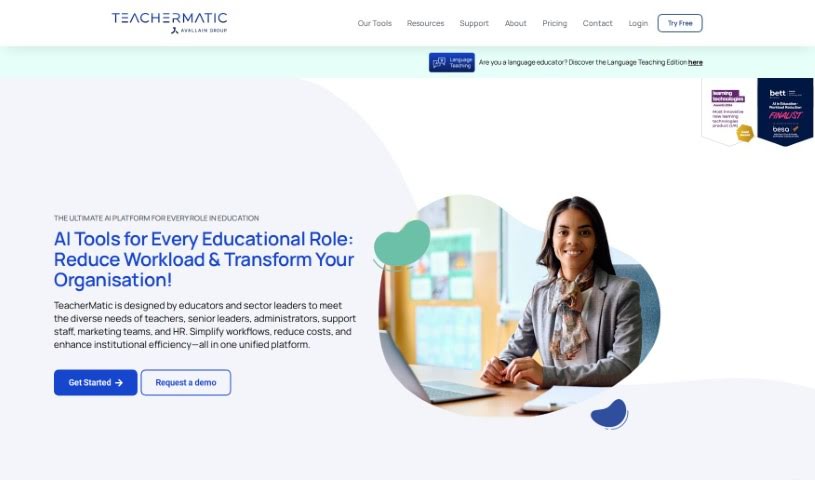
What is TeacherMatic?
TeacherMatic is an AI-powered platform built specifically for teachers. Its main goal is to help cut down on workload and boost productivity. It offers a variety of AI-driven tools, including a handy lesson planning assistant, a tool to create multiple-choice questions, a scheme of work generator, a rubrics generator, a class question generator, and a glossary generator. This platform uses GPT-3 technology, which means it can understand what teachers input and then create high-quality resources that are just right for their specific needs.
TeacherMatic came about because the people who created it wanted to tackle the real challenges educators face. They aimed to lighten the load, make teaching more productive, and help teachers find a better balance between their work and personal lives. The platform was developed with a lot of input from over 300 educators. This collaboration ensured that TeacherMatic doesn’t just reduce the workload but also improves the quality of teaching, learning, and how assessments are done. Essentially, TeacherMatic is a platform created by teachers, for teachers, offering the essential tools to make teaching more effective and rewarding.
If you’re curious to learn more about TeacherMatic, you can check out their website at teachermatic.com.
Who created TeacherMatic?
TeacherMatic was brought to life by a team of four directors: Esam Baboukhan, Peter Kilcoyne, Geoff Elliott, and Oliver Stearn. The platform officially launched on March 20th, 2023, with a clear mission: to use AI to reduce the burden on teachers and improve teaching results. Then, in March 2024, TeacherMatic joined forces with Avallain, an organization well-known for its significant contributions to the educational technology (edtech) field. The company itself is registered as Innovative Learning Technologies LTD, and it operates under the name TeacherMatic. You can find them located in Covent Garden, London, United Kingdom.
What is TeacherMatic used for?
- You can get access to a Free Trial.
- It helps with lesson planning.
- It’s a multiple-choice question maker.
- It generates schemes of work.
- It creates class questions.
- It’s a glossary generator.
- It’s an AI rubric generator.
- It helps create resources like worksheets and activities.
- It uses Bloom’s Taxonomy for setting lesson objectives.
- It generates engaging questions for students.
- It helps reduce teacher workload.
- It’s a rubrics generator.
- It boosts teacher creativity.
- It reduces teacher workload.
- It improves staff well-being.
- It uses advanced language processing algorithms.
- It offers tools based on Bloom’s taxonomy.
- Outputs can be exported in standard formats.
- It improves staff well-being.
- It generates engaging questions for students.
- It improves grading criteria for assessments.
- It reduces teacher workload.
- It enhances teacher creativity.
- It helps with planning lessons.
- It creates engaging questions for students.
- It provides AI Lesson Plans.
- It’s an AI Multiple Choice Quiz (MCQ) Maker.
Who is TeacherMatic for?
How to use TeacherMatic?
To get the most out of TeacherMatic, here’s a simple guide:
- Get to Know TeacherMatic’s Features: First, take some time to understand the AI-generated tools it offers. This includes things like help with lesson planning, making multiple-choice questions, generating schemes of work, creating rubrics, generating class questions, and building glossaries.
- Input Your Topic: Simply type in the topic or subject you want to focus on. TeacherMatic will then start generating resources for you, like lesson plans, activities, and worksheets.
- Use the Advanced Language Processing: TeacherMatic is designed to understand what teachers input. It uses advanced language processing algorithms to create high-quality resources that are specifically tailored to your needs.
- Create Lesson Plans: You can use the AI lesson plans feature to generate complete lessons. These are often based on Bloom’s Taxonomy, helping you cover different levels of cognitive learning.
- Generate Multiple Choice Quizzes: Need to create a quiz? Use the multiple-choice quiz maker to put together sets of questions for assessments. You can even export them to formats that work with Virtual Learning Environments.
- Plan Schemes of Work: The scheme of work generator is a real time-saver. It helps you organize and plan your lessons efficiently by quickly creating structured schemes.
- Formulate Class Questions: Use the class question generator to come up with engaging and relevant questions. These are great for class discussions or assessments.
- Develop Grading Rubrics: Creating grading criteria can be time-consuming. The AI rubric generator helps you create clear and concise rubrics quickly, tailored to your assessment needs.
- Build Glossaries: Need a glossary for a topic? The glossary generator lets you quickly create comprehensive glossaries for various subjects or topics.
- Trial Period and Subscription: Definitely take advantage of the free trial to explore what TeacherMatic can do. After that, you can choose from different subscription plans – like Basic, Professional, or Organizational licenses – depending on what you need.
By following these steps, teachers can really make the most of TeacherMatic’s AI tools. It’s a great way to streamline your workload, improve how you teach, and free up more time to focus on your students and their learning.