What is Taylor AI?
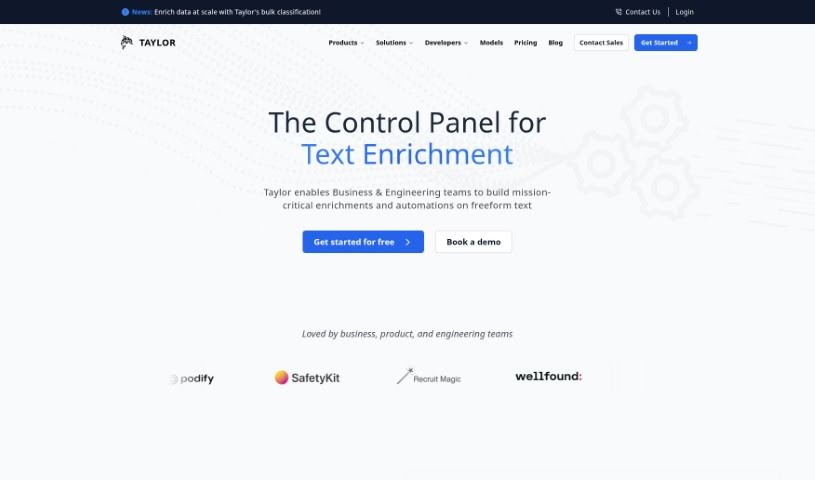
Taylor AI is a sophisticated data engine built specifically for working with unstructured natural language data. It like BigQuery or Athena, but with a special focus on handling content that isn’t neatly organized. Data engineers can use Taylor AI to build data pipelines that pull out valuable information from messy cloud file systems. This keeps your datasets clean and ready to go. What’s really neat is that Taylor AI is dynamic; it adjusts to your daily data needs, so your pipelines can change and grow is you do. Plus, you can train AI models using Taylor AI’s own AI Toolkit. This lets you classify text data right when it comes in, incorporating things like text embedding and classification directly into your data pipeline. It’s a great way to structure data, understand what users are saying, and even figure out their likelihood to buy something based on their messages.
Who created Taylor AI?
The documents don’t explicitly name Taylor AI’s founder. What we do know is that Taylor AI, Inc. is the company behind this data engine. They’re located at 2261 Market Street, San Francisco, CA 94114. If you’re looking for specific details about the founder, you’d likely need to do some additional research beyond what’s provided here.
What is Taylor AI used for?
Taylor AI is incredibly useful for a variety of tasks:
- Enhancing External Data: It helps enrich data from third-party sources.
- Automating Data Structuring: It automatically organizes unstructured data, making it much easier to work with.
- Creating Custom Classifiers: You can build specific data classifiers tailored to your needs.
- Handling Natural Language: It’s designed to work directly with unstructured natural language data.
- Building Data Pipelines: You can craft pipelines to extract valuable information from all sorts of sources.
- Training AI Models: It allows you to train AI models for text data classification.
- Direct Pipeline Integration: Functions like text embedding and classification can be integrated right into your data pipelines.
- Understanding User Input: It tackles the complexity of understanding user messages and sentiments.
- Predicting Purchase Intent: It can determine a user’s likelihood to buy based on their natural language inputs.
- Cloud Service Compatibility: It works seamlessly with cloud services like S3.
- Dynamic Data Pipelines: These pipelines adapt to changing data requirements on a daily basis.
- AI-Driven Classification: This feature automates the structuring of unstructured data.
- Customizable Data Extraction: Tools are available to create specific data classifiers.
- Integration-Friendly: It integrates smoothly with cloud services like S3.
- User-Centric Insights: It helps determine user propensity to buy from natural language inputs.
- Extracting Information: It’s great for creating data pipelines that pull valuable information from cluttered cloud file systems.
- Classifying Text Data: You can train AI models to classify text data as it’s ingested.
- Building Specific Classifiers: It offers tools to create data classifiers tailored to your project.
Who is Taylor AI for?
Taylor AI is primarily designed for:
- Software developers
- Engineering managers
- Engineers
How to use Taylor AI?
Here’s a straightforward guide to using Taylor effectively:
-
Grasp Taylor’s Core Functionality: First, understand that Taylor is a specialized data engine. It’s built for unstructured natural language data, much like BigQuery or Athena, but it’s specifically optimized for unstructured content.
-
Build Dynamic Data Pipelines:
- Start by crafting data pipelines. These pipelines are designed to extract valuable information from messy cloud file systems.
- You’ll benefit from its adaptability, as it can adjust to your daily data requirement changes.
-
Leverage AI-Driven Classification:
- Train AI models using Taylor’s AI Toolkit. This helps classify text data as it’s being ingested.
- This process automates the structuring of unstructured data, making analysis much simpler.
-
Customize Your Data Extraction:
- Use Taylor’s tools to create specific data classifiers that match your project’s unique needs.
- You can tailor the extraction process for a more personalized data structuring experience.
-
Integrate with Ease:
- Taylor integrates smoothly with cloud services like S3, making setup straightforward.
- You can embed text and use your trained classifiers directly within your pipelines for efficient data structuring.
-
Gain User-Centric Insights:
- Focus on understanding user sentiments and messages. This helps you derive actionable insights, such as identifying a user’s propensity to buy.
-
Give Taylor a Try:
- You can sign in using Google or GitHub to start using Taylor right away – no credit card needed.
- Take advantage of the user-friendly interface and powerful machine learning capabilities from day one.
By following these steps, you can really make the most of Taylor’s capabilities. It’s a great tool for structuring unstructured data and getting valuable insights for your projects.
This guide covers the key steps to help you maximize Taylor’s utility. It’s a valuable tool for efficiently handling unstructured natural language data.