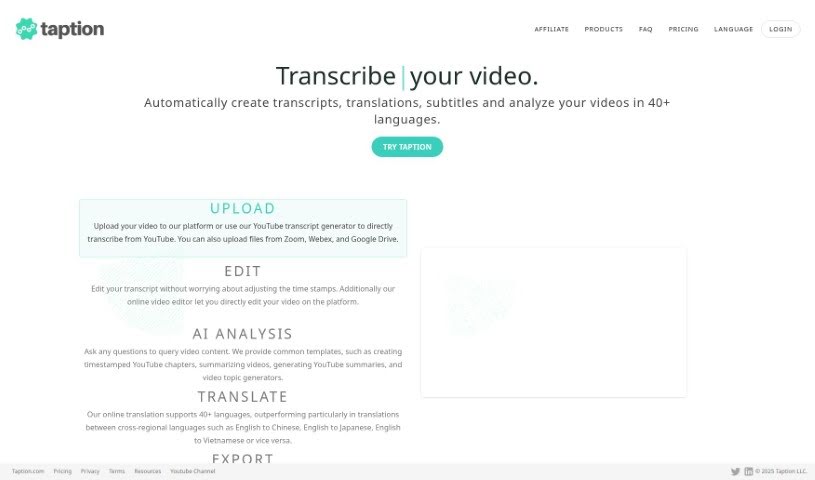
Screenshot of Taption

Taption

Discover what Taption is and how to use it effectively in 2025. We'll explore its features and see how it stacks up against other transcription tools.

Screenshot

What is Taption?

Taption is a really handy tool built to help all sorts of people – like content creators, teachers, businesses, and even individuals – easily adapt their media content for different languages. It is your go-to for making videos and audio accessible to a wider audience around the world. It automatically transcribes, translates, and adds subtitles, which is fantastic for breaking down language barriers. This means more people can connect with your content, making it more inclusive and engaging. Taption makes the whole process of transcribing, translating, and subtitling your multimedia files super simple. It supports many different languages and delivers high-quality text that you can pop right into your videos, whether they’re for learning, marketing, or just for fun. Plus, it’s designed to be super easy to use, so anyone can jump right in.

Who created Taption?

Taption was developed with a clear goal: to offer a solid, reliable solution for anyone who creates content, teaches, or runs a business and needs to make their media content work for a global audience. The tool itself is really straightforward to navigate. It automatically handles transcription, translates your content into various languages, and generates subtitles to make everything more accessible. By tackling language barriers head-on, Taption aims to make video and audio content more inclusive and captivating for people everywhere. The team behind Taption is focused on providing text outputs that are not only high-quality and accurate but also ready to be directly integrated into videos, whether for professional projects or personal use.

What is Taption used for?

Here’s a breakdown of what Taption can do for you:

  • Automatic Transcription: Get highly accurate transcriptions of your audio and video content.
  • Translation: Easily translate your content into a variety of languages, opening doors to a global audience.
  • Subtitling: Create subtitles that sync perfectly with your video or audio, significantly boosting accessibility.
  • Supports Multiple Languages: It handles a wide range of languages, catering to diverse linguistic needs.
  • User-Friendly: The interface is designed for easy navigation, making it accessible for everyone.

Who is Taption for?

Taption is a great fit for:

  • Content Creators: Whether you’re a YouTuber, podcaster, or social media influencer, Taption helps you reach more viewers.
  • Educators: Make your lectures and learning materials accessible to students worldwide.
  • Businesses: Localize your marketing videos, training materials, and presentations for international markets.

How to use Taption?

Taption is a really versatile tool that makes transcribing, translating, and subtitling your multimedia content a breeze. Here’s a simple, step-by-step guide to get you started:

  1. Sign Up: First things first, create an account on the Taption platform. This gives you access to all the services.
  2. Upload Your File: Next, upload the audio or video file you need help with – whether it’s for transcription, translation, or subtitles.
  3. Select the Original Language: To ensure Taption transcribes accurately, pick the language your content is originally in.
  4. Let Taption Transcribe: Taption will then automatically transcribe your audio or video. It’s known for its high precision.
  5. Choose Your Target Language(s): If you want to translate, simply select the language or languages you want your content converted into.
  6. Generate Subtitles: Create subtitles that match your audio or video content. This is a key step for improving accessibility.
  7. Download or Integrate: Once everything is done, you can download the transcribed, translated, and subtitled files. Or, you can integrate them directly into your videos.

Taption’s interface is really user-friendly, making it easy for anyone to navigate. By using Taption, content creators, educators, businesses, and individuals can really boost viewer engagement, break down language barriers, and make sure their content is inclusive for a global audience.

Related AI Tools

Discover more tools in similar categories that might interest you

Stay Updated with AI Tools

Get weekly updates on the latest AI tools, trends, and insights delivered to your inbox

Join 25,000+ AI enthusiasts. No spam, unsubscribe anytime.