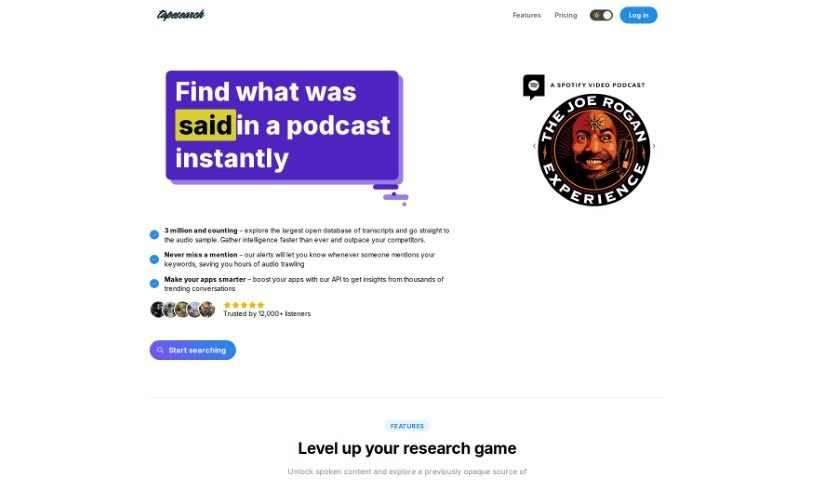
Screenshot of Tapesearch

Tapesearch

Discover what Tapesearch is and how to use it effectively in 2025. Explore its features and see how it stacks up against other transcription tools.

Screenshot

What is Tapesearch?

Tapesearch is a smart search engine that uses artificial intelligence to help you find exactly what you’re looking for within podcast transcripts. It has a really big collection of AI-generated transcriptions from all sorts of podcasts, and they add new ones all the time. You can easily sort through these transcripts based on how relevant they are or by the podcast’s title. Plus, you can filter them by when the podcast was published, tell it to ignore certain words, and even get alerts when specific keywords pop up in a podcast. People like Tapesearch because it’s fast, accurate, and gives you flexible search results, making it both efficient and easy to use.

Who created Tapesearch?

Tapesearch was actually started by a team of three: David Phillips, Juergen Berkessel, and Leon NovaÄŤki. David Phillips, who works in market research, found Tapesearch to be a super helpful tool for gathering market intelligence. Juergen Berkessel, the person behind Polymash, pointed out that Tapesearch really makes podcasts easier to discover and access. This is especially great for people who are deaf or hard of hearing. Leon NovaÄŤki, a software engineer, appreciated how Tapesearch offered a straightforward way to get at podcast information quickly.

What is Tapesearch used for?

  • You can quickly search through podcast titles, summaries, and transcripts.
  • It lets you sort podcast transcripts by relevance and by title.
  • You can apply filters to narrow down your search results by date, exclude specific words, and search within the transcripts themselves.
  • You can download transcripts that include timestamps, in formats like TXT, SRT, VTT, and JSON.
  • There’s a way to give feedback to the Tapesearch team if you have suggestions.
  • You can set up alerts for keywords you’re interested in, so you’ll know when they’re mentioned in a podcast.
  • By transcribing podcasts into text, it helps improve their SEO and makes them easier to find online.
  • It delivers search results that are accurate and flexible.
  • It makes podcasts more inclusive for the deaf and hard of hearing community by providing transcriptions.
  • You can easily pinpoint specific moments or topics within podcast episodes.
  • You can sort podcast transcripts by relevance and title.
  • You can apply filters to narrow down your search results.
  • You can exclude specific words from your search results.
  • You can download podcast transcripts in various formats (TXT, SRT, VTT, JSON).
  • Contributing to better podcast SEO is easy by transcribing podcasts into text.
  • You can locate specific points of interest within podcast episodes.
  • There’s an AI-powered chat feature you can use for questions.
  • You can find exact phrases directly within podcast episodes.
  • It enhances inclusivity for the deaf and hard of hearing community by transcribing podcasts into text format.
  • You can search for text in titles, summaries, and transcripts.

Who is Tapesearch for?

  • Software Engineers
  • Market Researchers
  • Creators (like those behind Polymash)

How to use Tapesearch?

Here’s how to get the most out of Tapesearch:

  1. Search Podcast Transcripts:

    • Use Tapesearch to explore a huge collection of podcast transcriptions. You can search by titles, summaries, or keywords.
  2. Sorting and Filtering:

    • Sort transcripts by relevance or title to find what you need more easily.
    • Use filters, like the podcast publication date, to quickly narrow down your search results.
  3. Excluding Words and Specific Phrases:

    • If you want to refine your results and get rid of content that isn’t relevant, you can exclude certain words.
    • To search for exact phrases, just put them in double quotation marks.
  4. Advanced Features of Tapesearch Pro:

    • Think about upgrading to Tapesearch Pro. It gives you more advanced search options, lets you chat with Tapesearch, and allows you to download timestamped transcripts in different formats.
  5. Feedback and Alerts:

    • Feel free to give feedback to the Tapesearch team using the chat box if you have any suggestions or ideas for improvement.
    • You can set up alerts for specific keywords, and you’ll get notified whenever they’re mentioned in a podcast.
  6. Improving Podcast SEO:

    • Tapesearch’s transcription service can really help boost your podcast’s SEO by making your content searchable and easier to discover online.
  7. Pricing Options:

    • You can choose from three different pricing plans: Basic (which is free), Pro ($15/month), and Alerts ($37/month). Each plan offers different features to fit what you need.
  8. Inclusivity and Accessibility:

    • Tapesearch helps make podcasts more inclusive by transcribing them into text. This makes the content accessible to people who are deaf or hard of hearing.
  9. Utilizing Chat Feature and Market Insights:

    • You can use Tapesearch’s AI-powered chat feature to ask questions.
    • You can also access market insights and interact with the AI tool for a more engaging experience.
  10. Database Updates and Search:

    • Tapesearch updates its database daily, so you’ll always have accurate and current information.
    • You can search for text within titles, summaries, and transcripts to get really comprehensive results.

By following these steps, you can effectively use Tapesearch to search, sort, and filter podcast transcripts with greater accuracy and a better overall user experience.

Related AI Tools

Discover more tools in similar categories that might interest you

Stay Updated with AI Tools

Get weekly updates on the latest AI tools, trends, and insights delivered to your inbox

Join 25,000+ AI enthusiasts. No spam, unsubscribe anytime.