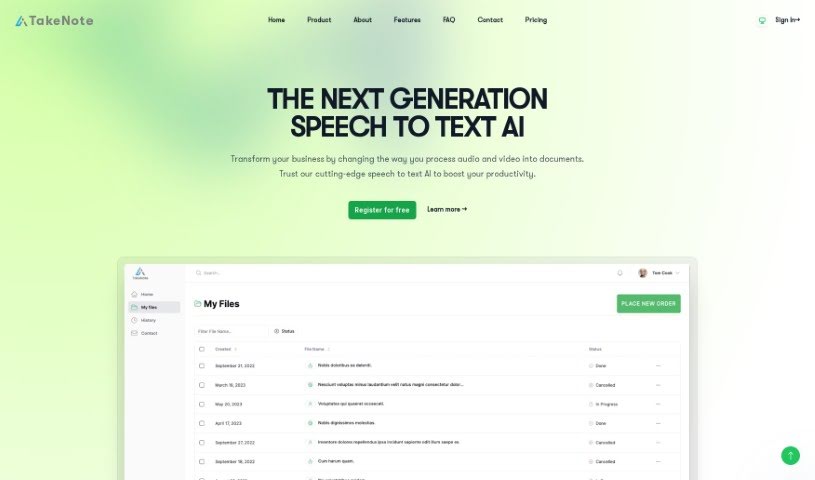
What is Takenote?
TakeNote is a really powerful AI tool that’s designed to transcribe and analyze speech into text with impressive accuracy. It provides fast and secure transcription services, making it a fantastic option for turning your meetings into precise written records. The advanced AI solution TakeNote uses is remarkably close to human-level accuracy and robustness when it comes to recognizing English speech. Beyond just transcription, TakeNote also offers helpful features like summarizing your content, analyzing the sentiment behind the words, and identifying who said what. The tool is smart enough to punctuate transcriptions correctly with commas, question marks, and full stops. It’s built to be tough, handling challenges like less-than-ideal audio quality, strong regional accents, rapid speech, and noisy environments, all while still delivering accurate transcriptions.
Who created Takenote?
TakeNote was developed by an individual or team who prefer to remain anonymous, and it first launched on June 26, 2023. The company behind TakeNote is located at 7 Bell Yard, London WC2A 2JR. Essentially, the tool offers AI-powered services aimed at boosting meeting productivity by providing accurate transcriptions, summaries, and helpful visualizations. It stands out with features like sentiment analysis, speaker identification, and the ability to turn audio into valuable insights with remarkable precision. TakeNote’s AI models achieve human-level robustness and accuracy in recognizing English speech, making it a versatile and secure choice for transforming your meetings into accurate written records.
What is Takenote used for?
- It supports multiple languages.
- It transcribes and analyzes speech to text with exceptional accuracy.
- It generates accurate summaries of your meetings.
- It provides sentiment analysis using Natural Language Processing models.
- It can identify and label different speakers within the same audio file.
- It accurately punctuates transcriptions with commas, question marks, and full stops.
- It handles poor audio quality, strong regional accents, fast speech, and noisy backgrounds well, still delivering precise transcriptions.
- It works smoothly on popular browsers like Google Chrome and Edge.
- It offers support for many different languages.
- You can register for free.
- It ensures high-level security, privacy, and data protection.
- It separates speakers.
- It’s robust in handling poor audio quality.
- It offers automatic punctuation.
- It summarizes meeting content.
- It performs sentiment analysis to help with decision-making.
- It identifies multiple speakers in the same audio file.
- It provides accurate punctuation for transcriptions.
- It uses cloud-based processing for security and privacy.
- It accurately transcribes speech to text.
Who is Takenote for?
- Professionals who attend a lot of business meetings.
- Journalists who conduct interviews.
- Content creators recording podcasts.
- Students who need to take notes during lectures.
- Legal professionals who need accurate records.
How to use Takenote?
To get the most out of TakeNote, just follow these simple steps:
- Sign Up and Choose a Plan: First, create an account on the TakeNote platform. Then, pick a subscription plan that fits what you need – they have Starter, Professional, and Corporate options.
- Upload Your Audio: Next, upload your audio files to the platform for transcription. Keep in mind that each plan has limits on how many files you can upload and how long they can be.
- Get Accurate Transcriptions: TakeNote uses advanced AI models that are really good at transcribing speech to text. The tool automatically handles spelling and punctuation, so you get precise transcriptions without extra work.
- Identify Speakers Easily: TakeNote can recognize and label different speakers in the same audio file. This makes it super easy to see who said what.
- Explore Extra Features: Don’t forget to check out other features like summarization and sentiment analysis. TakeNote can create meeting summaries by understanding the context and content, and it offers insights through sentiment analysis.
- Access It Anywhere: You can access TakeNote easily through popular browsers like Google Chrome and Edge. All the processing happens securely in the cloud, which means your data is protected and kept private.
- Need Help? Get in Touch: If you have any questions or need assistance, you can contact TakeNote by email or by filling out the form on their website. Make sure to register on the platform to stay updated on new features.
By following these steps, you can efficiently use TakeNote’s AI-powered transcription services to turn your meetings into accurate, reliable transcriptions with exceptional precision.