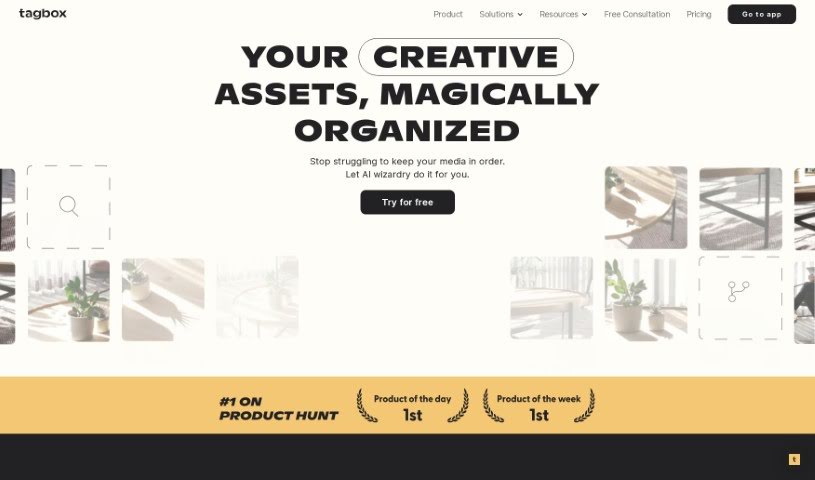
Screenshot of Tagbox

Tagbox

Discover what Tagbox is and how to use it effectively in 2025. We'll explore its features and see how it stacks up against other Project Management Tools.

Screenshot

What is Tagbox?

Tagbox is a really neat tool designed to completely change how creative teams handle and organize their digital stuff. It uses smart AI technology to make sorting through visual content much simpler. This means your team can work together better and save a ton of time. The platform automatically looks at your images, gives them the right tags, and lets you find things super fast with custom searches. Plus, Tagbox lets you create your own tags, makes finding assets easy with advanced search filters, helps teams work together, and can even move your data over quickly. When you use Tagbox, creative teams can make their work smoother, focus more on creating awesome designs, and keep all their media organized and easy to get to.

Who created Tagbox?

Kyle Berg founded Tagbox, according to the company’s own information. Essentially, Tagbox is a game-changer for how creative teams manage their digital assets, thanks to its advanced AI. The platform automatically scans and tags images, which really speeds up organization and makes searching a breeze. Tagbox also offers things like product showcases, helpful tutorials, assistance with moving your data, and expert advice. The whole idea is to make the creative process easier by keeping media organized and accessible, so teams can concentrate on making great designs.

What is Tagbox used for?

  • Retail
  • Education
  • Events
  • It automatically organizes content with smart tags using AI technology.
  • You can also add or remove tags manually to match your team’s naming preferences.
  • It offers advanced search and filters, making it quick to find the assets you need.
  • It lets teams collaborate on managing assets together.
  • It can quickly organize your existing content, often within just a few days.
  • Hospitality
  • Advanced search and filters for quick asset location
  • You can add team members to manage assets collaboratively.
  • Nonprofit
  • Food
  • Drones
  • Fragrances
  • Creative Agency

Who is Tagbox for?

  • Nonprofit organizations
  • Event planners
  • Food businesses
  • Hospitality industry
  • Educational institutions
  • Those working with drones
  • Retail companies
  • Fragrance brands
  • Creative agencies
  • Businesses in both Food & Hospitality
  • Companies in Retail & Fragrances

How to use Tagbox?

To get the most out of Tagbox, just follow these simple steps:

  1. Add Your Assets: Start by uploading all your media files – think photos, videos, PDFs, or any editable files – right into the platform.
  2. Organize with AI: Tagbox uses AI to automatically spot people, objects, and scenes in your assets. It’ll add smart tags for you, but you’re also welcome to add your own specific tags, like campaign names or who took the photo.
  3. Discover Assets: Invite your team members to join in and use the advanced search and filter tools to quickly find exactly what you’re looking for.

Tagbox really shines with its AI-powered organization, the ability to customize tags, how easy it is to find assets, its team collaboration features, and how fast it can migrate your data for a smooth switch. Teams in all sorts of industries, like creative agencies, retailers, and event organizers, find it incredibly helpful for managing all kinds of media files efficiently.

If you need a hand or want to chat about how Tagbox can work best for your team, you can schedule a 30-minute call with their experts. Plus, you’ll find detailed tutorials and helpful resources on the Tagbox blog to guide you through using the tool like a pro.

Related AI Tools

Discover more tools in similar categories that might interest you

Stay Updated with AI Tools

Get weekly updates on the latest AI tools, trends, and insights delivered to your inbox

Join 25,000+ AI enthusiasts. No spam, unsubscribe anytime.