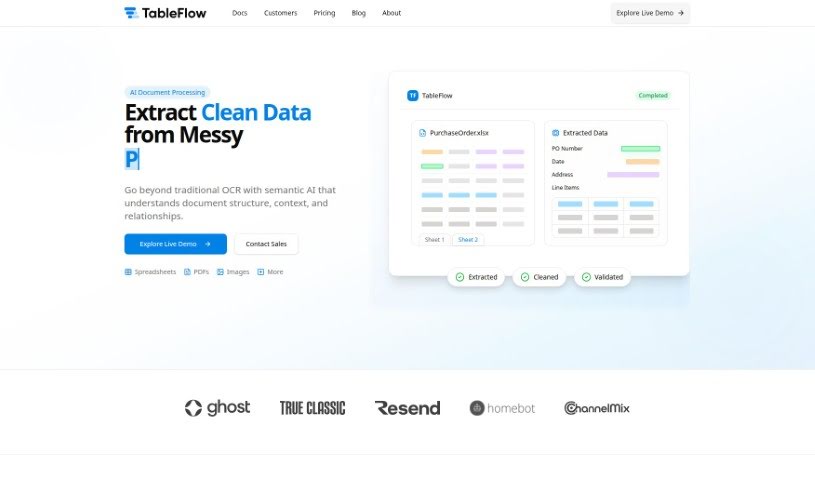
Screenshot of TableFlow

TableFlow

Discover what TableFlow is and how to use it effectively in 2025. We'll explore its features and see how it stacks up against other Data Analytics Tools.

Screenshot

What is TableFlow?

TableFlow is a really handy tool designed to make bringing data together, changing it, and then showing it off super smooth. It’s got this easy-to-use interface, which means you can tweak and look at your data without needing to be a tech wizard. TableFlow really simplifies turning raw data into useful insights. It gives you all sorts of functions and features to clean up, reshape, and visualize your data effectively. With TableFlow, you can actually automate tasks you do over and over, work with your team in real-time, and create interactive visuals that help you make better decisions. Basically, TableFlow is a complete package for anyone, or any business, that wants to make their data processing and analysis work better.

Who created TableFlow?

Mitch, a technologist who’s spent years helping businesses streamline their processes, founded TableFlow. The company’s main goal is to automate manual workflows, cut down on wasted time and effort, and give teams the power to really use their data well. TableFlow keeps things simple, focuses on new ideas, puts customers first, and always acts with integrity. They’re proud of using the latest technology to drive automation and offer solutions that help make decisions based on data.

How to use TableFlow?

TableFlow is a tool that’s great at pulling data from all sorts of places where it’s not neatly organized, and it does this through a few different stages. To get the most out of TableFlow, here’s a simple breakdown of the steps:

  1. Collect Data: You can use TableFlow to gather information from places where it’s unstructured, like regular documents, images, or PDFs.
  2. Preprocess Data: After you’ve pulled the data, you’ll want to clean it up and get it ready for the next steps in your analysis.
  3. Analyze Data: TableFlow has capabilities that let you dig into the data and pull out valuable insights.
  4. Visualize Results: Once you’ve analyzed the data, you can show it off in a way that looks good using TableFlow’s visualization tools.
  5. Export Data: When your analysis is all done, you can export the data in whatever format you need, whether it’s for sharing with others or plugging into different tools or systems.

By following these steps, you can really make the most of TableFlow’s features for extracting and analyzing data. It’s a great way to make your workflows smoother and get meaningful information from data that isn’t neatly organized.

Related AI Tools

Discover more tools in similar categories that might interest you

Stay Updated with AI Tools

Get weekly updates on the latest AI tools, trends, and insights delivered to your inbox

Join 25,000+ AI enthusiasts. No spam, unsubscribe anytime.