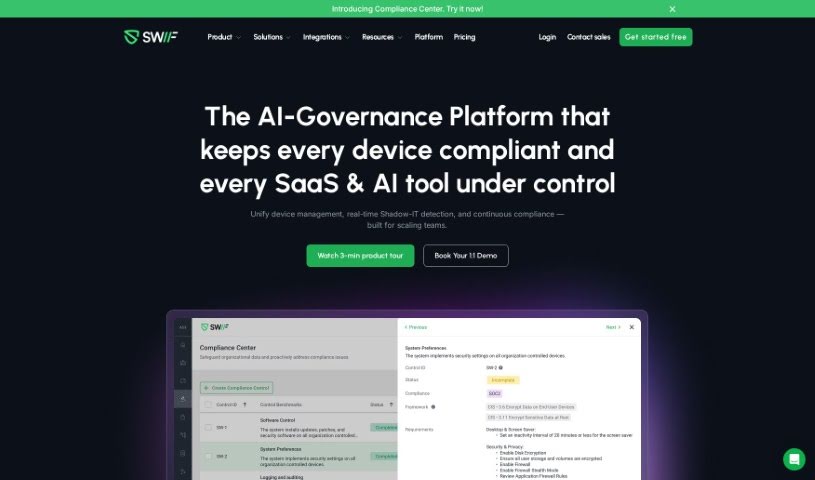
Screenshot of Swif

Swif

Discover what Swif is and how to use it effectively in 2025. We'll explore its features and see how it stacks up against other employee tools.

Screenshot

What is Swif?

Swif is a really comprehensive platform that brings together device management, automated compliance, device security, access control, and IT disposition all in one place. Right now, it works great with macOS and Windows, and they’re planning to add Linux support soon. Basically, Swif helps companies manage their assets securely, make sure devices are compliant no matter the operating system, and smoothly handle employee onboarding and offboarding by connecting with HR systems. A big plus is its ability to remotely lock or wipe devices, which is super important for keeping company information private. What really sets Swif apart is this all-in-one approach to managing devices and automating compliance, covering everything from security to IT asset tracking.

Swif also has a neat ‘smart group’ feature. You can set up rules there to automatically enroll devices with specific policies, apps, and commands. Plus, it integrates really smoothly with tools like Vanta, Drata, and Secureframe, which is a huge help if you’re going through the SOC2 certification process. It makes getting compliant a lot less of a headache. On top of that, Swif supports global setups, helps manage access to SaaS web apps, and makes deployment easy using PowerShell scripts. People seem to like it because it scales well, generates reports automatically, lets you customize device policies, and connects with lots of different SaaS web apps. Now, it’s not perfect yet – it doesn’t support Linux (though that’s coming), has a limited number of third-party integrations, you can’t host it yourself, and it doesn’t have Multi-Factor Authentication (MFA) built-in.

Who created Swif?

Angelo Huang created Swif back in 2021. The company’s goal is to become a top IT solution provider for today’s global workforce, offering simple ways to manage devices and inventory. The Swif team includes people who have started businesses before and have direct experience managing remote teams and dealing with device security challenges. The platform officially launched on March 19, 2024, with a mission to create products and services that support the future of work, whether that’s fully remote or a hybrid model.

What is Swif used for?

  • Generating reports automatically
  • Automating compliance tasks
  • Managing access to SaaS web apps
  • Setting up compliance-ready environments
  • Integrating with HR systems
  • Connecting with Gusto
  • Quickly deploying via PowerShell scripts
  • Customizing device policies
  • Integrating with Slack, Zoom, Google, and Deel
  • Automatically enrolling devices with policies
  • Scaling to support growing companies
  • Supporting multiple platforms (macOS, Windows, soon Linux)
  • Providing unified device management
  • Ensuring device security
  • Managing access
  • Handling IT disposition (managing retired assets)
  • Using a smart group feature for organization
  • Automatically enrolling device policies
  • Ensuring device compliance across different operating systems
  • Integrating with HR systems for smoother workflows

Who is Swif for?

  • HR teams
  • Technical and cybersecurity teams
  • IT professionals
  • Security professionals
  • Compliance Officers
  • HR Professionals

How to use Swif?

To get the most out of Swif, here’s a simple breakdown of how to use it:

  1. Set Up Your Organization: Getting your Swif organization ready takes just about five minutes. You can easily connect Swif to your HR system, like Gusto, to quickly import employee data.
  2. Enroll Devices: You can deploy the Swif installer using custom software deployment tools on Mac and Windows devices. Linux support is on the way! You can also enroll devices remotely using the Swif agent.
  3. Manage Compliance: Swif makes compliance management automatic for macOS, Windows, and Linux devices, ensuring everything stays compliant across all your operating systems.
  4. Secure Your Assets: Use Swif to boost device security by setting up your company’s security policies, managing who can access devices, and remotely locking or wiping them to keep your information private.
  5. Leverage Smart Groups: Configure rules to automatically enroll device policies, apps, and commands by using Swif’s smart group feature.
  6. Benefit from Integrations: Swif connects seamlessly with Vanta, Drata, and Secureframe, which really helps with the SOC2 certification process. It also works with various SaaS web apps and HR systems, making employee onboarding and offboarding much smoother.
  7. Scale and Get Support: Swif offers scalable solutions perfect for companies that are growing. It also provides features like automated controls, remote desktop access, and live terminal support.
  8. See What Others Say: Users often mention that Swif helps them streamline compliance, improve productivity, and offers a great all-in-one solution for managing their devices.

By following these steps, you can really make Swif work for you, covering unified device management, compliance automation, device security, access management, and IT disposition effectively.

Related AI Tools

Discover more tools in similar categories that might interest you

Stay Updated with AI Tools

Get weekly updates on the latest AI tools, trends, and insights delivered to your inbox

Join 25,000+ AI enthusiasts. No spam, unsubscribe anytime.