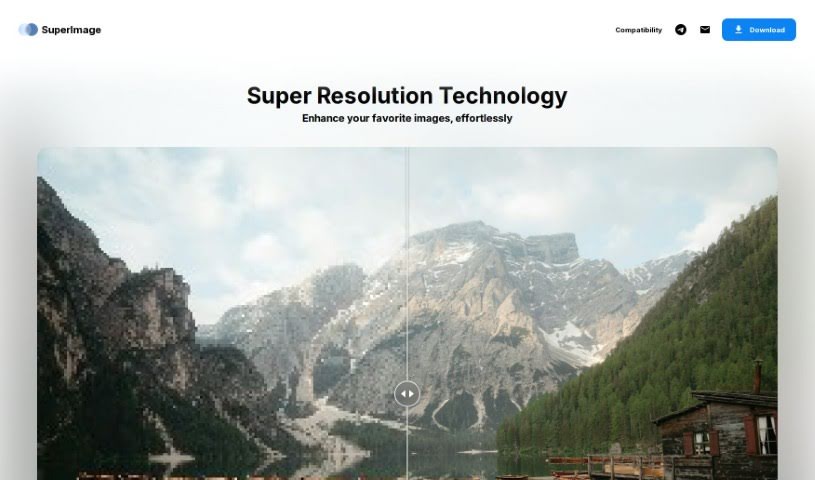
Screenshot of SuperImage

SuperImage

Curious about SuperImage? Let's dive into what this AI image enhancer and upscaler is, how it works, and how you can use it effectively in 2025. We'll also compare it to other tools.

Screenshot

What is SuperImage?

SuperImage is a neat AI tool designed specifically for making your low-resolution images bigger and better. It uses advanced neural networks and your computer’s own GPU to do the heavy lifting. What’s really great is that it keeps your data private because everything happens right on your device – no need to send your images anywhere online. It’s built using the MNN deep learning framework and the Real-ESRGAN algorithm, which means it’s both efficient and delivers high-quality results. You get a smooth, high-quality upscaling process without needing an internet connection or uploading anything.

Who created SuperImage?

SuperImage was developed by a dedicated team focused on creating AI tools for image enhancement. They launched it on May 15, 2023. Their goal was to build a tool that could really bring out the best in low-resolution images by restoring lost details and boosting overall quality. They achieved this by using neural networks, the MNN deep learning framework, and the Real-ESRGAN algorithm. A key feature is that all the work happens locally on your computer, so your data stays private and secure. You don’t need an internet connection for it to work.

What is SuperImage used for?

SuperImage is incredibly versatile! Here’s a rundown of what it’s great for:

  • Upscaling images: Making those small pictures bigger and clearer.
  • Keeping your data private: Everything is processed locally, so your images never leave your device.
  • Professional use: It’s robust enough for serious work.
  • Improving image quality: Say goodbye to blurry or pixelated shots.
  • Restoring low-resolution images: Bringing old or low-quality photos back to life.
  • Utilizing your GPU power: It makes smart use of your computer’s graphics card for faster processing.
  • Local operation: No need to worry about internet uploads or connections.
  • Compatibility: Works well on Linux and macOS (specifically for Apple Silicon).
  • Sharpening images: Making details crisp and defined.

Basically, if you need to enhance and restore image details while keeping everything secure and local, SuperImage is a fantastic choice for both personal and professional projects.

Who is SuperImage for?

SuperImage is a great tool for a wide range of users, whether you’re working on personal projects or professional assignments. It’s particularly useful for:

  • Individuals: Anyone looking to improve their personal photos.
  • Professionals: Those who need reliable image enhancement for their work.
  • Photographers: To bring out the best in their shots.
  • Graphic Designers: For creating high-quality visuals.
  • Artists: To refine their digital creations.
  • Web Designers: Ensuring images look sharp on websites.
  • Content Creators: To make their visuals stand out.
  • Media Professionals: For polished image assets.
  • Marketing Professionals: To create impactful marketing materials.

If you work with images and value quality, privacy, and local processing, SuperImage is likely a perfect fit for you.

How to use SuperImage?

Using SuperImage to upscale your images is pretty straightforward. Just follow these simple steps:

  1. Download and Install: First, grab the right version of SuperImage for your operating system from their official website. Easy peasy.
  2. Launch the App: Once it’s installed, just open SuperImage on your device.
  3. Pick Your Image: Find and select the low-resolution picture you want to make bigger and better.
  4. Set Your Options: You can choose how you want the upscaling to happen by selecting your preferred settings and parameters.
  5. Start Upscaling: Hit the button to begin the process. SuperImage will then use your device’s GPU to work its magic on the image.
  6. See the Results: When it’s done, you can check out your enhanced image. You’ll notice the restored details and improved quality.
  7. Save Your Work: Happy with the result? Save the upscaled image to wherever you like on your device.
  8. Enjoy Privacy: Remember, because it all happens locally, your data is safe and never uploaded online.
  9. Use It Your Way: Feel free to use SuperImage for both your professional projects and personal photos to get great results efficiently.

By following these steps, you’ll be able to effectively upscale and enhance your images with SuperImage, all while keeping your data private and secure.

Related AI Tools

Discover more tools in similar categories that might interest you

123RF AI Image Generator

Creative Image Generation
Learn More

Stay Updated with AI Tools

Get weekly updates on the latest AI tools, trends, and insights delivered to your inbox

Join 25,000+ AI enthusiasts. No spam, unsubscribe anytime.