What is Supergrow?
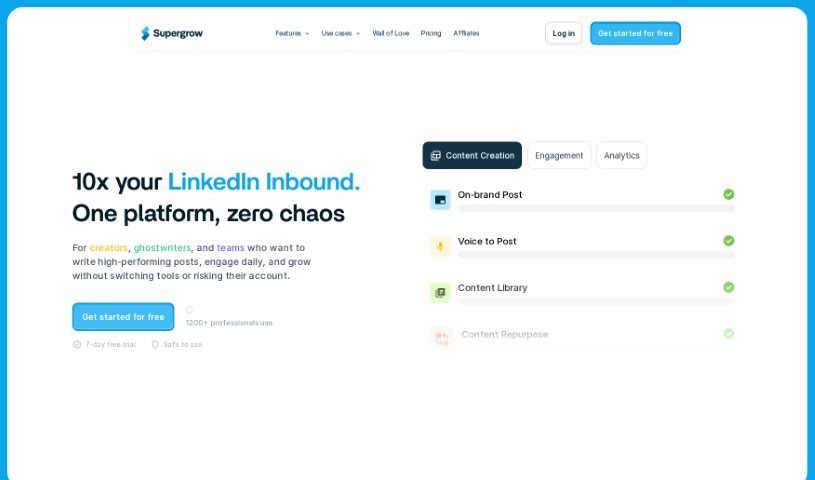
Supergrow is a handy tool designed to help you build your personal brand on LinkedIn. It offers a bunch of features to make creating and sharing content much easier. It is your go-to assistant for organizing content ideas, writing personalized posts, crafting eye-catching carousels, and even scheduling everything so it goes out at the right time. The main goal here is to help you grow your audience on LinkedIn by giving you a simple platform to create engaging content that sounds just like you – professional and authentic. It uses AI, specifically GPT-4, to help with writing, sparking new ideas, and scheduling, which really speeds up the whole content creation process for anyone using LinkedIn.
Who created Supergrow?
While the specific creator or team behind Supergrow isn’t mentioned in the details I have, what’s clear is that it’s built to be a powerful LinkedIn personal branding tool. It’s all about helping users create content that feels personal and genuine, and doing it efficiently. You get features like an ideas generator, a post generator, and a carousel maker, all designed to make your LinkedIn profile stand out. The tool uses advanced tech like GPT-4 for content creation, aiming to really simplify and improve how you create your LinkedIn content.
What is Supergrow used for?
Supergrow helps you with a lot of things to boost your LinkedIn game:
- Idea Capture & Organization: Easily save and organize content ideas you find on LinkedIn.
- One-Click Saving: Save LinkedIn posts with just a single click.
- Content Categorization: Keep your saved content organized by using tags.
- Quick Inspiration: Find inspiration fast with a powerful search function.
- Collaboration & Repurposing: Work with others and reuse saved content.
- Personalized Posts: Create LinkedIn posts that match your unique professional tone.
- Carousel Creation: Make engaging LinkedIn carousels using customizable templates.
- Post Idea Generation: Get tailored LinkedIn post ideas based on topics you choose.
- Template-Based Posts: Generate personalized LinkedIn posts using pre-set templates.
- Efficient Engagement: Engage with others on LinkedIn without ever leaving the Supergrow platform.
Who is Supergrow for?
- Anyone interested in using AI to enhance their professional presence.
How to use Supergrow?
To really make Supergrow work for your LinkedIn personal branding, here’s a simple breakdown of how to use it:
- Crafting and Scheduling Posts: You can easily schedule posts that include text, images, or carousels with just one click. Plus, you get to preview exactly how your posts will look before they go live, which is super helpful.
- Engaging and Building Connections: Supergrow lets you engage with others directly on the platform, saving you time and effort. This means you can focus more on building those important relationships.
- Growing Your Brand: Supergrow is a straightforward, powerful, and cost-effective way to boost your personal brand on LinkedIn. Many professionals and agencies already trust it to help them grow.
- Choosing Your Plan: Supergrow offers different subscription tiers – Starter, Pro, and Agency/Team. Each plan comes with varying features, like the ability to mimic content styles, use unlimited engagement lists, or create a brand kit, so you can pick what fits best.
- Trying it Out (Free Trial & FAQs): You can try Supergrow for free with a 7-day trial to see all its capabilities. After the trial, you can decide if you want to continue based on how much you used it and your needs. You can cancel anytime, and they assure a safe user experience.
- Key Features at a Glance: You’ll find everything you need in one place, including an ideas generator, a post generator, a carousel maker, and tools for creating personalized content.
- Your Content Style & Carousels: Make sure your content reflects your professional voice. You can customize carousels using templates and save a lot of time by easily generating posts from blogs or videos.
- Posting on Schedule: Save valuable time by scheduling your posts and carousels in advance. You won’t need to log in every day just to publish content. Plus, you get a preview to see how it will appear.
By following these steps and making the most of Supergrow’s features, you can really streamline how you create content and build your brand on LinkedIn.