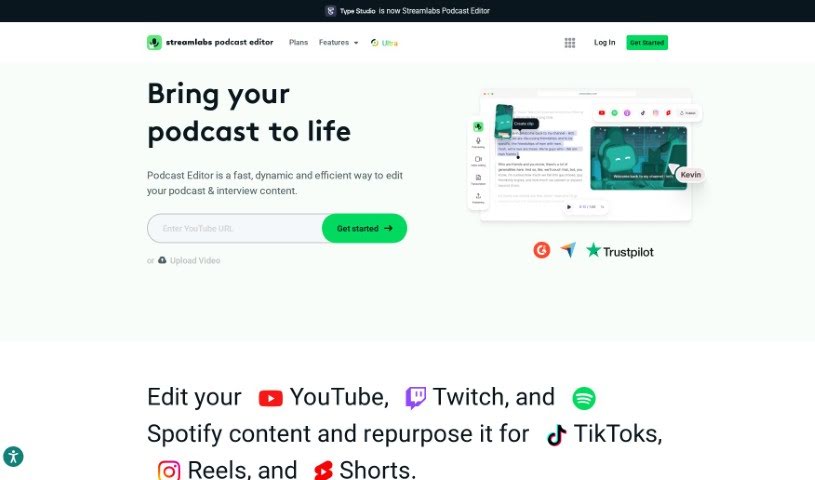
Screenshot of Streamlabs

Streamlabs

Discover what Streamlabs is and how to use it effectively in 2025. We'll explore its features and see how it stacks up against other podcast tools.

Screenshot

What is Streamlabs?

Streamlabs is a really handy platform packed with tools for content creators, especially those who are into live streaming and making videos. One of its standout features is the ability to stream and record directly from your computer. This makes it super efficient for creating and sharing content as it happens. Plus, Streamlabs has a video editor that makes tweaking and working on videos with others a breeze. Another cool function is called “Cross Clip.” It lets you take videos from platforms like Twitch and YouTube and easily turn them into short, shareable clips. Basically, Streamlabs is designed to help content creators by offering a bunch of useful applications to make their streaming and video editing experiences much better.

Who created Streamlabs?

Ali Moiz is the person who founded Streamlabs. He launched the company on June 30, 2014. Streamlabs offers a variety of tools and services specifically for gamers and live streamers. These include features for managing notifications, interacting with viewers in the chat, and even options for making money from your content.

What is Streamlabs used for?

Streamlabs is incredibly versatile and can be used for a wide range of tasks to boost your content creation:

  • Video Editing: Perfect for editing videos destined for social media, podcasts, interviews, your live streams, or even course materials.
  • Content Enhancement: Easily add captions to your videos or automatically remove those pesky filler words and pauses to make your content sound more polished.
  • Content Repurposing: Transform your longer videos into engaging short clips for platforms like TikTok, Instagram Reels, and YouTube Shorts. You can also rotate and resize videos to fit different formats.
  • Podcast Editing: Streamlabs makes it simple to edit podcasts, including converting long-form episodes into short promotional clips.
  • Collaboration: It’s designed so teams can work together effectively on video projects.
  • Accessibility & Reach: Offer auto subtitling and even translate your videos to reach a wider, global audience.
  • Recording: You can also record podcasts directly within the platform.
  • AI-Powered Features: Benefit from AI technology for automatic transcription and translation, making content creation more efficient.
  • User-Friendly Experience: The interface is designed to be easy to use, even for beginners.

Who is Streamlabs for?

Streamlabs is a great tool for a variety of creators and professionals:

  • Live streamers
  • YouTubers
  • Video Editors
  • Content Creators in general
  • Social Media Influencers
  • Gaming Broadcasters
  • Online Educators
  • Podcasters
  • Digital Marketers
  • Event Hosts

How to use Streamlabs?

Getting started with Streamlabs is pretty straightforward. Here’s a simple breakdown:

  1. Sign Up: First, head over to the Streamlabs website and create your account. It’s a quick process.
  2. Link Your Accounts: Next, connect your streaming platforms like Twitch, YouTube, or Facebook. This lets Streamlabs pull in your stream data.
  3. Pick Your Widgets: Browse through the available widgets – think alerts for follows or subs, cool overlays, chat boxes, or donation tickers – and choose the ones you want for your stream.
  4. Make It Yours: Customize these widgets so they perfectly match your personal brand and style. You can tweak colors, fonts, and layouts.
  5. Start Streaming: When you’re ready, just hit the “Go Live” button right in Streamlabs to begin your broadcast.
  6. Chat with Your Fans: Keep your audience engaged by using the chat feature to respond to comments and interact with viewers in real-time.
  7. Check Your Stats: Keep an eye on how your stream is performing using the performance metrics Streamlabs provides.
  8. Wrap It Up: When you’re finished, simply click the “End Stream” button.

Following these steps should help you use Streamlabs effectively, making your streaming experience smoother and helping you connect better with your audience.

Related AI Tools

Discover more tools in similar categories that might interest you

Stay Updated with AI Tools

Get weekly updates on the latest AI tools, trends, and insights delivered to your inbox

Join 25,000+ AI enthusiasts. No spam, unsubscribe anytime.