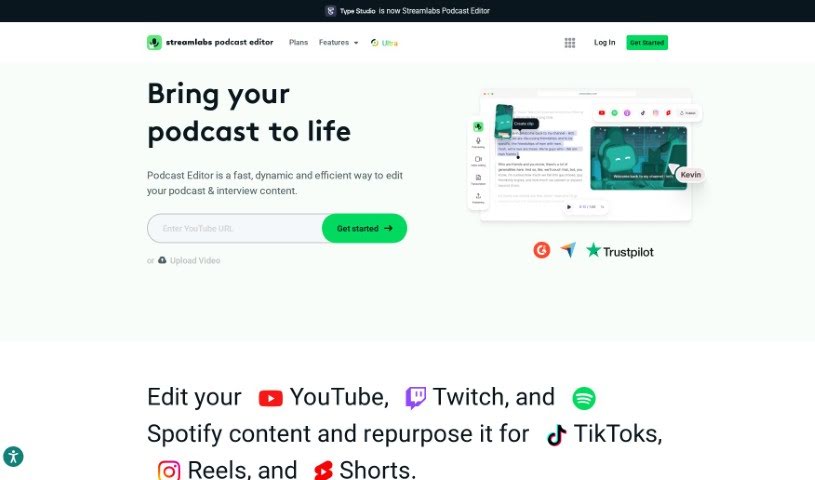
Screenshot of Streamlabs

Streamlabs

Discover what Streamlabs is and how to use it effectively in 2025. We'll explore its features and how it stacks up against other social media management tools.

Screenshot

What is Streamlabs?

Streamlabs is a video editing tool that takes a really unique, text-based approach to editing videos. Instead of wrestling with traditional timelines, you can actually edit your videos by directly working with the transcribed text. It’s a pretty neat way to simplify the whole process, making it faster, more accurate, and just plain easier to use. You can take podcast recordings or any spoken content and turn them into polished videos simply by editing the text that’s generated. Beyond just making editing smoother, Streamlabs also helps with SEO optimization, letting you boost your video’s discoverability by adding in those all-important keywords. With an interface that’s easy for beginners but still powerful for experienced editors, Streamlabs gives you all sorts of video effects, transitions, and audio editing tools to create professional-looking videos without a fuss.

Who created Streamlabs?

The Streamlabs Podcast Editor was developed by Streamlabs itself. Streamlabs is a platform designed to bring a variety of content creation tools together in one convenient spot, which is super helpful for today’s creators. They offer tools for video editing, live streaming, branding, and even monetization, all aimed at making the content creation journey smoother.

What is Streamlabs used for?

  • It makes the editing process much simpler.
  • You can edit videos efficiently using text, by directly changing the transcribed words.
  • It helps turn podcast recordings or spoken content into high-quality videos.
  • You can optimize your content for SEO by adding relevant keywords to the transcribed text.
  • It allows you to create professional videos using various effects, transitions, and audio editing tools.
  • It’s easy for both beginners and experienced video editors to use.
  • It streamlines the editing process, leading to faster and more accurate results.
  • The text-based approach makes editing user-friendly, avoiding complex timeline interfaces.
  • You can easily add visual elements, captions, and make precise cuts based on the transcribed text.
  • It helps improve how easily your videos are found on search engines by optimizing the transcribed text.
  • It’s a hassle-free way to enhance videos for podcasters, content creators, and anyone who wants easy editing.
  • It offers SEO optimization capabilities.
  • You can create professional-looking videos.
  • It’s all about text-based editing.
  • It’s great for transforming podcast recordings into videos.
  • You can incorporate relevant keywords.
  • It helps improve video discoverability.
  • It offers a user-friendly approach to editing.
  • It’s accessible for both beginners and experienced editors.
  • It enhances videos with a hassle-free process.
  • You can edit podcast recordings or spoken content into high-quality videos.
  • It lets you use a text-based editing approach for precise editing.
  • You can incorporate SEO optimization by editing transcribed text with relevant keywords.
  • It helps you create professional-looking videos with video effects and transitions.
  • It streamlines the editing process with text-based video editing.
  • You can attract more viewers by improving video discoverability on search engines.
  • It provides a user-friendly interface suitable for both beginners and experienced editors.
  • It enhances videos hassle-free for podcasters and content creators.
  • You can transform podcast recordings effortlessly into visually engaging videos.
  • Say goodbye to complex timelines and hello to a simple, efficient editing process.
  • It’s perfect for transforming podcast recordings or spoken content into high-quality videos.
  • You can edit videos quickly and efficiently through a text-based approach.
  • It helps you incorporate keywords for SEO optimization to improve video discoverability.
  • You can create professional-looking videos with ease using video effects and transitions.
  • It allows you to make precise cuts, insert visual elements, and add captions to videos.
  • It appeals to both beginners and experienced video editors with its intuitive interface.
  • It streamlines the editing process for faster and more accurate results.
  • It enhances videos hassle-free with a user-friendly editing process.
  • You get access to a range of video effects, transitions, and audio editing options.
  • It helps you attract a wider audience and increase viewer engagement.
  • It’s ideal for transforming podcast recordings into high-quality videos.
  • You can edit videos through a text-based approach instead of a traditional timeline interface.
  • It helps with incorporating SEO optimization by editing transcribed text to improve video discoverability.
  • You can create professional-looking videos with video effects, transitions, and audio editing options.
  • It enhances videos with precise cuts, visual elements, and captions.
  • You can make adjustments and enhancements with a user-friendly text-based editing environment.
  • It lets you add relevant keywords to improve video search engine optimization.
  • You can reach a wider audience and attract more viewers through SEO optimization.
  • You get access to a range of video effects, transitions, and audio editing options for content creation.

Who is Streamlabs for?

  • Podcasters
  • Content creators
  • Video editors

How to use Streamlabs?

Streamlabs Podcast Editor offers a unique, text-based way to edit videos, making the process simpler and more user-friendly. Here’s a straightforward guide to using it:

  1. Upload Your Podcast: Start by uploading your podcast recording or any spoken audio content into the editor.
  2. Transcription: The tool automatically transcribes your audio into text, which then forms the basis for your editing.
  3. Editing: You can edit the transcribed text directly. This lets you make precise cuts, insert visual elements, add captions, and much more.
  4. SEO Optimization: Use the text editing feature to weave in relevant keywords. This helps boost your videos’ visibility on search engines.
  5. Navigation: The text-based editing environment makes it easy to move around and make adjustments with just a few clicks.
  6. Effects and Transitions: Explore the various video effects, transitions, and audio editing options available to create professional-looking videos.
  7. Export: Once you’re happy with your edits, export your video. You won’t find any watermarks, ensuring a polished final product.
  8. Simplified Workflow: The intuitive interface is designed for everyone, whether you’re a beginner or an experienced editor, offering a smooth editing experience.
  9. Professional Results: Create high-quality videos with ease, thanks to the innovative text-based editing approach of Streamlabs Podcast Editor.

By following these steps, you can effectively use Streamlabs Podcast Editor to turn your podcast recordings into engaging video content that your audience will love.

Related AI Tools

Discover more tools in similar categories that might interest you

Stay Updated with AI Tools

Get weekly updates on the latest AI tools, trends, and insights delivered to your inbox

Join 25,000+ AI enthusiasts. No spam, unsubscribe anytime.