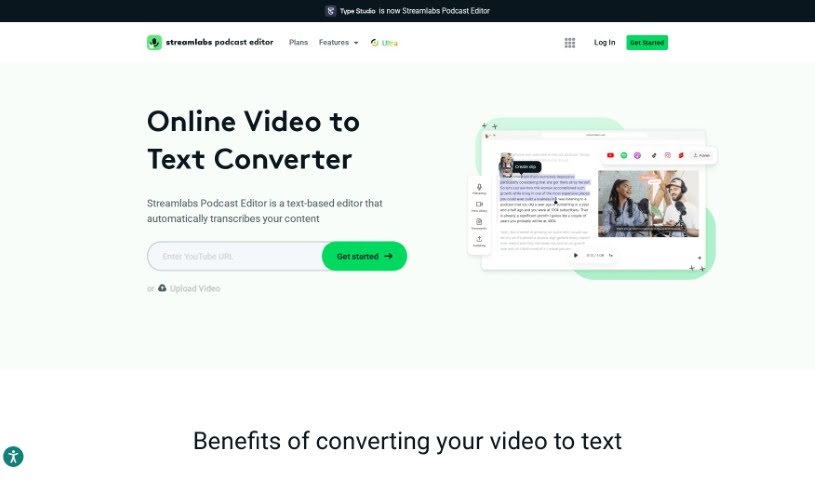
Screenshot of Streamlabs AI Video to Text

Streamlabs AI Video to Text

Discover what Streamlabs AI Video to Text is and how to use it effectively in 2025. We'll explore its features and see how it stacks up against other transcription tools.

Screenshot

What is Streamlabs AI Video to Text?

AI Video to Text technology is a neat way to turn the spoken words in your videos into written text. It is a super-fast transcription service that automatically writes down everything that’s said. You can then grab that text and save it in handy formats like .srt, .vtt, or .txt files, which are useful for all sorts of things. What’s really cool is that these tools let you easily share video transcripts through email without having to download the whole video first. Plus, you can take your video content, turn it into written articles or blog posts, which is fantastic for search engines to find. And if you need to reach a wider audience, many of these tools can even translate your video content into different languages automatically. Basically, AI Video to Text makes it much simpler to get your spoken content from videos into a readable and searchable text format, opening up a lot of practical possibilities.

Who created Streamlabs AI Video to Text?

Streamlabs is the company behind this AI Video to Text service. Ali Moiz originally founded Streamlabs, and then Logitech acquired it back in 2019. Streamlabs offers a bunch of helpful tools, including something called the Podcast Editor. This editor can do more than just convert video content into text; it can also add subtitles and make it easier to reuse your content for social media.

Who is Streamlabs AI Video to Text for?

  • Content creators looking to make their videos more accessible or repurpose content.
  • Educators who want to provide written materials for their students.
  • Journalists needing quick transcripts for interviews and stories.
  • Marketers aiming to improve SEO and reach a broader audience.
  • Transcriptionists seeking a more efficient workflow.
  • Researchers who need to analyze spoken data.
  • Social media managers wanting to create engaging text-based content from videos.
  • Video editors needing accurate subtitles or scripts.
  • Legal professionals requiring precise documentation of audio or video evidence.
  • Healthcare providers who need to transcribe patient consultations or medical lectures.

How to use Streamlabs AI Video to Text?

Using AI Video to Text is pretty straightforward. Just follow these simple steps:

  1. Upload Your Video: First, you’ll upload your video or audio file to the AI Video to Text tool. Don’t worry about losing your work; the service automatically saves your progress since it’s a web-based transcription service.
  2. Generate the Transcript: Once your file is uploaded, you can kick off the transcript generation. Just let the tool do its thing and process the audio or video. It will convert all the speech into written text for you.
  3. Export Your Transcript: After the transcript is ready, you can download it in a few different formats – like .srt, .vtt, or .txt. Pick the one that works best for whatever you plan to do with it.
  4. Share Your Transcription: Need to send the transcript to someone? You can share it directly via email right from the tool, no need to download the video file first. It’s a really smooth way to get the text out there.
  5. Explore Extra Features: Beyond just transcription, you can also explore other handy features. These might include adding subtitles directly to your video, trimming down clips for social media, or repurposing your content for different platforms.
  6. See the Benefits: You’ll really notice the advantages of converting your video to text. It makes your content more accessible to everyone, boosts your SEO with searchable text, and lets you repurpose your video into all sorts of different formats to reach more people.

By following these steps, you can easily use AI Video to Text to get your video content transcribed into written text for all sorts of useful purposes.

Related AI Tools

Discover more tools in similar categories that might interest you

Stay Updated with AI Tools

Get weekly updates on the latest AI tools, trends, and insights delivered to your inbox

Join 25,000+ AI enthusiasts. No spam, unsubscribe anytime.