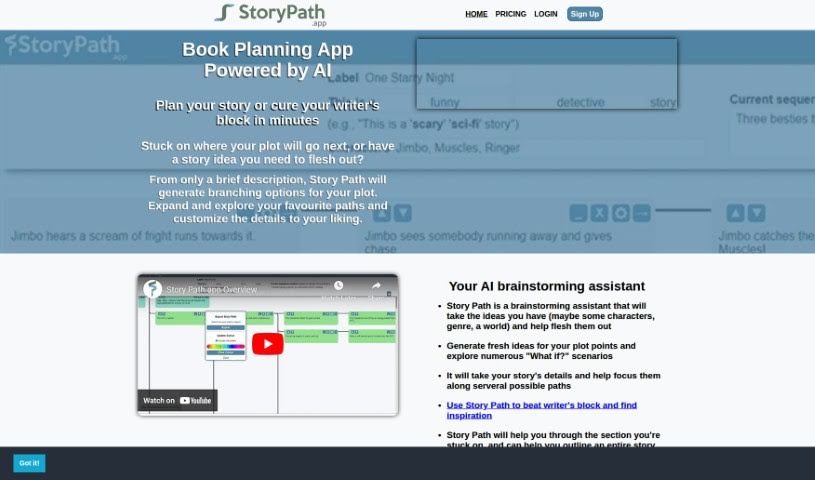
Screenshot of Story Path

Story Path

Discover what Story Path is and how to use it effectively in 2025. We'll explore its features and see how it stacks up against other novel writing tools.

Screenshot

What is Story Path?

Story Path is a really helpful tool for writers who want to structure their story ideas and book writing. It is a guide that helps you map out your plot. It works by generating different plot options based on the basic details you give it. This is fantastic for anyone who gets stuck with writer’s block or needs help organizing their thoughts into a clear story. You can tweak the plot details, play around with “What if?” scenarios, and sort your story paths by category, whether it’s a novel, a movie, or just a general storyline. It uses color-coded paths to keep things visually organized, and you can even export your work as a PDF or Word Doc. Plus, there’s a companion app called SceneOne.app that includes an AI writing assistant, which can really speed things up and make your writing clearer. All your data is stored safely in the cloud, so you can always go back, mix your own ideas with what the AI suggests, and use its handy organization features to manage your projects.

Who created Story Path?

A Look at Story Path’s Background:

Story Path first launched on April 7, 2022. It’s an innovative tool designed specifically to help writers with structuring their story ideas and the whole book writing process. While the founder’s name isn’t mentioned in the information I have, the tool is closely linked with SceneOne.app. This app offers a bunch of features to help writers create branching plot options, get past writer’s block, and keep their narrative projects well-organized. Story Path itself provides color-coded paths, lets you customize plot details, and allows you to export your completed story paths as either a PDF or a Word Doc, making it a pretty complete package for writers wanting to boost their storytelling skills. The SceneOne.app companion also adds value by including an AI writing assistant, which can make writing faster and clearer on any device.

What is Story Path used for?

Story Path is incredibly versatile for writers. Here’s a breakdown of what it helps you do:

  • It generates different plot options that branch out from your core idea.
  • You can customize all the plot details to fit your vision.
  • It’s a great aid for brainstorming and coming up with story ideas.
  • It helps you structure your story into a coherent narrative.
  • You get handy organizational features to keep everything tidy.
  • Paths and sequences are color-coded, which is a nice visual touch.
  • There are blank sequences available if you just need a little spark of inspiration.
  • You can export single paths or multiple paths from your project.
  • It can suggest possible “next steps” for your plot.
  • It helps condense your ideas into a flowing narrative.
  • Essentially, it supports structured story ideation and book writing.
  • It’s designed to help writers brainstorm and overcome writer’s block.
  • It assists in structuring ideas into a coherent narrative by generating those branching plot options.
  • You can customize plot details and explore lots of “What if?” scenarios.
  • Color-coding paths and sequences provides a visual aid and helps with organization.
  • It offers organization features tailored for different types of projects.
  • You can export your finished Story Paths as a PDF or a Word Doc.
  • It can generate potential “next steps” in your plot.
  • The tool works on all devices, offering flexibility for wherever you write.
  • It lets you blend your own personal ideas with the AI-generated suggestions.

Who is Story Path for?

Story Path is a fantastic tool for anyone involved in creating stories:

  • Writers
  • Authors
  • Screenwriters
  • Novelists
  • Content creators

How to use Story Path?

To get the most out of Story Path, here’s a simple, step-by-step guide:

  1. Getting Started: First, log in to the platform where Story Path is hosted using your account details. This is your gateway to creating compelling stories.
  2. Starting a New Story: Look for the “New Story” button and click it. This opens up a fresh, blank canvas ready for your narrative.
  3. Adding Your Story Elements: Begin building your story by adding text, images, audio, or video. These elements are key to making your storyline captivating.
  4. Organizing Your Story’s Flow: Arrange all your elements in a logical, chronological order to establish the story’s flow. Use transitions to connect scenes smoothly and keep the narrative coherent.
  5. Adding Interactive Features: To really engage your audience, consider adding interactive elements. Things like clickable buttons, quizzes, or branching paths that let readers make choices within the story can make a big difference.
  6. Previewing Your Story: Before you call it finished, take a moment to preview your story. This helps you check that all your media is in the right place and that the interactive parts work as you intended.
  7. Testing the Interactivity: Make sure to test those interactive elements thoroughly. You want to confirm they lead to the right outcomes and provide a smooth, engaging experience for the reader.
  8. Finishing and Publishing: Once you’re happy with everything, save your project. Then, you can choose how to publish it – either keep it private or make it available to a wider audience.
  9. Sharing Your Story: Share your completed story by sending out the link or embedding it on relevant platforms. This is how you reach your target audience.
  10. Checking How It’s Doing: Keep an eye on your Story Path project’s performance metrics. This will show you how readers are engaging, what interactions are happening, and where you might improve for next time. Use this feedback to adjust elements in future projects.

By following these steps, you can really make the most of Story Path to create interactive and engaging stories for all sorts of purposes.

Related AI Tools

Discover more tools in similar categories that might interest you

Stay Updated with AI Tools

Get weekly updates on the latest AI tools, trends, and insights delivered to your inbox

Join 25,000+ AI enthusiasts. No spam, unsubscribe anytime.