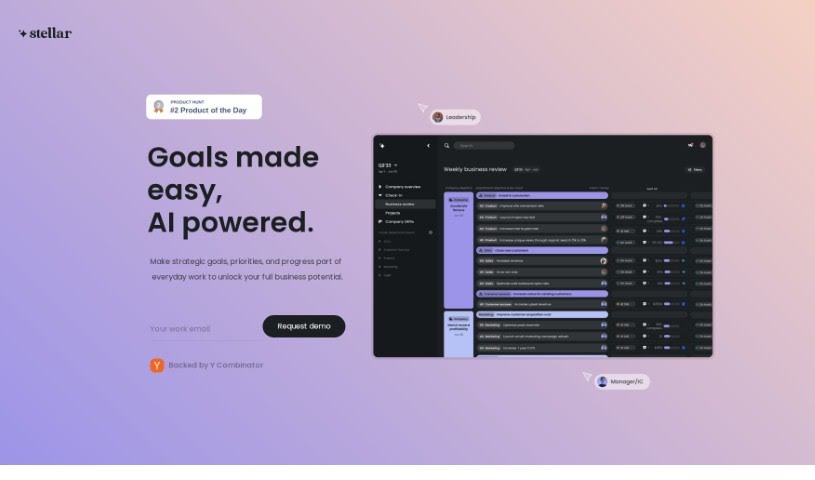
Screenshot of Stellarapp

Stellarapp

Discover Stellarapp in 2025! Learn what this AI-powered tool is, how to use its features effectively, and how it stacks up against other Project Management Tools.

Screenshot

What is Stellarapp?

StellarApp is an AI-powered tool designed to make setting and tracking goals much simpler and more effective. It comes with some really helpful features, like smart goal cascading that helps you break down big objectives, automated tracking so you don’t have to do it all manually, helpful prompts to guide you, and summaries of your progress based on data. People who’ve used StellarApp often mention how easy it is to use, how it updates progress in real-time, and how it really helps teams work together and understand what everyone’s aiming for. Plus, it’s backed by Y Combinator, the well-known startup accelerator, which means it gets support and funding to keep developing.

Who created Stellarapp?

A team of individuals developed Stellarapp. The platform first launched on June 1, 2023. It offers AI-driven features, including intelligent goal cascading, automated tracking, smart prompts, and data-driven health summaries. Essentially, Stellarapp’s goal is to simplify and improve how organizations set and track their objectives.

What is Stellarapp used for?

Stellarapp helps in several key ways:

  • It encourages teams to collaborate more effectively.
  • It boosts visibility for everyone on the team.
  • It helps foster a shared understanding of goals.
  • It promotes a metrics-driven approach to work.
  • It saves time that would otherwise be spent on manual tracking.
  • It brings transparency across the entire organization.
  • It aids in escalating risks when they arise.
  • It assists teams in solving problems.
  • It encourages more team participation.
  • It helps identify small issues early on, before they become bigger problems.

Who is Stellarapp for?

Stellarapp is particularly useful for:

  • Chiefs of Staff
  • Chief Product Officers

How to use Stellarapp?

To get the most out of StellarApp, here’s a straightforward guide:

  1. Start the Setup: Begin by sharing your main, top-level goals with StellarApp. This gets the whole process rolling.
  2. Get AI Help with Goals: Take advantage of the AI-powered intelligent goal cascading. It helps create cascading goals for each department, all aligned with the organization’s main objectives.
  3. Automate Tracking: Let StellarApp handle the goal tracking automatically. This gives you a clear view of how critical work is actually progressing.
  4. Use Smart Prompts: Make use of the smart prompts. They’re designed to help with problem-solving and escalating risks, so teams can tackle issues early.
  5. Review Data-Driven Health Summaries: Check out the comprehensive health summaries, which are built on data. They offer insights into how well goals are performing and where improvements can be made.
  6. See Real-Time Updates: You’ll appreciate the real-time data updates right within the platform. This makes tracking progress much more objective.
  7. Encourage Team Input: Use the user-friendly interface to get your team involved. It makes it easy for everyone to input and update their goals regularly.
  8. Improve Visibility and Understanding: Boost visibility and ensure everyone across teams shares a common understanding by linking all objectives at every level.
  9. Hear from Customers: Get a feel for how effective StellarApp is by looking at customer testimonials.
  10. Try a Free Demo: You can request a free demo and trial. Just fill out the contact form on the StellarApp website.

By following these steps, you can really make the most of StellarApp for setting goals, tracking progress, and improving how your team works together.

Related AI Tools

Discover more tools in similar categories that might interest you

Stay Updated with AI Tools

Get weekly updates on the latest AI tools, trends, and insights delivered to your inbox

Join 25,000+ AI enthusiasts. No spam, unsubscribe anytime.