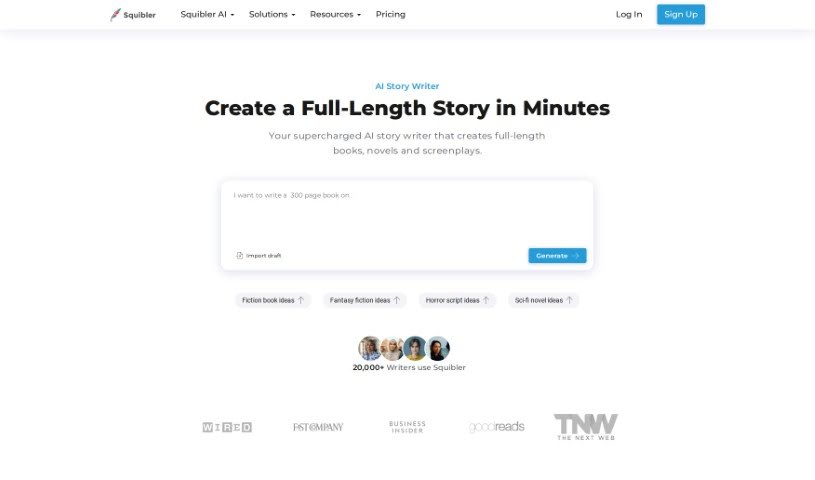
Screenshot of Squibler

Squibler

Discover what Squibler is and how to use it to its full potential in 2025. We'll dive into its features, compare it to other fiction writing tools, and show you how it can help you create better stories, faster.

Screenshot

What is Squibler?

Squibler is a really comprehensive platform built to help writers with all sorts of things during the writing process. It is your all-in-one writing assistant. It gives you tools to easily outline your ideas, keep everything organized, and actually create your content efficiently. You can use Squibler to flesh out characters, build compelling plots, and really strengthen your overall writing structure. Plus, it has features like distraction-free writing modes, ways to set personal goals, and tracking to see how you’re progressing. These help you stay focused and keep that motivation high. Squibler also makes it simple to team up with other writers, find writing prompts when you need them, and ultimately, bring your creative visions to life without a hitch.

Who created Squibler?

Squibler was founded by Erik Desando. Erik is an entrepreneur and an author himself, and he’s really passionate about writing. He started Squibler as a writing platform packed with tools and resources designed to help writers improve their entire process. The company’s main goal is to support writers as they organize their thoughts, map out their stories with outlines, and generally hone their writing skills so they can become successful authors.

What is Squibler used for?

Squibler is a versatile tool that can help with a lot of different writing tasks:

  • Collaboration: Work with others on your projects.
  • Project Management: Keep all your writing projects organized and on track.
  • AI-Enhanced Writing: Get help from AI to improve your writing.
  • Elements Creation: Easily create characters, settings, and other story elements.
  • Done-for-you Hardcover: Get help designing your book’s hardcover.
  • Done-for-you Printing: Assistance with the printing process.
  • Visuals Generation: Create images and short videos to go with your writing.
  • Goal Tracking: Monitor your writing progress and stay motivated.
  • Templates: Use pre-made templates for different genres and story types.
  • Split Screen: View and work on different parts of your project side-by-side.

Essentially, Squibler aims to be the top AI-assisted writing software for authors and screenwriters who want to craft better stories, and do it faster. It guides you smoothly from the initial idea all the way to publishing. The software can generate sections and scenes based on your specific instructions, and it’s great for improving content you’ve already written. Squibler also offers support through weekly live sessions, helps you set word count goals, generate images and short videos, and even provides done-for-you book cover design. It’s built for everyone, whether you’re just starting out or you’re a seasoned pro, offering valuable insights and advanced tips to make your writing shine. It really encourages collaboration, letting multiple people review and edit stories together in real-time. You can set daily or file-specific word count goals to keep your writing projects structured. Plus, it provides templates tailored to specific genres, helping with all sorts of stories and novels. Squibler makes sure the stories it helps generate are unique and truly match your vision and needs. Importantly, you keep all rights and ownership of the content you write within Squibler, so your creative work is always yours. You can still access your work even if you cancel your subscription, and technical support is available if you run into any issues.

Who is Squibler for?

Squibler is a fantastic tool for a wide range of writers, including:

  • Novelists
  • Screenwriters
  • Bloggers
  • Journalists
  • Content creators
  • Copywriters
  • Playwrights
  • Poets
  • Academic writers
  • Technical Writers

How to use Squibler?

Getting started with Squibler is pretty straightforward. Just follow these steps:

  1. First, head over to the Squibler website and sign up for an account. It’s a quick process.
  2. Once you’re in, take a moment to explore the dashboard. Get a feel for all the different features available.
  3. Ready to start a new project? Just click on the “New Project” button.
  4. You can either pick a template that fits your project, or if you prefer, start from a completely blank page.
  5. Now, dive in and use the built-in writing tools to write and edit your content. This is where the magic happens!
  6. Keep your work organized by using the outlining feature. It’s great for structuring your writing logically.
  7. Make your story even better by using the tools specifically designed for character and plot development.
  8. If you’re collaborating, share your project with others and get valuable feedback.
  9. Stay motivated by tracking your progress and setting clear writing goals.
  10. Once your project is complete, you can export it in whatever format works best for you.
  11. Don’t forget to check out the writing resources and guides the platform offers; they can be really helpful.
  12. And a crucial tip: save your work regularly! This way, you won’t lose any of the progress you’ve made.

By following these steps, you’ll be able to use Squibler effectively to make your writing experience much better and really boost your productivity.

Related AI Tools

Discover more tools in similar categories that might interest you

Stay Updated with AI Tools

Get weekly updates on the latest AI tools, trends, and insights delivered to your inbox

Join 25,000+ AI enthusiasts. No spam, unsubscribe anytime.