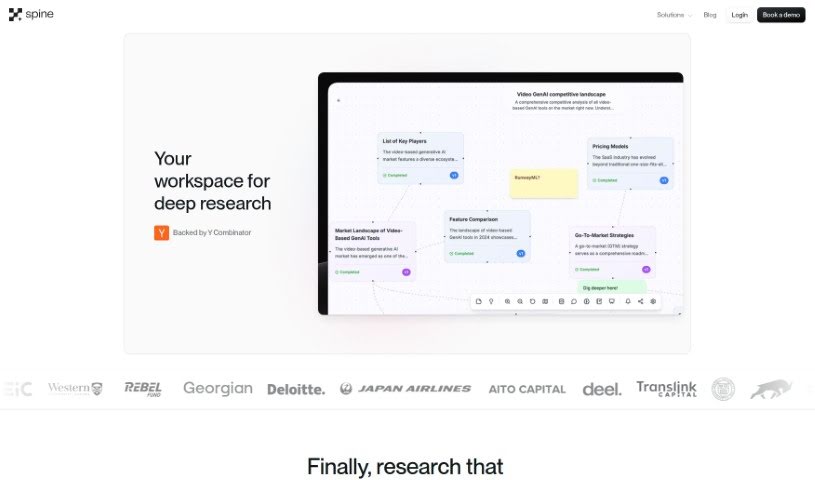
Screenshot of Spine AI

Spine AI

Discover what Spine AI is and learn how to use it effectively in 2025. We'll explore its features, compare it to other Data Analytics Tools, and guide you through its practical applications.

Screenshot

What is Spine AI?

Spine AI is a really neat tool designed to help teams easily set up a chat interface that works with their own internal APIs. The best part? You don’t need a whole dedicated AI team to make it happen. It is creating your own chat agent that can actually do things and give you real-time data insights, which is a fantastic way to make things better for your users. It fits right into your existing code without any fuss, letting your team tap into the power of AI and stay ahead of the curve. Spine AI is smart about understanding what users want and can handle complicated tasks with just a single prompt. It also supports different types of media inputs, making it super flexible for building workflows. Plus, it acts like a helpful assistant, ready to help you troubleshoot problems, find solutions, and explore features in context. Ultimately, it’s all about boosting your business insights and making it easier to get the intelligence you need. In a nutshell, Spine AI makes AI integration simpler, gets your products to market faster, and keeps maintenance costs down.

Who created Spine AI?

Spine was actually built by a team with some serious experience. Akshay, for instance, used to work at Georgian Partners, where he helped B2B SaaS companies grow. He was the one leading their Generative AI efforts, guiding companies as they implemented LLM-related apps. Then there’s Ashwin, who has a background at Instacart and even holds patents related to AI technologies. The company itself, founded by these two, has a clear mission: to make it simple for businesses to integrate generative AI into their products. They really value empathy and innovation in their approach. Spine officially launched on March 4, 2023, offering this tool that lets teams put conversational interfaces onto their internal APIs without needing a specialized AI team. It connects smoothly with existing codebases and offers a whole host of capabilities, making AI integration much more accessible and efficient for everyone.

Who is Spine AI for?

  • Business Users: People who need to access and understand data to make informed decisions.
  • Decision makers: Leaders and managers who rely on timely insights to guide strategy.
  • Customers: End-users who can benefit from more intuitive, conversational interactions with your services.

How to use Spine AI?

Getting started with Spine is pretty straightforward. Here’s a breakdown of the steps to make sure you’re using it effectively:

  1. Onboarding: First, you’ll want to figure out what your AI analyst needs to do. Gather all the relevant context about your specific business domain, and then create some custom examples to help train it.
  2. Testing and Refinement: Once you have an initial version, test it out with your live data. See how consistent it is, and then tweak it based on feedback from people who are actually using it.
  3. Deployment and Monitoring: After you’re happy with it, deploy your AI analyst to your users. It’s important to keep an eye on it continuously to make sure it’s staying accurate.
  4. Data Connectivity: One of Spine’s strengths is that it works with pretty much any data store. You can connect it to CSV files, APIs, and databases, making the whole experience smooth.
  5. Customization: You can really benefit from features that are both explainable and customized just for you. Spine uses its own special DPU (which stands for Data Processing Unit, by the way) to create fine-tuned modules that can be scaled up.
  6. Natural Language Interaction: Thanks to the semantic layer, Spine can understand and respond to natural language questions really well, even when you’re working with multiple datasets.
  7. Secure Environment: Security is a big deal, and Spine handles it by keeping data isolated between users. It has built-in tenant isolation and permissions that control who can access what.
  8. Continuous Evaluation: You get to enjoy rigorous evaluations that mix automated checks with human assessments. This helps measure how well the AI is performing and find ways to improve it over time.

Spine doesn’t just give you an easy-to-use interface; it’s also a solid platform for digging up insights, automating your workflows, and generally making your decision-making processes better. By following these steps, you can really make the most of what Spine has to offer your business.

Related AI Tools

Discover more tools in similar categories that might interest you

Stay Updated with AI Tools

Get weekly updates on the latest AI tools, trends, and insights delivered to your inbox

Join 25,000+ AI enthusiasts. No spam, unsubscribe anytime.