008 Agent
Audio Transcription
Learn More
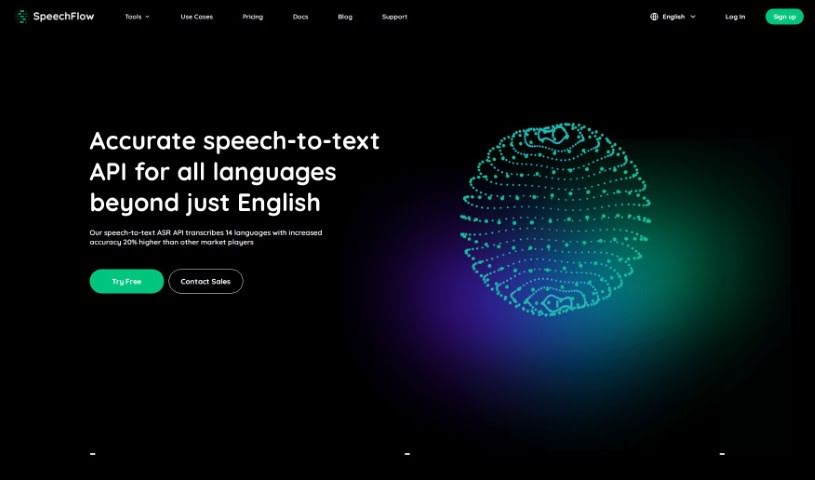
Discover SpeechFlow in 2025! Learn how this advanced speech-to-text tool works, its key features, and how it stacks up against other transcription services.
SpeechFlow is a really advanced tool that turns spoken words into written text. It’s known for being super accurate and fast, whether you’re transcribing audio or video. It handles up to 14 different languages, which is pretty neat, and it even offers special models for specific industries. It is a way to quickly get your spoken content into a readable format.
What can you do with it? Well, it’s great for contact centers that need to transcribe calls, for adding captions to videos, or for making virtual meetings more accessible. Media monitoring, content creators, translators, and interpreters can all find it incredibly useful too. It’s a tool that fits right into industries like call centers, healthcare, finance, legal, customer service, and education. Basically, if you’re an individual or a business looking to make your speech-to-text process smoother and boost your capabilities, SpeechFlow is definitely worth checking out. Its accuracy, broad language support, speed, and affordability really set it apart.
While the specific founder isn’t mentioned in the details we have, the company behind SpeechFlow is definitely a leader in speech-to-text technology. They’re pushing the boundaries with accurate transcriptions in 14 languages, specialized models for different fields, incredibly fast processing, and pricing that won’t break the bank.
Getting started with SpeechFlow is pretty straightforward. Here’s a quick rundown:
SpeechFlow is really versatile, fitting well into industries like call centers, healthcare, finance, legal, and content creation. It supports multiple languages and has specialized models, plus a helpful FAQ section if you get stuck. You can make your content more accessible, boost your productivity, and just generally make your transcription process much smoother with SpeechFlow’s modern technology and user-friendly design.
Discover more tools in similar categories that might interest you
Get weekly updates on the latest AI tools, trends, and insights delivered to your inbox
Join 25,000+ AI enthusiasts. No spam, unsubscribe anytime.