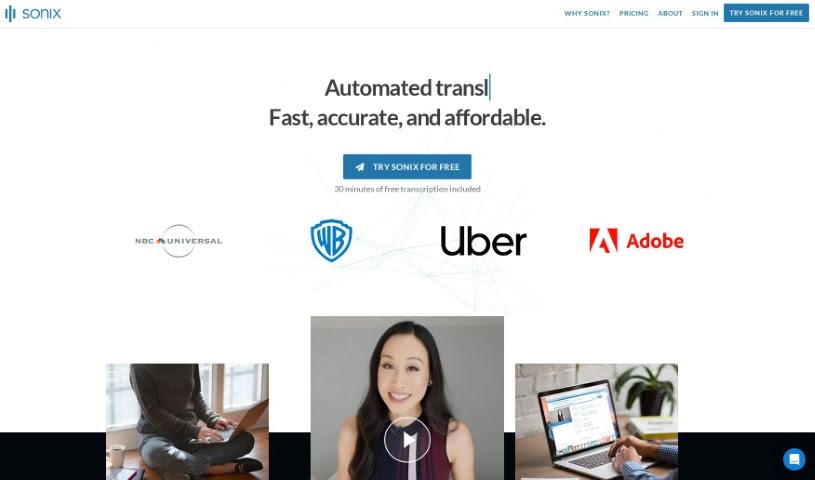
What is Sonix?
Sonix is a really smart tool that turns audio and video into text. It makes transcribing your content super easy with its user-friendly features. Plus, it supports over 49 languages, so people all over the world can use it. It’s known for being fast, accurate, and affordable, which is great for both professionals and anyone who just needs to get things done efficiently. The platform itself is designed to be straightforward but powerful. It uses AI to handle transcription, translation, subtitling, and even analysis. Ultimately, Sonix aims to change the way we all work with audio and video, making our tasks smoother and more enjoyable.
Who created Sonix?
Sonix was actually started by three folks: Jamie Sutherland, David Dat Nguyen, and Stephen Hopkins. Jamie Sutherland is the CEO and Co-Founder, and he’s all about the company’s vision, strategy, and growth, always keeping customer happiness front and center. David Dat Nguyen, also a Co-Founder, is the Chief Experience Officer. He leads the teams that handle product development, design, and how the product gets out there. Then there’s Stephen Hopkins, the Chief Technology Officer and Co-Founder, who’s in charge of all the engineering and tech side of things. Together, they’re really focused on changing how people work with audio and video content by offering innovative, cloud-based solutions that prioritize the customer experience and teamwork.
What is Sonix used for?
Sonix is incredibly versatile. You can use it to:
- Easily transcribe audio and video content.
- Work with over 49 languages, making it accessible globally.
- Get fast, accurate, and affordable transcription services.
- Completely change how you handle audio and video workflows.
- Create, organize, analyze, and share your work with audio and video content.
- Bring in global perspectives using automated translation engines.
- Make your videos more engaging with automated subtitles.
- Get quick summaries and insights from long discussions.
- Connect it smoothly with tools you already use, like Zoom and Adobe Premiere.
- Improve teamwork with features for multiple users and strong security.
- Automatically transcribe audio and video into text.
- Translate content into more than 40 languages.
- Create subtitles for videos automatically.
- Summarize long discussions quickly.
- Collaborate securely with features for multiple users and robust security.
- Integrate with tools like web conferencing platforms and video editing software.
- Perform AI analysis using custom prompts.
- Analyze entire folders of content at once.
- Share and publish your content effortlessly.
- Use a customizable media player for interactive content.
- Support over 49 languages for global accessibility.
- Create, organize, analyze, and share your work efficiently.
- Automate transcription, translation, subtitling, and analysis tasks.
- Integrate with tools like web conferencing platforms and video editing software.
- Generate summaries, automated translations, subtitles, and transcripts.
- Collaborate securely with multi-user permissions and enterprise-grade security.
- Incorporate global perspectives by translating into over 40 languages.
- Condense discussions into easy-to-understand summaries and improve accessibility with subtitles.
- Automatically transcribe audio and video into text in over 38 languages.
- Translate content into over 40 languages automatically.
- Create subtitles for videos to make them more accessible and searchable.
- Use an automated summary feature to condense long discussions.
- Benefit from collaboration tools with multi-user permissions and enterprise-grade security.
- Securely share and publish transcripts and audio/video files.
- Use advanced search capabilities across all your transcripts.
- Access an API for custom workflows.
- Effortlessly transcribe spoken words into text.
- Create subtitles for videos automatically.
- Manually adjust timecodes down to the millisecond.
- Customize subtitle appearance (font, color, size, position).
- Share instant clips of audio/video content.
- Generate summaries using AI algorithms.
- Classify text into over 700 categories with topic detection.
- Identify specific entities like people, organizations, and locations.
- Analyze the emotional tone of transcripts with sentiment analysis.
- Find patterns in meaning across transcripts using thematic analysis.
- Translate audio and video content into text in over 38 languages.
- Automate subtitling for videos.
- Collaborate with multi-user permissions and enterprise-grade security.
- Maintain folder structures for better organization.
- Duplicate entire transcripts and easily make editing decisions.
- Securely store transcripts and audio/video files.
- Translate content into over 40 languages.
- Automatically generate summaries to condense discussions.
- Collaborate with multi-user permissions and security features.
- Organize and manage transcripts and files efficiently.
- Use AI analysis for summaries, topic detection, entity detection, sentiment analysis, and thematic analysis.
- Take advantage of customizable features like folders, media players, and labels.
- Benefit from enhanced security measures like PII and PCI redaction, two-factor authentication, and encryption.
Who is Sonix for?
Sonix is a great tool for a wide range of people, including:
- Transcriptionists
- Journalists
- Content creators
- Researchers
- Legal professionals
- Academics
- Students
- Anyone working with audio and video content
- Transcribers
- Translators
- Subtitlers
- Language professionals
- Professionals who need analytical insights from their content
- Educators
- Podcasters
- Marketers
- Videographers
How to use Sonix?
Using Sonix is pretty straightforward. Here’s a quick guide:
- Transcribing and Editing: First, upload your audio or video file to Sonix. It’ll automatically transcribe it for you. Then, you can easily edit the transcript. Features like speaker labeling, paragraph separation, and automated diarization help keep everything organized and accurate.
- Importing and Exporting: Sonix lets you import SRT files or existing transcripts to sync them with your audio. You can also export your transcripts in many formats, like Microsoft Word, TXT, PDF, SRT, and VTT, depending on what you need them for.
- Customization and Subtitles: You can personalize your transcripts with custom dictionaries. Plus, you can tweak your subtitles – change the font, color, size, and position. Sonix also creates subtitles automatically, and you can even split them and adjust their timing precisely.
- Collaboration and Sharing: Working with a team? Sonix makes it easy. You can share transcripts with read-only access, use secure links, or invite specific users via email to edit. You can also give multiple users access to shared transcripts and folders.
- AI Analysis and Summary: Sonix offers AI add-ons that can do things like summarize your transcripts, detect topics, identify entities, analyze sentiment, and perform thematic analysis. These tools are fantastic for getting valuable insights from your content quickly.
- Integration and Security: You can easily connect Sonix with other tools you use, like web conferencing platforms and video editing software. It also has strong security features, including SSL encryption, two-factor authentication, and PII/PCI redaction, to keep your data safe.
- Customer Support: If you ever need help, Sonix offers great customer support via email, chat, and phone. You can even get priority support, dedicated account managers, and advanced training.
Basically, adding Sonix to your workflow can really boost your productivity and make managing your audio and video content much smoother. It’s a versatile tool that helps improve accessibility, efficiency, and collaboration.