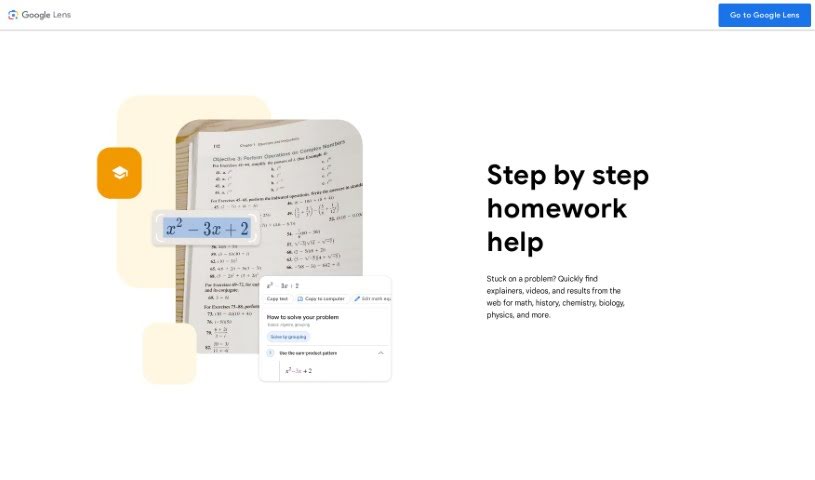
Screenshot of Socratic by Google

Socratic by Google

Discover what Socratic by Google is and how to use it effectively in 2025. We'll explore its features and see how it stacks up against other student tools.

Screenshot

What is Socratic by Google?

Socratic by Google is a fantastic educational app designed to help students tackle subjects like Science, Math, Literature, and Social Studies. It’s built with input from teachers, so it offers clear, visual explanations for key concepts in each area. The app really shines because it uses Google AI, understanding both text and speech to find the best learning resources for whatever you need. Teachers and students alike have given it great reviews, often mentioning how well it breaks down tough topics and offers extra support beyond just giving you the answer.

Who created Socratic by Google?

Socratic by Google was actually started by Chris Pedregal and Shreyans Bhansali. Chris Pedregal, one of the co-founders, has a background in computer science and even worked at Google before. Now, Socratic is part of Google, and it’s an educational platform that uses Google AI to help students with their studies across subjects like Science, Math, Literature, and Social Studies. The app provides visual explanations of key concepts, drawing on teacher input, which makes it a really valuable tool for both teachers and learners.

How to use Socratic by Google?

Using Socratic by Google is pretty straightforward. Here’s a simple guide:

  1. Download the App: Just head over to the App Store or Google Play Store, search for “Socratic by Google,” and download it onto your phone or tablet.
  2. Open the App: Once it’s installed, open up the Socratic app. You’ll see a clean, easy-to-navigate interface right away.
  3. Ask a Question: Ready to get started? You can either type in your question directly or snap a photo of a math problem or a question from your textbook.
  4. Receive Answers: Socratic uses AI to give you detailed explanations, step-by-step solutions, and other helpful resources related to what you asked.
  5. Explore Resources: Want to dig deeper? You can explore more resources, find additional explanations, watch videos, and check out related content to really understand the topic.
  6. Save and Organize: Keep track of answers or resources that are particularly helpful by saving them for later. You can even organize them by subject or topic to keep things tidy.
  7. Practice and Learn: Use the app as a tool to practice solving problems, learn new concepts, and generally boost your understanding across different subjects.
  8. Get Help Anytime: Whether it’s homework, studying for a big exam, or just trying to grasp a tricky concept, Socratic by Google is there to help you out whenever you need it.
  9. Provide Feedback: Help make the app even better by sharing your thoughts on how accurate and helpful the answers were.
  10. Stay Updated: Make sure to keep the app updated. This way, you’ll always get the latest features, improvements, and a smoother experience while using Socratic by Google.

By following these steps, you can really make the most of Socratic by Google to improve your learning and get the academic help you need.

Related AI Tools

Discover more tools in similar categories that might interest you

Academic Help Free Essay Generator

Education Academic Writing
Learn More

Stay Updated with AI Tools

Get weekly updates on the latest AI tools, trends, and insights delivered to your inbox

Join 25,000+ AI enthusiasts. No spam, unsubscribe anytime.