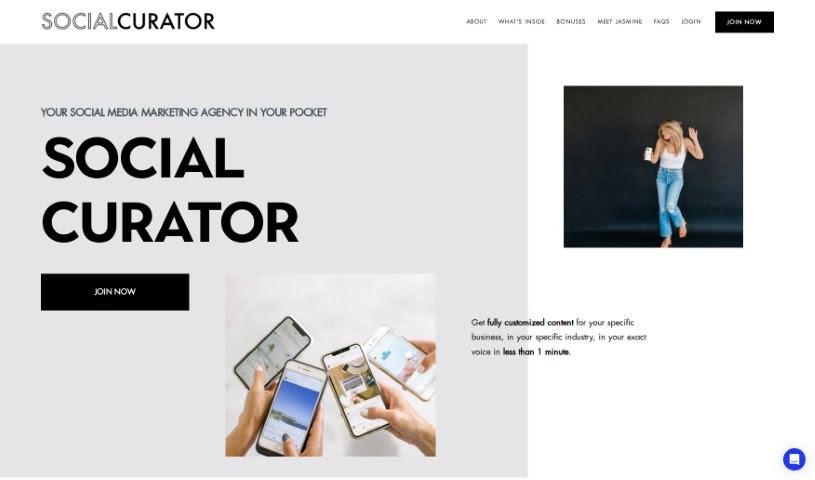
Screenshot of Social Curator

Social Curator

Discover what Social Curator is and how to use it effectively in 2025. We'll dive into its features, compare it to other social media management tools, and show you how to get the most out of it.

Screenshot

What is Social Curator?

Social Curator is your smart sidekick for social media. It’s an AI-powered tool designed to help you create, find, and share really engaging content. The star player here is DOTTIE, your personal AI social media manager. DOTTIE can whip up content that sounds just like you, in your own unique voice. This platform makes content creation a breeze, handles scheduling for you, offers guidance on your marketing strategy, and gives you a central spot to upload and organize everything across all your social media channels. Plus, it walks you through exactly what to do to turn your followers into customers and connects you with a supportive community of other users.

Who created Social Curator?

Jasmine Star is the brilliant mind behind Social Curator. She’s a seasoned business strategist, a sought-after speaker, and the CEO of the company. Social Curator officially launched on June 20, 2024. It’s built as an all-in-one solution specifically to help small business owners really grow their businesses and boost sales on social media. Jasmine herself has a background as a wedding photographer and entrepreneur, so she created Social Curator from a place of understanding. Her goal is to empower business owners, helping them tap into their full potential by giving them the tools and resources they need to absolutely thrive in today’s digital marketing world.

What is Social Curator used for?

Social Curator is incredibly versatile, helping you with:

  • Creating content automatically
  • Scheduling your social media posts
  • Crafting content that’s uniquely yours
  • Getting advice on your marketing strategy
  • Building up your email lists
  • Developing plans for sales-focused launches
  • Tools for planning out your content calendar
  • Automatically publishing to all the major platforms
  • Using handy caption templates
  • Joining community challenges to boost engagement
  • Following clear, step-by-step action plans
  • Accessing community learning opportunities
  • Selling directly through messages
  • Growing your email lists effectively
  • Creating plans specifically for sales launches
  • Tailoring content for each individual business
  • Using proven marketing plans that work
  • Getting tools to help with content planning
  • Autoposting to all the main social media platforms
  • Finding ideas for engagement
  • Developing strategies to get more followers
  • Adapting content to match your unique voice
  • Using an integrated calendar for easy scheduling
  • Taking advantage of the autoposting feature
  • Supporting a wide variety of content types
  • Getting relevant hashtags to boost visibility
  • Following business-oriented action plans
  • Utilizing community and collaboration features
  • Choosing from various pricing options
  • Accessing unlimited content thanks to DOTTIE

Who is Social Curator for?

Social Curator is a fantastic tool for a wide range of professionals, including:

  • Real Estate Agents
  • Photographers
  • Lawyers
  • Candle-makers
  • Online Educators
  • Dancers

…and really, any small business owner looking to make their social media efforts more effective and less time-consuming.

How to use Social Curator?

Getting started with Social Curator is straightforward. Here’s a simple guide:

  1. First, sign up for Social Curator. This gives you access to DOTTIE, your AI social media manager.
  2. Next, make your content truly yours by chatting with DOTTIE. She’ll help generate posts that sound exactly like you.
  3. Then, use features like auto-posting to easily schedule and publish your content across different platforms.
  4. Don’t forget to use the calendar feature! It’s great for visually planning and organizing when you’ll post.
  5. Jump into the community and join the learning opportunities. They’re super helpful for improving your social media game.
  6. Follow the step-by-step action plans Social Curator provides. They’re designed to help you turn your followers into paying customers.
  7. Take a look at the different pricing options, whether you prefer monthly or annual plans. This will help you get unlimited content and the support you need.
  8. Finally, enjoy all the great features, like customized content creation, support for different content types, suggestions for marketing posts, and collaboration tools right within the platform.

By following these steps, you can really make the most of Social Curator to boost your social media presence and strategically grow your business.

Related AI Tools

Discover more tools in similar categories that might interest you

Stay Updated with AI Tools

Get weekly updates on the latest AI tools, trends, and insights delivered to your inbox

Join 25,000+ AI enthusiasts. No spam, unsubscribe anytime.