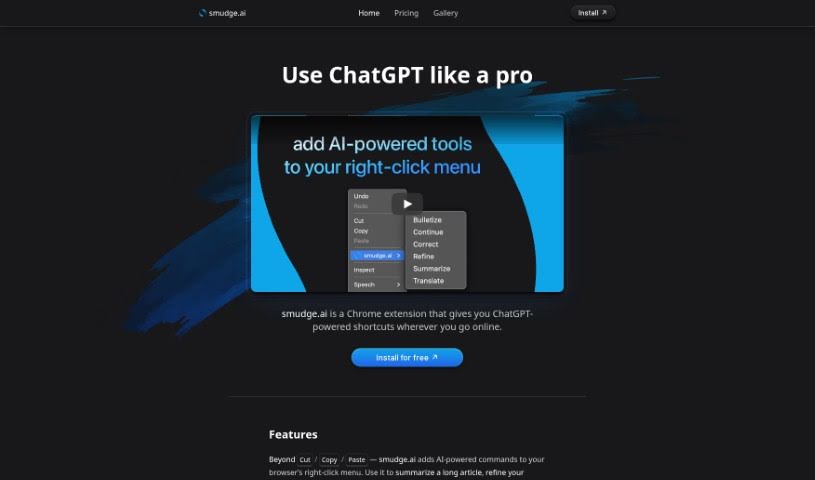
Screenshot of Smudge.ai

Smudge.ai

Discover what Smudge.ai is and how to make the most of it in 2025. We'll dive into its features and see how it stacks up against other writing tools.

Screenshot

What is Smudge.ai?

Smudge.ai is a handy Chrome extension that brings ChatGPT-powered shortcuts right into your web browsing. It is having AI commands readily available whenever you right-click. You can use it to quickly summarize articles, polish up your writing, or even translate text on the fly. The whole idea is to give you direct, context-aware AI help without having to jump between different apps or browser tabs. It’s a great tool for professionals, students, or really anyone who spends time online and could use a hand with things like summarizing, fixing text, translating, and a whole lot more.

Who created Smudge.ai?

Smudge.ai was developed by a team from OpenAI. This Chrome extension cleverly integrates ChatGPT shortcuts into your everyday browsing. It offers a range of AI commands – like summarizing, correcting mistakes, listing points, refining text, and translating – all accessible right from your browser’s right-click menu. What’s really good about this extension is its focus on user privacy; it doesn’t log or save any of your input or output data, and it steers clear of tracking cookies.

How to use Smudge.ai?

Getting started with Smudge.ai, your ChatGPT-powered Chrome extension, is pretty straightforward. Here’s a quick rundown:

  1. Explore the Features: You’ll find a variety of AI commands right in your right-click menu. Use them to summarize articles, fix writing errors, turn text into bullet points, improve your writing, and translate messages instantly on any webpage.
  2. Seamless AI Interaction: The best part? You can access these context-aware AI commands without ever needing to switch tabs or windows. This makes using AI feel completely natural and really boosts your workflow.
  3. Who Can Benefit?: Whether you’re a professional, a student, or just someone browsing online, Smudge.ai can turn your browser into a powerful assistant. It’s perfect for tasks like summarizing, proofreading, and translating.
  4. What Can It Do?: Need to draft a professional email? Edit content on the fly? Or maybe bridge a language gap? Smudge.ai makes these tasks simple.
  5. Make It Your Own: You can customize your toolkit with 16 built-in commands. Feeling creative? You can even create your own commands or import ones shared by other users.

Ready to dive in?

  • Just install Smudge.ai from the Chrome Web Store with a single click.
  • After subscribing, you’ll get a license key sent straight to your email.
  • Then, just start exploring what the AI tool can do by trying it out on different content you find online.

Smudge.ai keeps its pricing simple with Starter and Pro plans. These plans offer custom commands, access to a more powerful AI like GPT-4 (with the Pro plan), and different credit allowances to suit your usage. If you want to test the waters first, there’s a free option, though it does have limits on how often you can use commands and the length of your input.

For more in-depth information, feel free to visit the Smudge.ai website. If you have any questions at all, don’t hesitate to reach out to [email protected]. Enjoy having this powerful AI extension right at your fingertips!

Related AI Tools

Discover more tools in similar categories that might interest you

Stay Updated with AI Tools

Get weekly updates on the latest AI tools, trends, and insights delivered to your inbox

Join 25,000+ AI enthusiasts. No spam, unsubscribe anytime.