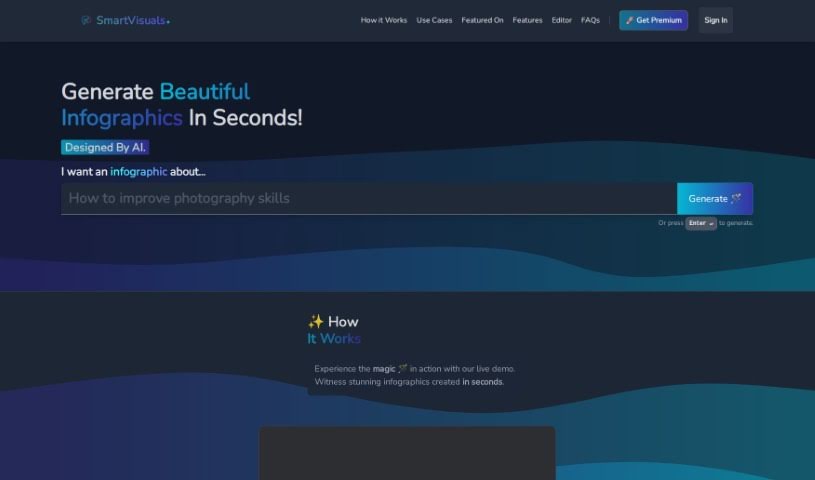
Screenshot of SmartVisuals

SmartVisuals

Discover SmartVisuals, a user-friendly AI tool for creating infographics in 2025. Explore its features, compare it to other infographic tools, and learn how it can boost your marketing, education, and data presentation efforts.

Screenshot

What is SmartVisuals?

SmartVisuals.app is a really neat online tool designed to make creating infographics super simple. It is your go-to for making visual content look great, even if you’re not a design pro. It’s an AI-powered infographic generator that’s incredibly easy to use, letting you whip up eye-catching infographics without needing a ton of design experience. The way it works is pretty cool: you give it your data, and the AI helps put it all together into an informative and engaging infographic. This is perfect for all sorts of things, whether you’re teaching something, presenting data, or working on marketing materials. Plus, SmartVisuals.app is free to use, runs on AI, and includes handy features for editing text and images. It’s a versatile tool that can be a real lifesaver for anyone creating content.

Who created SmartVisuals?

SmartVisuals.app, the online tool that simplifies infographic creation, was brought to life by an innovative founder who prefers to keep their identity private for now. This platform really leans into artificial intelligence to make designing infographics straightforward for both individuals and businesses. You don’t need to be a design expert or know complex software; users can easily craft visually appealing infographics. SmartVisuals.app is free, powered by AI, and designed to be user-friendly, even helping out with editing text and images. It’s built to be useful across many different areas, like education, marketing, and presenting data.

What is SmartVisuals used for?

  • Marketing campaigns
  • Educational materials
  • Presenting data clearly

Who is SmartVisuals for?

  • Individuals looking to create visuals
  • Businesses needing professional-looking content

How to use SmartVisuals?

Ready to create some awesome infographics with SmartVisuals.app? It’s pretty straightforward. Here’s a simple rundown of the steps:

  1. Head over to the website: First things first, just visit SmartVisuals.app.
  2. Get set up: If you need to, sign up for an account on the platform. It’s quick!
  3. Pick a template: Browse through the available templates to find one that fits what you need, or if you’re feeling creative, you can always start from scratch.
  4. Add your data: This is where you input all the information you want to turn into a visual.
  5. Let the AI help: The AI is there to analyze your data and give you a hand in designing the infographic.
  6. Tweak the text and images: Use the AI-powered editing tools to make your text and images just right.
  7. Make it your own: Customize colors, fonts, and the overall layout to match your style.
  8. Give it a final look: Before you’re done, take a moment to review everything and make any last-minute adjustments.
  9. Save or share: Once you’re happy with it, you can download your infographic or share it directly from the app.
  10. Check out more features: Don’t forget to explore other tools like text editing, image cropping, or other graphic design elements to add even more polish.

Honestly, SmartVisuals.app is a fantastic resource if you want to create great-looking infographics without needing a design background. Whether it’s for school, work, or marketing, this AI tool makes generating infographics efficient and easy to use.

Related AI Tools

Discover more tools in similar categories that might interest you

123RF AI Image Generator

Creative Image Generation
Learn More

Stay Updated with AI Tools

Get weekly updates on the latest AI tools, trends, and insights delivered to your inbox

Join 25,000+ AI enthusiasts. No spam, unsubscribe anytime.