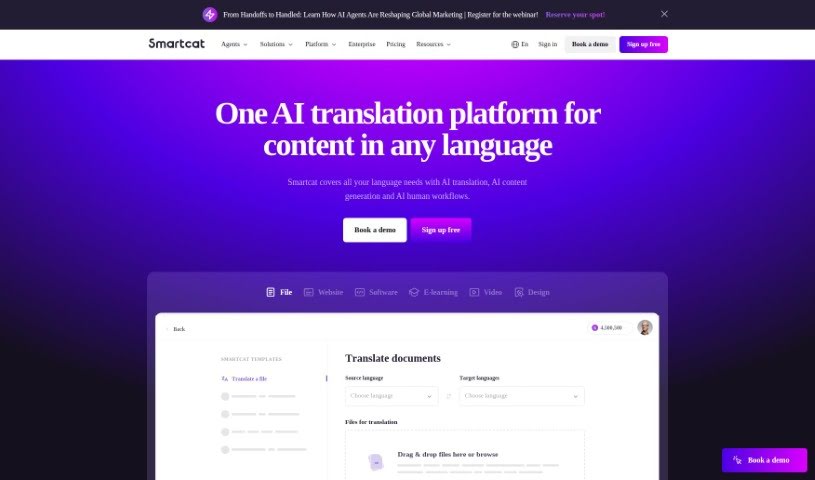
What is Smartcat?
Smartcat is a cloud-based platform designed to make the whole translation process smoother and better. It is a central hub packed with tools that help manage projects, encourage teamwork, store your translation memories, keep glossaries organized, and ensure everything is high quality. It’s built for translators, language service companies, and businesses that need to get their content translated efficiently. Smartcat supports a wide variety of file types, plays nicely with other CAT tools you might already use, and even offers machine translation to speed things up. Since it’s cloud-based, you can jump in and work from anywhere with an internet connection, which is super handy for remote teams. Essentially, Smartcat aims to simplify how you handle translations and boost the overall quality of the final output.
Who created Smartcat?
Ivan Smolnikov is the person behind Smartcat. He founded it back in 2012, envisioning a cloud-based translation and localization platform that could connect businesses with language experts all over the world. Ivan’s main goal was to make translation easier and to give freelance translators more power. Since then, Smartcat has really grown and is now a major player in the translation industry, helping clients globally by being efficient and cost-effective.
What is Smartcat used for?
Smartcat is a versatile tool that can help with a lot of different tasks:
- Project Management: Keep all your translation projects organized and on track.
- Multilingual Content Generation: Create content in multiple languages with ease.
- AI Translation: Get fast, high-quality translations that are accessible to everyone.
- Linguist Marketplace: Connect with a huge network of over 500,000 professional translators.
- Website Translation: Use plug-and-play solutions to translate any web page or content management system (CMS).
- Payment Automation: Easily pay all your suppliers with just one agreement and invoice.
- Advanced CAT Tool: It offers a special set of features specifically designed for localization teams.
- Translation Project Management: A user-friendly Translation Management System (TMS) that’s great for any organization.
- Website Localization: Make your websites multilingual easily using the Website Translator.
- File Translation: It handles over 50 file formats, including common ones like DOC, JPEG, PDF, JSON, and XLIFF.
- AI and Human Workflows: Combine the best of both worlds for translations that are accurate, fast, and cost-efficient.
- Comprehensive Platform: Streamline all your multilingual business operations using cutting-edge AI technology.
- Payment Automation: Simplify payments to your language partners.
- Linguist Marketplace: Find and connect with translators.
- Website Translation: Localize your online presence.
- Advanced CAT Tool: Get specialized tools for your translation needs.
- Integrations: Connect with platforms like Google Docs, Sheets, Figma, and more.
- Translation Project Management: Manage your translation projects efficiently.
- Multilingual AI Content Generation: Create content in various languages using AI.
- AI Human Workflows: Blend AI and human expertise for better results.
- Sourcing of Linguists: Find the right language professionals for your projects.
- Website Localization: Adapt your websites for different markets.
- Video/Audio Transcription: Convert spoken content into text.
- Subtitle Burn-In: Integrate subtitles directly into video files.
- Localization of Websites: Tailor your websites for specific regions.
- Migration of Translation Databases: Move your existing translation data into Smartcat.
Who is Smartcat for?
Smartcat is a great tool for a variety of professionals involved in language and content:
- Translators
- Language service providers
- Project managers
- Content creators
- Localization specialists
- Marketing professionals
- Technical Writers
- Proofreaders
- Editors
- Business analysts
How to use Smartcat?
Getting started with Smartcat is pretty straightforward. Just follow these steps:
- Sign Up: First, head over to the Smartcat website and click the “Sign Up” button. You’ll need to enter your email address and create a password to get registered.
- Create a Project: Once you’re logged in, look for the “Create Project” option. Here, you’ll select the original language of your document and the language you want to translate it into.
- Upload Your Files: In your project workspace, you’ll see an “Upload” button. Use this to add the document you need translated.
- Assign Tasks: Now, you can invite translators to work on your project. You can either pick from Smartcat’s professional network or invite people you already work with.
- Translation Process: Translators can then work directly on the document within Smartcat, using the tools provided. They can even chat with each other or ask questions if they get stuck.
- Proofreading Stage: After the translation is complete, it’s a good idea to assign a proofreader. They’ll review the translated document to make sure it’s accurate and high quality.
- Editing and Revisions: Based on the proofreader’s notes, you can make any necessary edits or corrections to the translation.
- Finalize and Download: Once you’re happy with everything, you can finalize the translation and download the document in whatever format you need.
- Payment Processing: Smartcat offers ways to handle payments. Just make sure all transactions are processed securely.
- Feedback and Ratings: It’s helpful to give feedback and ratings for the translators and proofreaders. This helps improve future collaborations for everyone involved.
By following these steps, you’ll be able to use Smartcat effectively for all your translation needs.