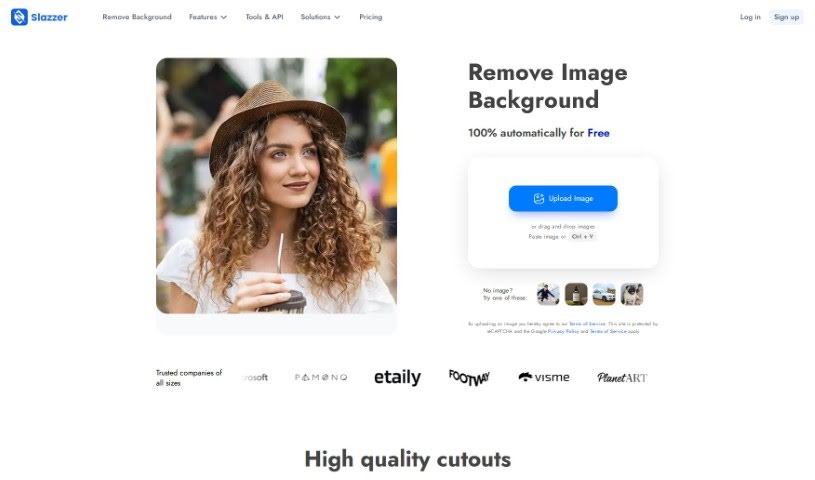
Screenshot of Slazzer

Slazzer

Discover what Slazzer is and how to use it effectively in 2025. We'll explore its features, compare it to other background removers, and guide you through its simple process.

Screenshot

What is Slazzer?

Slazzer is an online tool designed to efficiently remove backgrounds from images automatically, and it does this in just about 5 seconds. You won’t need to mess with manual selections or complicated editing software, making the whole process really quick and easy. The tool uses smart algorithms and AI technology to accurately spot and remove backgrounds from all sorts of images. It’s straightforward to use, fast, and precise, which is great for professional photographers, graphic designers, or anyone who wants to make their photos look better for e-commerce, design projects, or social media.

Basically, Slazzer provides a simple and effective way to remove image backgrounds, using AI to deliver fast, accurate results for a wide variety of images.

Who created Slazzer?

Slazzer was developed by Netflairs Technology Pvt. Ltd., a company based in India. Their main focus is on offering automated background removal solutions that are affordable for designers, professionals, and businesses. Slazzer’s goal is to help users create amazing art easily, improve professional workflows, and allow developers to build advanced apps and systems. The tool is known for its high accuracy and efficiency in background removal, thanks to its AI technology, and it serves a broad user base, from freelancers to major Fortune 500 companies.

What is Slazzer used for?

  • Automated Background Removal: It takes backgrounds out of images automatically.
  • Saves Time: It’s a time-saving solution that removes backgrounds in just 5 seconds.
  • Great for Professionals & Individuals: It’s an efficient tool for professional photographers, graphic designers, and anyone looking to enhance their photos.
  • Easy to Use: Features a user-friendly interface for simple background removal, even if you have no prior editing experience.
  • Speed and Accuracy: Delivers speed and accuracy in background removal using advanced algorithms and AI technology.
  • Versatile Applications: Ideal for e-commerce, graphic design, and social media posts.
  • Cost-Effective: It’s a cost-effective option for both individuals and businesses.
  • No Complex Software Needed: Eliminates the need for complex editing software or hiring professional editors.
  • Handles Various Images: Can process different image types, including portraits, product photos, and images with complex backgrounds.
  • High-Quality Results: Provides high-quality results and simplifies the entire image enhancement process.
  • Fast Processing: It can process up to 500 images per minute, really speeding up your workflow.
  • Commercial Use: Supports commercial use when you purchase a Top-up plan or a monthly subscription.
  • Integration Options: Offers API integration for bulk removals and desktop applications for Windows, Mac, Linux, and various design tools.

Who is Slazzer for?

Slazzer is a great tool for:

  • Professional photographers
  • Graphic designers
  • Anyone who wants to enhance their photos

How to use Slazzer?

Slazzer is a really user-friendly online tool that makes removing backgrounds from images super simple. Here’s a quick step-by-step guide to get you started:

  1. First, head over to the Slazzer website at https://slazzer.com to access the background removal tool.
  2. Next, upload the image you want to edit. It accepts JPG, JPEG, or PNG formats, with file sizes up to 12 megabytes and resolutions up to 25 megapixels.
  3. Just wait a few seconds. The tool will automatically detect and remove the background for you.
  4. Once it’s done, you can download your edited image with the background already removed.
  5. If you need to process more images, you can buy additional credits on the Slazzer website. Each image you process uses one credit.
  6. For regular use, consider signing up for a monthly plan. Plans start at 100 credits per month, which can save you money, and any credits you don’t use can roll over to the next month.
  7. You can also explore integrating the Slazzer API into your own projects for handling bulk background removals, or use their desktop application for even more efficient image processing.

By following these simple steps, you can quickly and easily use Slazzer to remove backgrounds from your images in just seconds, saving you a lot of time and effort on editing.

Related AI Tools

Discover more tools in similar categories that might interest you

123RF AI Image Generator

Creative Image Generation
Learn More

Stay Updated with AI Tools

Get weekly updates on the latest AI tools, trends, and insights delivered to your inbox

Join 25,000+ AI enthusiasts. No spam, unsubscribe anytime.