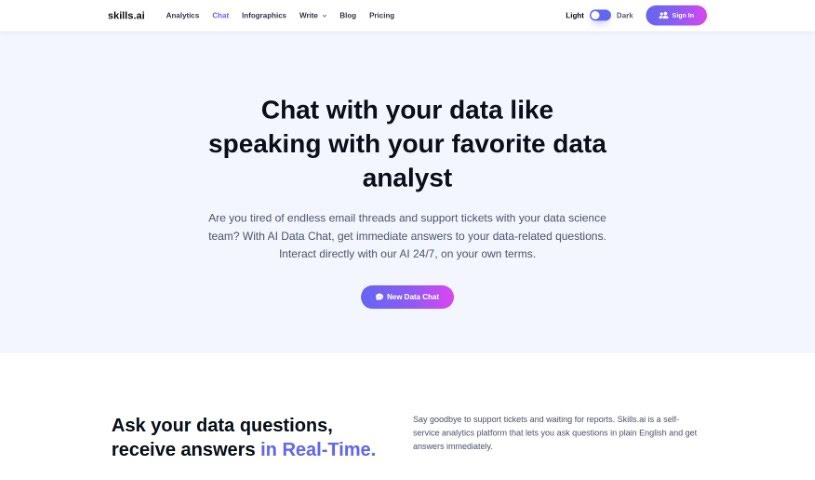
Screenshot of Skills.ai AI Copilot For Your Data Analytics

Skills.ai AI Copilot For Your Data Analytics

Discover what Skills.ai AI Copilot for Data Analytics is and how to make the most of its features in 2025. We'll explore its capabilities and how it stacks up against other data analytics tools.

Screenshot

What is Skills.ai AI Copilot For Your Data Analytics?

Skills.ai AI Copilot is a really neat tool designed to make data analysis much smoother. Think of it like having a helpful AI assistant for your data. Its AI Data Chat feature lets data scientists get answers to their questions about data right away, almost like chatting with another analyst. You can easily connect it to different data sources, like Google Analytics, or just upload your own .csv files. It works by translating your everyday questions into clear data insights instantly. Plus, it uses Python to automatically write code and create detailed charts that you can tweak to look just how you want them. Whether you need quick answers or a deep dive, Skills.ai is a fantastic partner for making your data work more efficient.

Who created Skills.ai AI Copilot For Your Data Analytics?

Ram Ravichandran, the founder of skills.ai, is the person behind the Skills.ai AI Copilot for Your Data Analytics. Ram has a strong background, having worked as a Google Data Science Manager and previously as a Director of Data Science at Visa. The company, skills.ai, is focused on changing how people work with data. They aim to empower data scientists with innovative AI features, like the AI Data Chat, which provides instant answers to data-related questions.

Who is Skills.ai AI Copilot For Your Data Analytics for?

This tool is great for a variety of professionals who work with data:

  • Data Scientists
  • Data Analysts
  • Business Analysts
  • Marketing Analysts
  • Financial Analysts
  • Operations Managers
  • Research Scientists
  • Product Managers
  • IT Professionals
  • Consultants

How to use Skills.ai AI Copilot For Your Data Analytics?

Getting started with Skills.ai AI Copilot for your data analytics is pretty straightforward. Here’s a simple guide:

  1. First, head over to the Skills.ai website to access the platform.
  2. Jump into the AI Data Chat. This is where you can talk to your data in real-time and get answers right away.
  3. Connecting your data is easy. You can upload .csv files or link up with Google Analytics for a smooth analysis experience.
  4. You’ll find that it automatically generates Python code, which helps you get answers and create nice-looking charts. You can even customize these charts to your liking.
  5. Use the real-time Q&A service to ask questions in plain English. You’ll get instant insights without any waiting.
  6. Want to change a chart? Just ask, or dive into the code editor if you want to make more specific adjustments yourself.
  7. Keeping your data safe is important. You can share access using unique links, and your data is stored securely and encrypted on AWS.

By following these steps, you can really make the most of Skills.ai AI Copilot to make your data analytics processes much more efficient and streamlined.

Related AI Tools

Discover more tools in similar categories that might interest you

Stay Updated with AI Tools

Get weekly updates on the latest AI tools, trends, and insights delivered to your inbox

Join 25,000+ AI enthusiasts. No spam, unsubscribe anytime.