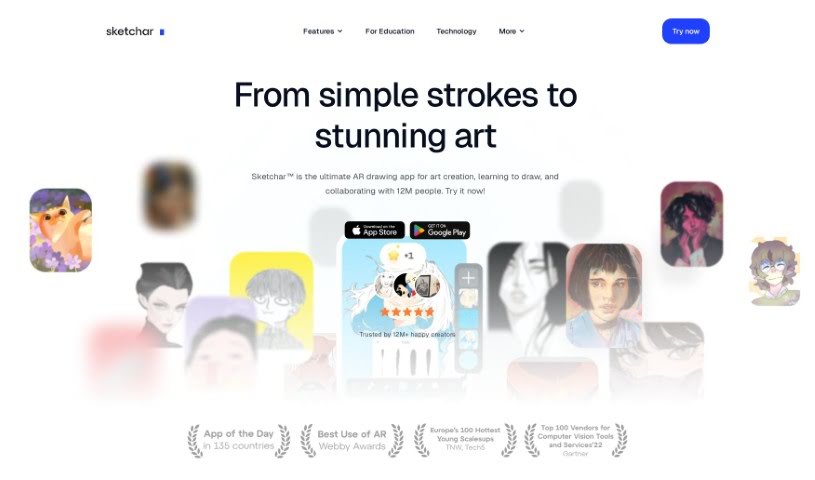
Screenshot of Sketchar

Sketchar

Discover what Sketchar is and how to use it effectively in 2025. We'll explore its features and see how it stacks up against other drawing generators.

Screenshot

What is Sketchar?

Sketchar is a drawing app built to help you learn to draw more quickly, explore different styles, and create amazing art wherever you are. It really aims to blend art, technology, education, and entertainment in a unique way for everyone who uses it. You know, Sketchar actually won an award for ‘Best Use of Augmented Reality’ back in 2018 from the Webby Awards – those are pretty big deals in the digital world! This app has genuinely helped people get better at drawing, feel less stressed, and find a creative outlet. It’s used by folks who love drawing, even if they don’t consider themselves ‘artists.’ Plus, it offers a great space for learning together and even creating art with others. Schools around the world have also found Sketchar useful for getting kids involved in art through drawing. The main goal for Sketchar? To find and bring out the creative talent hidden in everyone, helping them go from feeling unsure to feeling confident.

Who created Sketchar?

Sketchar was actually started by Andrey Drobitko and Alex Danilin. They first met back in 2004 – Andrey was studying graphic design, and Alex was deep into computer science. They kicked off their first tech venture together in 2011, and one of their products even got recognized as an App Store Best of 2015. Sketchar’s whole idea is to mix art, tech, education, and entertainment, offering new ways to draw using augmented reality and AI. The company behind it, SKETCHAR Inc., is still focused on helping people tap into their creativity and build their artistic skills with the latest technology and helpful resources.

Who is Sketchar for?

  • Teachers
  • Students
  • Artists
  • Marketing Managers
  • Software Trainers

How to use Sketchar?

Ready to dive into Sketchar? Here’s a simple guide to get you started:

  1. Download the App: First things first, grab Sketchar from your app store and get it installed on your device.
  2. Create an Account: Once it’s on your device, sign up and set up your own personal account on the Sketchar platform.
  3. Explore Features: Take some time to get to know the interface. Check out all the cool features, like the Global Creator Community, the AI-Powered Drawing tools, lessons on Art Theory and Practice, and so much more.
  4. Connect with Creators: Jump in and connect with the massive community of over 10 million creators worldwide. Share what you’ve made, and let others inspire you.
  5. Practice and Learn: Use the AI drawing features to really boost your drawing skills. You can work through practical tasks and follow along with lessons on art theory.
  6. Enjoy the Educational Journey: Think of it as an educational adventure within the app. It’s designed to help you improve your art and creative abilities.
  7. Engage with the Community: Get involved! Collaborate, learn from others, and create art together. It’s a great way to really spark your creativity.
  8. Stay Updated: Keep an eye on what’s new with Sketchar. Follow their blog and social media to catch the latest news and developments.
  9. Experience Augmented Reality: Don’t miss out on the augmented reality features. You can even see live drawing performances, which really changes the drawing experience, especially on devices like the Microsoft HoloLens.
  10. Get Inspired and Improve: Sketchar offers all sorts of creative activities and personalized scenarios. These are all designed to help you discover and unleash that hidden creative talent you have.

By following these steps, you’ll be able to make the most of Sketchar. You can really improve your drawing skills and creativity, connect with other artists, and just have a fantastic time learning about art in a really unique way.

Related AI Tools

Discover more tools in similar categories that might interest you

123RF AI Image Generator

Creative Image Generation
Learn More

Stay Updated with AI Tools

Get weekly updates on the latest AI tools, trends, and insights delivered to your inbox

Join 25,000+ AI enthusiasts. No spam, unsubscribe anytime.