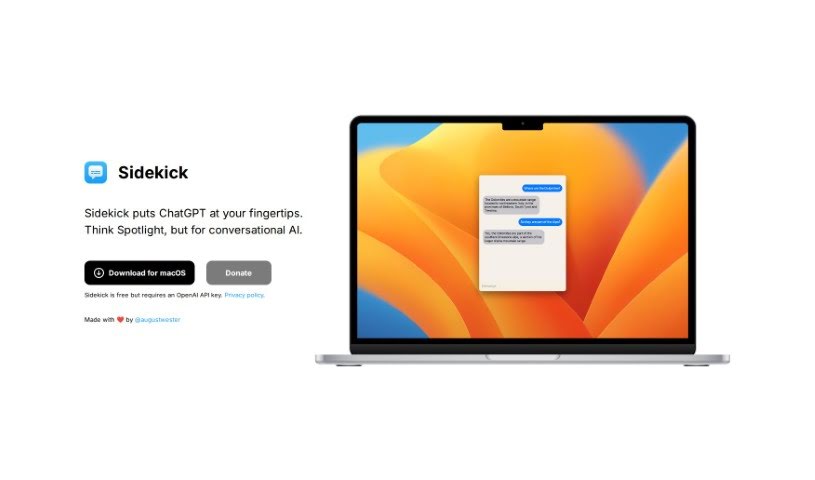
Screenshot of Sidekick

Sidekick

Discover what Sidekick is and how to use it effectively in 2025. We'll explore its features and see how it stacks up against other AI chatbots.

Screenshot

What is Sidekick?

Sidekick is your personal AI assistant, built specifically for Mac users. It fits right into your daily routine, much like Spotlight does, but instead of just finding files, it gives you easy access to powerful AI conversations. It’s your go-to for using ChatGPT on your Mac. Sidekick really cares about your privacy, too – they’ve made their privacy policy super easy to find. To get the most out of it, you’ll need an OpenAI API key. August Wester created Sidekick with a lot of care, aiming to bring AI’s power directly to Mac users. It offers a smooth integration, is really easy to get to, keeps your privacy in mind, and is a cost-effective way to use AI, all designed with you, the user, in mind.

Who created Sidekick?

August Wester is the person behind Sidekick. He’s the founder, and he developed Sidekick as a companion for macOS users who want to use ChatGPT. It brings powerful AI capabilities right into your daily workflow, similar to how Spotlight works. August put a lot of thought into Sidekick, focusing on user privacy to make sure it’s both useful and secure. The tool itself is free to use, but you will need your own OpenAI API key to access all its features.

What is Sidekick used for?

  • Seamless Integration: It works just like Spotlight for your Mac, but with the added power of AI.
  • Easy Accessibility: Get instant access to ChatGPT right when you need it.
  • User Privacy: They have a dedicated privacy policy, so you can feel reassured about how your data is handled.
  • Cost-effective Convenience: Sidekick is free to use, you just need your OpenAI API key.
  • Designed with Care: It was made with a lot of love by @augustwester specifically for Mac users.

Who is Sidekick for?

  • Anyone who uses a Mac.

How to use Sidekick?

Getting started with Sidekick is pretty straightforward. Here’s a quick rundown:

  1. Download It: First, grab Sidekick for your Mac. It’s a convenient way to access ChatGPT, working much like Spotlight by bringing AI capabilities into your everyday tasks.
  2. Install It: Once downloaded, just install Sidekick on your macOS device. It integrates smoothly into your system, making it super easy to access.
  3. Open Sidekick: Launch the application on your Mac. It’ll be ready to go, putting ChatGPT right at your fingertips.
  4. Start Using It: You can use Sidekick for all sorts of AI conversations. It’s built to help you be more productive and make interacting with AI a breeze.
  5. Check the Privacy Policy: Sidekick takes user privacy seriously. Feel free to look over the privacy policy to see exactly how your data is managed – it’s all about transparency.
  6. Your OpenAI API Key: While Sidekick itself is free, you’ll need a valid OpenAI API key to unlock everything it can do. Make sure you have this handy to access all the features.
  7. Explore What It Offers: Take a look at Sidekick’s best features. You’ll find things like its seamless integration, how easily you can access ChatGPT, its focus on privacy, its cost-effectiveness, and the thoughtful design from @augustwester.
  8. Embrace AI: You can really change how you interact with technology by using Sidekick. It’s a great way to bring AI into your workflow and experience the future of tech interaction.

By following these steps, you can easily use Sidekick to tap into the power of ChatGPT on your Mac. It’s a smart tool to boost your productivity and make your AI interactions smoother.

Related AI Tools

Discover more tools in similar categories that might interest you

Stay Updated with AI Tools

Get weekly updates on the latest AI tools, trends, and insights delivered to your inbox

Join 25,000+ AI enthusiasts. No spam, unsubscribe anytime.