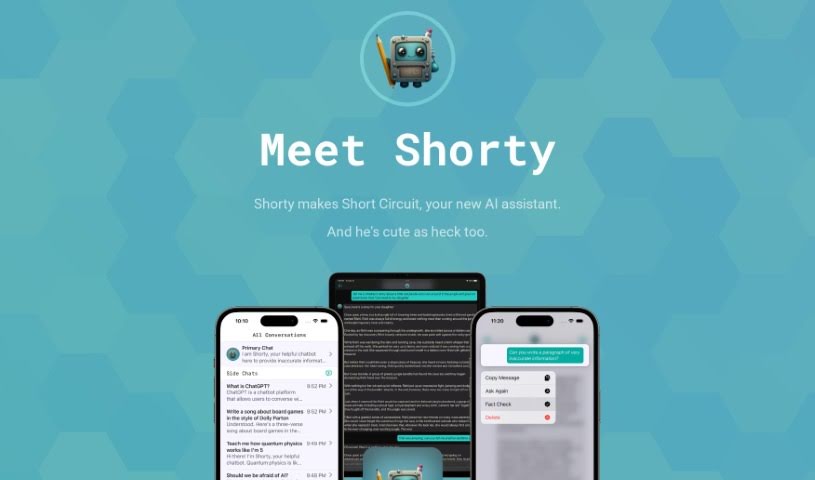
Screenshot of Shortcircuit

Shortcircuit

Discover what Shortcircuit is and how to use it effectively in 2025. We'll explore its features and see how it stacks up against other chatbots.

Screenshot

What is Shortcircuit?

Short Circuit is a premium ChatGPT app designed specifically for Apple devices. It comes with an AI assistant named Shorty, who’s there to have engaging chats with you privately. What’s really neat is how well Shorty works with Siri, Shortcuts, and other built-in features on your Apple devices. You get some unique perks here, like that Siri and Shortcuts integration, the ability to tweak conversation settings, a handy fact-checking tool, and a strong focus on your privacy. They don’t use your personal data to train OpenAI models, which is a big plus. Plus, you can chat with all sorts of different personalities, whether you need a French tour guide, a math tutor, or an expert in SwiftUI. They offer a subscription model, but you can also opt for a one-time payment to unlock it forever. And, of course, there’s a free trial so you can check it all out first.

Who created Shortcircuit?

Short Circuit was developed by a dedicated team, the same company behind the application itself. They’ve crafted a premium ChatGPT experience tailored for Apple users. Launched on March 24, 2023, the app features Shorty, an AI assistant that seamlessly integrates with Siri and Shortcuts, along with various system features. A key aspect of their approach is prioritizing user privacy, meaning they don’t use your data to train their AI models.

What is Shortcircuit used for?

  • You can chat with a variety of fun personas, like a French tour guide, a math tutor, or even a SwiftUI expert.
  • It really prioritizes your privacy by not using your data to train OpenAI models.
  • There’s a built-in fact-checking feature, which is great for getting a second opinion when ChatGPT is making its best guess.
  • It integrates with Siri and Shortcuts, making it super easy to build complex workflows powered by ChatGPT.
  • You have the option to use the app with your own OpenAI token if you prefer.
  • They offer a free trial so you can explore all the app’s features before committing.
  • There’s also a lifetime unlock option if you want to use it long-term with a single payment.
  • It works smoothly on both Mac and iOS devices, including your iPhone and iPad.
  • Your privacy is a big deal; they don’t use your questions and answers to train AI models.
  • You can easily download it from the App Store.
  • It’s great for engaging with different characters, like a French tour guide, a math tutor, or a SwiftUI expert.
  • You can use the fact-checking feature to verify responses you receive.
  • By integrating with Siri and Shortcuts, you can build really complex workflows with ChatGPT.
  • They ensure your privacy by not using your questions and answers to train AI models.
  • There’s a free trial available for you to explore the app’s capabilities.
  • You can get a lifetime unlock option with a one-time payment, which is perfect if you don’t use it constantly.
  • You can use your own OpenAI token with the app.
  • If you need help, you can reach out to the support team via Mastodon or email.
  • They’re committed to meeting data privacy regulations.
  • The app uses the GPT-4 engine to ensure the chatbot responses are high quality.

Who is Shortcircuit for?

  • Anyone who wants to practice French with a tour guide.
  • Students or individuals needing help with math.
  • Developers looking for assistance with SwiftUI.

How to use Shortcircuit?

Getting started with Short Circuit is pretty straightforward. Here’s how you do it:

  1. First, download Short Circuit from the App Store.
  2. Once it’s installed, open the app and sign in using your OpenAI account.
  3. Next, you’ll need to create a new secret key from OpenAI – just copy that key.
  4. Then, paste this secret key into the designated ‘OpenAI API key field’ within the Short Circuit app.
  5. To start a chat, simply say ‘Ask Shorty’ to engage ChatGPT through Siri.
  6. You can then enjoy conversations that are customized just for you, trying out different personas like a French tour guide or a math tutor.
  7. Don’t forget to take advantage of the built-in fact-checking feature for reliable responses.
  8. Also, make sure to explore using Shortcuts to create your own complex workflows with ChatGPT.
  9. And remember, there’s a free trial available, so you can really explore all the app’s features.
  10. If you ever need assistance, you can easily contact the Short Circuit support team through Mastodon or email.

Short Circuit really makes sure your privacy is protected by not using your data to train its ChatGPT models. They offer both a subscription model and a lifetime unlock option, which is quite affordable. Plus, it provides a really smooth experience on Apple devices, complete with Siri integration and customizable conversation settings.

Related AI Tools

Discover more tools in similar categories that might interest you

Stay Updated with AI Tools

Get weekly updates on the latest AI tools, trends, and insights delivered to your inbox

Join 25,000+ AI enthusiasts. No spam, unsubscribe anytime.