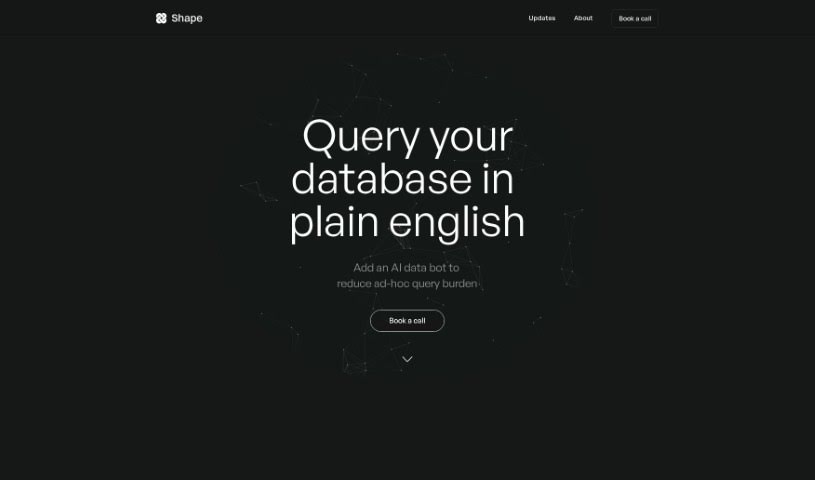
Screenshot of Shape.xyz

Shape.xyz

Discover what Shape.xyz is and how to use it effectively in 2025. We'll explore its features and see how it stacks up against other data analytics tools.

Screenshot

What is Shape.xyz?

Shape.xyz is an AI tool built to help you explore and analyze your data more efficiently. Think of it like having a dedicated analyst who can give you quick answers to even your most complex data questions, often in just seconds. Whether you’re curious about new subscriptions, how many hours people are spending on your app on average, or how editorial articles performed compared to news articles last month, Shape can handle it. Its AI engine works much like a human analyst, meaning it can really understand what you’re asking and provide detailed answers that go beyond just numbers. It’s pretty sophisticated, too, using advanced SQL capabilities to manage tricky data operations, including complex joins and unions. Plus, Shape takes security seriously. They store your credentials using industry-standard encryption and are SOC 2 Type 1 certified, so your data is well-protected. As you use it, Shape also learns from your interactions, getting better and more accurate over time. You can even connect it to Slack to get answers right there through its Slackbot. If you ever want to double-check a result, you can ask human analysts, and Shape can also create charts automatically to help you visualize your data, giving you a complete picture.

Who created Shape.xyz?

Shape.xyz was developed by a team focused on creating an AI tool that makes data exploration and analysis a breeze. They launched the company on March 28, 2023, with the main goal of providing fast answers to tough data questions. Shape’s AI engine is designed to interpret your questions just like a human analyst would, ensuring you get nuanced answers that offer more than just raw numbers. It also uses advanced SQL capabilities to get the job done. You can integrate Shape with Slack for quick access to information, get helpful data visualizations, and the tool itself keeps improving as you use it.

What is Shape.xyz used for?

Shape.xyz is incredibly versatile for anyone working with data. Here’s a rundown of what it’s great for:

  • Continuous Improvement: It learns from your interactions, getting smarter and more accurate over time.
  • Specific Data Queries: Ask about things like new subscriptions, average app usage hours, or compare the performance of editorial versus news articles over specific months.
  • Market Insights: Get details on top countries for AI course demand, understand how user team sizes are distributed, or see insights from CEO waitlist sign-ups.
  • Seamless Integration: It connects with Slack, so you can get answers quickly via its Slackbot.
  • Human Verification: You have the option to double-check results with human analysts if needed.
  • Visual Understanding: Automatically generated charts help you visualize your data, making it easier to grasp trends and patterns.
  • Accurate Analysis: It uses GPT-4 custom agents and pre-analysis of your datasets to ensure your data analysis is spot on.
  • Efficient Exploration: Ultimately, Shape helps you explore and analyze your data efficiently.
  • Fast Answers: Get quick answers to complex data questions in seconds.
  • Versatile Query Support: It handles various query types, from new subscriptions to performance comparisons.
  • Nuanced Responses: The AI engine thinks like an analyst, providing detailed answers beyond simple numbers.
  • Complex Data Handling: It uses advanced SQL, including joins and unions, for intricate data operations.
  • Clear Assumptions: Results are presented with clear assumptions and caveats, so you know the context.
  • Performance Tracking: It learns from your usage to improve over time.
  • Slackbot Access: Get answers quickly through Slack.
  • Data Visualization: Automatically generated charts make data easier to understand.
  • Prioritized Accuracy: Leverages GPT-4 custom agents, dataset pre-analysis, and reviews.

Essentially, it helps you easily explore, understand, and visualize your data to get the answers you need, when you need them.

Who is Shape.xyz for?

Shape.xyz is a great tool for:

  • AI Data Analysts
  • Enterprises
  • Anyone using Microsoft Teams (as a bot)
  • Those who appreciate white-glove onboarding
  • Data Analysts in general

How to use Shape.xyz?

Shape.xyz is an AI tool designed to help you efficiently explore and analyze your data. Here’s a simple step-by-step guide to get you started:

  1. Ask Your Questions: Just use Shape’s natural language processing to ask your complex data questions in plain, everyday language. No need for special codes!
  2. Get Quick Answers: You’ll receive responses to your queries in seconds, helping you make faster decisions based on accurate insights.
  3. Try Different Queries: Shape supports all sorts of questions, like asking about new subscriptions, how many hours people use your app on average, or comparing how editorial and news articles performed against each other.
  4. Discover Insights: You can get valuable information on things like where most AI course demand comes from, how user team sizes are distributed, or even insights from CEO waitlist sign-ups.
  5. Use the AI Engine: Shape’s AI engine is built to think like an analyst. This means it can really understand what you’re asking and give you detailed answers that go beyond just basic numbers.
  6. Leverage Advanced SQL: You can take advantage of Shape’s advanced SQL features, including complex joins and unions, which are great for handling intricate data operations effectively.
  7. Understand the Results: The tool presents results clearly, including any assumptions or caveats it made. This helps you understand the context and how reliable the information is.
  8. Benefit from Continuous Learning: Shape learns from how you use it, so its performance gets better and its responses become more precise over time.
  9. Connect with Slack: You can easily integrate Shape with Slack. This lets you get answers quickly through its Slackbot, making communication and data retrieval super smooth.
  10. Visualize Your Data: Explore your data visually with charts that Shape generates automatically. This makes it much easier to spot patterns and trends.
  11. Trust Accuracy and Security: Shape really focuses on accuracy, using GPT-4 custom agents, pre-analyzing datasets, and conducting reviews. Plus, your data is kept secure with industry-standard encryption and SOC 2 Type 1 certification.

By following these steps, you can really harness the power of Shape.xyz to explore, analyze, and visualize your data efficiently, leading to smarter, more informed decisions.

Related AI Tools

Discover more tools in similar categories that might interest you

Stay Updated with AI Tools

Get weekly updates on the latest AI tools, trends, and insights delivered to your inbox

Join 25,000+ AI enthusiasts. No spam, unsubscribe anytime.