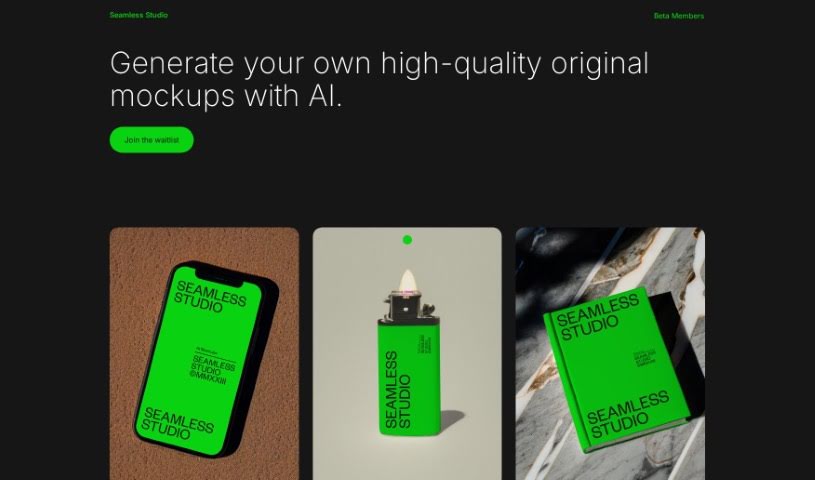
Screenshot of Seamless Studio

Seamless Studio

Discover Seamless Studio in 2025! Learn what it is, how to use its AI-powered mockup generation features, and see how it stacks up against other Design Generators.

Screenshot

What is Seamless Studio?

Seamless Studio is a platform designed to help you create really good, original mockups using artificial intelligence. Basically, you can generate your own unique mockups with a little help from AI. The whole idea behind the platform is to make creating mockups a smooth and easy process, so you can get them done efficiently and effectively. By using AI’s capabilities, Seamless Studio gives you the power to design and customize mockups exactly how you need them. It’s a great solution if you’re looking to create original, professional-looking visuals.

Plus, Seamless Studio has a waitlist if you’re interested in getting early access to its cool new features.

Who created Seamless Studio?

Joshua Miltz is the founder behind Seamless Studio. His company’s goal is to create high-quality, original mockups using AI technology. Seamless Studio really focuses on making it easy for users to create their own unique mockups efficiently.

Who is Seamless Studio for?

  • Graphic designers
  • Marketing professionals
  • Web Developers
  • Product designers
  • Advertising specialists
  • Content creators
  • Social media managers
  • E-commerce entrepreneurs
  • UX/UI designers
  • Presentation creators

How to use Seamless Studio?

Here’s a simple guide to using Seamless Studio effectively:

  1. Log In: First, enter your unique code into the login form to get into Seamless Studio.
  2. Get Around: Once you’re logged in, you’ll see the Seamless Studio interface. Take a moment to look around and get familiar with the layout and all the options available.
  3. Check Out the Features: Explore the different tools, like the sliders and other features Seamless Studio offers.
  4. Using the Sliders: If you’re working with sliders, you can adjust various settings. This includes things like how many slides show at once, how they move, the speed of the movement, the space between slides, and even breakpoints so your design looks good on different screen sizes (that’s the responsive design part).
  5. Make It Your Own: Use the customization tools Seamless Studio provides to tweak the sliders or any other elements to perfectly match what you need.
  6. Test and See: After you’ve made your customizations, it’s a good idea to test how everything works. You can also preview how your design looks on different devices by using those responsive design breakpoints we mentioned.
  7. Save and Export: When you’re happy with your design, make sure to save your work within Seamless Studio. Then, you can export the final result to use in your projects.

By following these steps, you’ll be able to use Seamless Studio really well to create some impressive designs. Don’t forget to play around with the features and settings – it’s the best way to get the results you’re looking for, and do it efficiently!

Related AI Tools

Discover more tools in similar categories that might interest you

123RF AI Image Generator

Creative Image Generation
Learn More

Stay Updated with AI Tools

Get weekly updates on the latest AI tools, trends, and insights delivered to your inbox

Join 25,000+ AI enthusiasts. No spam, unsubscribe anytime.