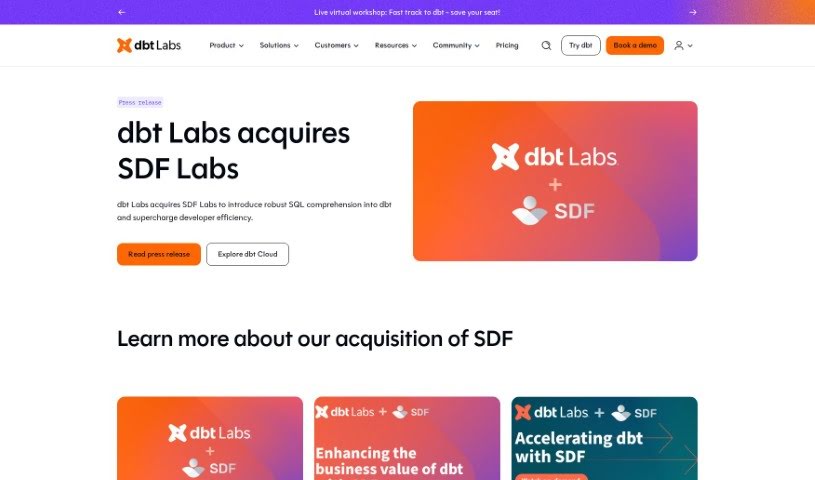
Screenshot of SDF Labs

SDF Labs

Discover SDF Labs, a powerful data platform for SQL. Learn its features, how it helps data teams prevent errors, and how to use it in 2025. We'll also compare it to other data analytics tools.

Screenshot

What is SDF Labs?

SDF is a developer platform built for data, designed to help organizations scale their understanding and use of SQL. It is a single command-line package that combines a multi-dialect SQL compiler, a transformation framework, and an analytical database engine. What sets SDF apart is its ability to deeply extract SQL compilers from cloud environments. This means it can actually run proprietary SQL dialects, like the ones used by Snowflake. Essentially, SDF helps data teams avoid breaking changes in their production systems, speed up development with better error reporting, get clear visibility into column-level lineage, weave business logic directly into their code, and even build data warehouses using its built-in analytical database.

The platform also makes it easy to see the impact of changes in real-time, offers precise lineage tracking, and supports Jinja macros, templates, and SQL variables. You can start using SDF for free, with paid plans available for support and SDF Cloud services, depending on what you need.

SDF is built on core values like honesty, putting customers first, keeping things simple, having a grand vision, finding joy in work, and quickly spotting problems with a “fail-fast” mindset. They offer various subscription plans designed for individual developers, more advanced users, entire development teams, and large enterprises. These plans include features like lineage and impact analysis, connectors, integrations, and unlimited compiles, tests, and runs.

Who created SDF Labs?

SDF was founded by a team of engineers who hold PhDs, alongside experienced startup product experts. Many of them have previously worked at major tech companies like Meta (Facebook), Google, and Microsoft. This background gives them a deep understanding of cutting-edge programming language development and a real passion for creating new things. The company’s guiding principles include moral integrity, a strong focus on customers, simplicity, aiming for a big vision, and genuinely enjoying the work they do.

What is SDF Labs used for?

  • Preventing production issues: It helps stop breaking changes from getting into your live systems by using real-time impact analysis.
  • Faster development: You can develop code more quickly thanks to timely error reports and the ability to work in isolated environments.
  • Clear lineage: Get precise column-level lineage information, giving you full transparency into your data warehouse.
  • Integrating business logic: Easily incorporate business logic into your code using smart metadata and built-in guardrails.
  • Building data warehouses: Create your own data warehouses with an analytical database that runs directly within the system.

Who is SDF Labs for?

  • Anyone working with data
  • Data engineers
  • Software developers
  • Development teams
  • Businesses of all sizes
  • Students learning about data

How to use SDF Labs?

To get the most out of the SDF tool, here’s a simple guide:

  1. Understand SDF’s Strengths
    • SDF is great for preventing production errors, providing quick error feedback, showing column-level lineage, embedding business logic, and helping you build data warehouses.
  2. Getting Started is Easy
    • You can use the command-line interface (CLI) for free. If you need support or want to use SDF Cloud, there are various pricing plans available.
  3. Works Great with Jinja
    • SDF fully supports Jinja Macros, Templates, and SQL Variables, which really boosts its capabilities.
  4. Choosing the Right Plan
    • SDF offers different subscription options – Personal, Plus, Professional, and Enterprise – all designed to fit various user needs.
  5. Making the Most of SDF Features
    • Use Code Checks to find and fix common code patterns, ensuring your data stays private, high-quality, and well-governed.
    • Take advantage of SDF’s cloud-native environment. It includes features like a data catalog, semantic search, an interactive data map, and powerful reports for complete data management.
  6. Improving Your Data Development Process
    • SDF performs detailed static analysis on your SQL code. It also supports custom checks during compilation and helps prevent errors proactively with analysis that works well with CI/CD pipelines.

By following these steps, you can really tap into SDF’s full power for your SQL development, data privacy, quality control, and overall data governance.

Related AI Tools

Discover more tools in similar categories that might interest you

Stay Updated with AI Tools

Get weekly updates on the latest AI tools, trends, and insights delivered to your inbox

Join 25,000+ AI enthusiasts. No spam, unsubscribe anytime.