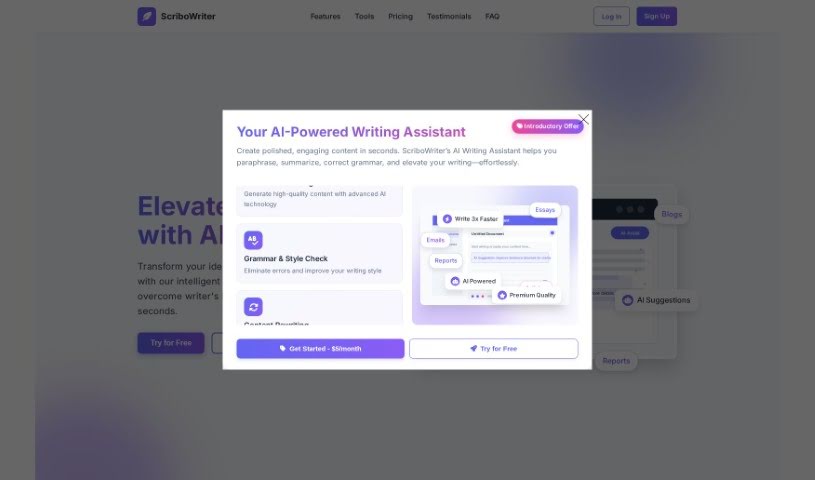
Screenshot of ScriboWriter

ScriboWriter

Discover what ScriboWriter is and how to use it effectively in 2025. We'll explore its features and see how it stacks up against other content writing tools.

Screenshot

What is ScriboWriter?

ScriboWriter is a really handy AI tool designed to help you create all sorts of written content. Whether you need business emails, website copy, blog posts, or articles, this tool has you covered. It’s packed with features like grammar and spelling checks, character counts, paraphrasing, summarizing, and even plagiarism checking. The whole idea behind ScriboWriter is to make your writing process smoother, saving you time and helping you get more done.

Who created ScriboWriter?

ScriboWriter got its start on November 30, 2023. The main goal behind its creation was to help people generate different kinds of written content more efficiently. While the specific founder and company details aren’t readily available, this AI-powered tool is built to streamline your writing tasks. It offers features like grammar and spelling checks, paraphrasing, summarizing, and creating SEO-friendly content, all aimed at boosting your productivity.

What is ScriboWriter used for?

ScriboWriter is incredibly versatile and can help with a wide range of writing needs:

  • Creating SEO-Optimized Content: Get your content seen by using keywords and meta tags that search engines love.
  • Plagiarism Checking: Ensure your work is original and avoid any accidental duplication.
  • Business Email Assistance: It’s great for crafting business emails, even offering preloaded responses to get you started quickly.
  • Generating Various Business Emails: Need an email for employee onboarding, training, sales, marketing, or finance? ScriboWriter can help draft them.
  • Department-Specific Solutions: It provides tailored solutions for HR, sales and marketing, operations, IT, billing, and finance departments.
  • Supporting Bloggers and Content Creators: Easily generate blog posts, articles, and SEO-enhanced content to keep your audience engaged.
  • Website Content and Copy: Create compelling content for your website, including landing pages and newsletters.
  • Essential Writing Tools: Benefit from built-in grammar and spelling checks, word count tracking, and plagiarism checking.
  • Content Refinement: Paraphrase and summarize existing text, enhance your writing for better readability, and create SEO-optimized content with relevant keywords and meta tags.
  • Streamlining Workflows: Improve your overall productivity by simplifying writing tasks and offering customizable email responses.
  • Content Formatting and Problem-Solving: It includes tools for formatting, generating FAQs, and rewriting content, all within a user-friendly interface.
  • Diverse Content Generation: It’s designed to create a wide variety of content types.
  • Preloaded Responses: Save time with ready-to-use email responses.
  • Multiple Use Cases: It’s beneficial for individual bloggers and professionals across many fields.

Who is ScriboWriter for?

ScriboWriter is a fantastic tool for a broad audience, including:

  • Professionals in various fields: Human Resources, Sales and Marketing, Operations, Information Technology (IT), Billing, and Finance.
  • Content creators: Bloggers, writers, and anyone producing website content or product descriptions.
  • Students and Teachers: For academic writing and educational materials.
  • Artists and Lawyers: For professional communication and documentation.
  • Business Professionals: Anyone who needs to write effectively for their business.

How to use ScriboWriter?

Using ScriboWriter is pretty straightforward. Here’s a simple guide to get you started:

  1. Get Started: First, head over to the ScriboWriter platform and create your account.
  2. Pick Your Content Type: Decide what you want to write – maybe a business email, a blog article, or a product description – and select that option.
  3. Use the Built-in Tools: Take advantage of all the helpful features ScriboWriter offers, like grammar and spelling checks, paraphrasing, summarizing, and plagiarism checks.
  4. Generate Your Content: You can start creating content by typing directly into the tool or using the preloaded responses, especially for business emails.
  5. Refine Your Writing: Use the ‘improver’ feature to polish your content, making it easier to read and more impactful.
  6. Boost Your SEO: Make sure your content gets noticed by search engines. ScriboWriter helps you create SEO-optimized content using keywords and meta tags.
  7. Keep Track of Length: Monitor your word or character count to ensure your writing meets any specific requirements.
  8. Explore Department Solutions: If you’re in HR, sales, marketing, IT, or finance, check out the specific solutions ScriboWriter offers for your department’s needs.
  9. Create for Different Platforms: ScriboWriter assists in crafting content for websites, blogs, emails, and more.
  10. See Why Others Recommend It: Many professionals and freelancers worldwide find the user-friendly interface and AI capabilities really helpful.

By following these steps, you can really make ScriboWriter work for you, streamlining your writing process, boosting your productivity, and producing high-quality content for whatever you need.

Related AI Tools

Discover more tools in similar categories that might interest you

Stay Updated with AI Tools

Get weekly updates on the latest AI tools, trends, and insights delivered to your inbox

Join 25,000+ AI enthusiasts. No spam, unsubscribe anytime.