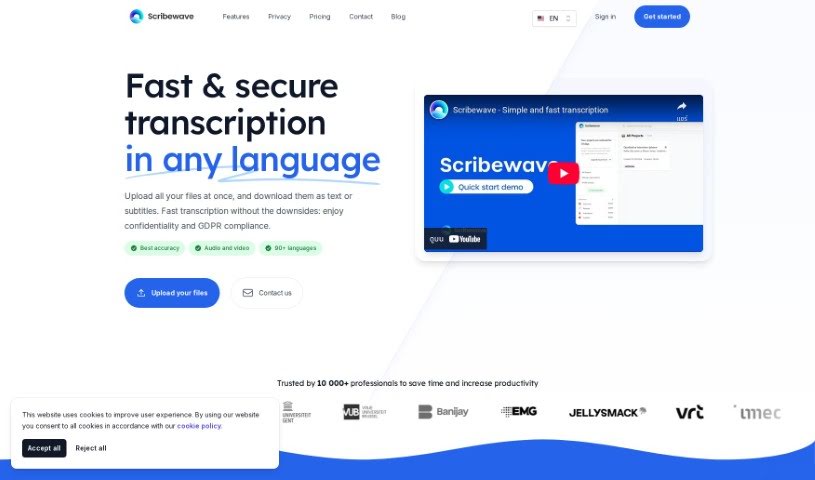
Screenshot of Scribewave

Scribewave

Discover what Scribewave is and how to use it effectively in 2025. We'll explore its features and see how it stacks up against other transcription tools.

Screenshot

What is Scribewave?

Scribewave is an online transcription tool that uses a smart AI speech-to-text system to automatically turn your audio and video files into text. It’s pretty flexible, handling lots of different file types, and there’s no limit on file size. One cool feature is how it highlights paragraphs in real-time as you play the audio, making editing much smoother. People in many different jobs really like Scribewave because it’s accurate, efficient, and easy to use. Plus, they take security and privacy seriously – it’s fully GDPR compliant, and you can even request your data be deleted.

Ulysse Maes, the founder, created Scribewave because he saw a real need for transcription services that were not only accurate and confidential but also supported many languages.

Basically, Scribewave gives you a complete transcription solution. You get accurate transcriptions, it can tell different speakers apart, it supports many languages, you can download videos with subtitles, and even get translations into over 90 languages. It’s known for being efficient, affordable, and customizable, all wrapped up in a secure and user-friendly package.

Who created Scribewave?

Ulysse Maes is the person behind Scribewave. He launched the platform on June 18, 2024. Ulysse noticed that there was a gap for transcription services that were accurate, kept things confidential, and could handle multiple languages. That’s what inspired him to develop Scribewave.

What is Scribewave used for?

  • Making subtitles for videos automatically: Just upload your video, and Scribewave handles the rest.
  • Transcribing audio and video files: It turns spoken words into written text quickly.
  • Supporting many languages and dialects: Whether it’s English, Spanish, or something else, Scribewave can often handle it.
  • Boosting your workflow: It simplifies the whole transcription process, saving you time and effort.
  • Providing accurate, efficient transcription: This is a big help for journalists, researchers, and anyone creating content.
  • Creating study materials: Language educators can use it to generate text for their students.
  • Processing interviews: Great for analyzing qualitative interviews.
  • Helping language educators: It accurately transcribes audio files, making it easier for teachers and students.
  • Improving data analysis: Streamlines the process for research and data analysis.
  • A must-have for consultants: International consultants find it indispensable for their work.
  • Saving you time: Automated transcription and simplified workflows mean less manual work.
  • Automated transcription: It handles both audio and video files automatically.
  • Language support: It works with 90 different languages and dialects.
  • An easy-to-use editor: Designed to make the editing process straightforward.
  • Flexible export options: You can export transcripts to Microsoft Word or Google Docs.
  • Transcribing interviews: It’s perfect for handling qualitative interviews.
  • Accurate speaker recognition: It can identify and label different speakers.
  • Works with all formats: Supports every audio and video file type you might have.
  • Secure and private: Your transcriptions are handled with care.
  • Efficient and affordable: Get great service without breaking the bank.

Who is Scribewave for?

Scribewave is a great tool for a variety of professionals:

  • Senior Researchers
  • Journalists
  • Language Educators
  • Researchers
  • International Consultants
  • Content Creators

Essentially, anyone who needs to convert spoken words into text accurately and efficiently will find Scribewave incredibly useful.

How to use Scribewave?

Using Scribewave is pretty straightforward. Here’s a quick rundown:

  1. Upload Your Files: Start by uploading your audio or video files. Scribewave accepts many formats like MP3, WAV, MP4, and more. The best part? There are no limits on file size or how long they can be.
  2. Automatic Transcription: Once uploaded, Scribewave’s AI-powered system gets to work. It automatically transcribes your files into text, supporting over 90 languages and dialects.
  3. Edit Your Transcripts: Scribewave has a built-in editor that makes tweaking your transcriptions easy. You can play the audio or video file, and the corresponding text paragraph will be highlighted automatically. You can edit the transcript directly, either like a regular document or using a timeline view.
  4. Export Your Work: When you’re happy with the transcript, you can export it in several ways. Choose to export to Microsoft Word, Google Docs, or even download your transcript as a subtitled video file.
  5. Subscription Plans: Scribewave offers flexible plans to suit your needs. You can choose from Pay-as-you-go, Professional, or Enterprise options, each offering features like accurate transcription, speaker recognition, subtitles, and translations.
  6. Security & Privacy: Your data is safe with Scribewave. They have daily data backups, are GDPR compliant, and offer various privacy settings, including the option to permanently delete your data.

Overall, Scribewave really simplifies the transcription process, saving you a ton of time with its accurate transcriptions. Its user-friendly interface makes converting and managing your content a breeze.

Related AI Tools

Discover more tools in similar categories that might interest you

Stay Updated with AI Tools

Get weekly updates on the latest AI tools, trends, and insights delivered to your inbox

Join 25,000+ AI enthusiasts. No spam, unsubscribe anytime.