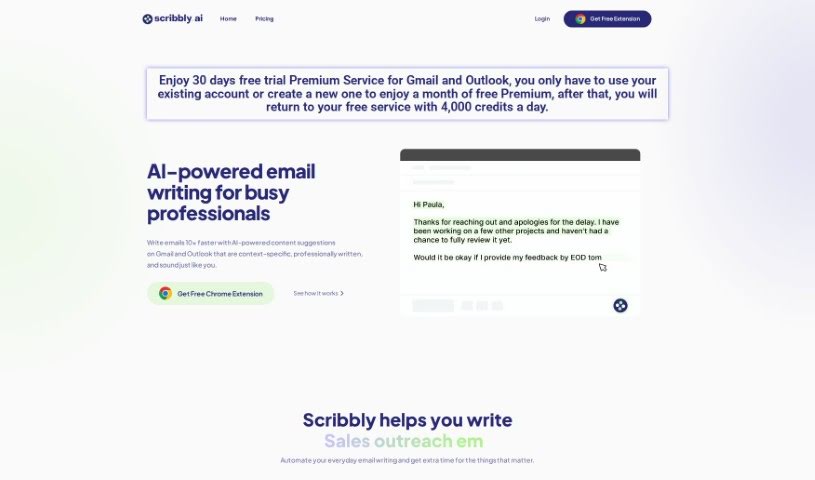
Screenshot of Scribbly – AI

Scribbly – AI

Discover Scribbly AI in 2025! Learn what this AI tool does, how to use its features for faster, more natural email writing in Gmail and Outlook, and how it stacks up against other content writing tools.

Screenshot

What is Scribbly – AI?

Scribbly AI is a smart tool that uses artificial intelligence to help busy professionals write emails much faster. It offers content suggestions tailored to your specific situation right within Gmail and Outlook. Imagine writing emails ten times quicker, with content that sounds perfectly natural and professional. Scribbly takes care of those routine email tasks, freeing you up to concentrate on other important things, like growing your business or giving your clients excellent support. It’s a real game-changer for freelancers, founders, managers, support teams, sales folks, and HR professionals.

Here’s how it works: Scribbly analyzes the text of the emails you select and then suggests personalized responses based on what you’re trying to achieve. You can then easily tweak these suggestions, polish them up, and hit send. When it comes to pricing, there’s a free plan with a daily credit limit, and a premium plan that gives you unlimited email access.

If you want to learn more and start using Scribbly, you can grab the Scribbly extension for Google Chrome. This tool is all about making your everyday professional emails better. It delivers top-notch results, has a super user-friendly interface, can adjust the tone of your messages based on context, and its smart mode needs very little input from you. Scribbly AI also shines because it can create personalized emails and messages, plus it has advanced SEO features to help your content get noticed online. On top of that, it can help summarize content, analyze data, and even edit videos, making it useful across many different industries and needs.

Who created Scribbly – AI?

Scribbly AI was developed by an innovative entrepreneur named Franz Busch. The company is dedicated to offering AI-powered email writing solutions for professionals, helping them craft context-specific, professionally written emails with great efficiency. Thanks to Franz Busch, Scribbly AI is a tool that truly streamlines email communication and significantly boosts productivity for all sorts of professionals in various industries.

What is Scribbly – AI used for?

Scribbly AI is a versatile tool that can help with a wide range of tasks:

  • Data Analysis: Get insights from your data.
  • Video Editing: Make your videos shine.
  • Content Summarization: Quickly grasp the main points of long texts.
  • Content Creation: Generate high-quality articles, blog posts, and social media updates.
  • Personalized Communication: Create tailored emails and messages.
  • SEO Optimization: Improve your online visibility and search engine rankings.
  • Automated Email Writing: Handle everyday email tasks efficiently, especially for busy professionals.
  • Streamlined Communication: Make client communication and team correspondence smoother.
  • Enhanced Management Communication: Improve how managers communicate with AI-powered emails.
  • Scalable Customer Care: Handle customer support more effectively with personalized AI emails.
  • Sales Boost: Drive sales with emails specifically crafted for your prospects.
  • HR Efficiency: Streamline HR communications and tasks.

Essentially, Scribbly AI automates routine email writing, helps you communicate more effectively with clients and teams, boosts sales with tailored messages, and supports various content creation and data tasks, all while offering advanced SEO capabilities.

Who is Scribbly – AI for?

Scribbly AI is designed to help a variety of professionals, including:

  • Freelancers
  • Founders
  • Managers
  • Support Staff
  • Sales Reps
  • HR staff

Anyone who writes emails regularly and wants to save time and improve quality will find Scribbly AI incredibly useful.

How to use Scribbly – AI?

Using Scribbly AI is straightforward. Here’s a simple guide:

  1. Responding to an Email:

    • First, select the email you need to reply to.
    • Next, pick the intention that best matches what you want to say in your response.
    • Then, you can easily edit and polish the suggested reply before sending it off.
  2. Writing an Email from Scratch:

    • Choose “Input Mode” and give Scribbly the necessary context for the email.
    • Watch the magic happen as Scribbly generates the email for you.
  3. Getting Started:

    • Download the Scribbly extension for your Google Chrome browser.
    • Log in or register your account, and you’re ready to start using Scribbly directly within Gmail or Outlook.
  4. Subscription Plans:

    • Scribbly offers a Free Plan that comes with a limited number of daily credits. Alternatively, there’s a Premium Plan for those who need unlimited email access.
    • With the Premium Plan, you won’t have to worry about credit limits and can use Scribbly without any restrictions.
  5. Privacy and Security:

    • Scribbly is committed to your privacy. All AI-generated email responses are deleted immediately after use.
    • Scribbly does not store or access any of your email information.
    • If you have any questions or concerns about privacy or security, please don’t hesitate to reach out to [email protected].

Scribbly AI really makes email writing easier for professionals. It provides great quality results, has a simple interface, adjusts your tone based on the context, and its Smart mode requires very little input from you. The tool is specifically designed for professional, day-to-day email writing, with a strong focus on understanding context and ensuring copy quality. Ultimately, Scribbly is built to help you save valuable time and communicate more efficiently via email.

Related AI Tools

Discover more tools in similar categories that might interest you

Stay Updated with AI Tools

Get weekly updates on the latest AI tools, trends, and insights delivered to your inbox

Join 25,000+ AI enthusiasts. No spam, unsubscribe anytime.