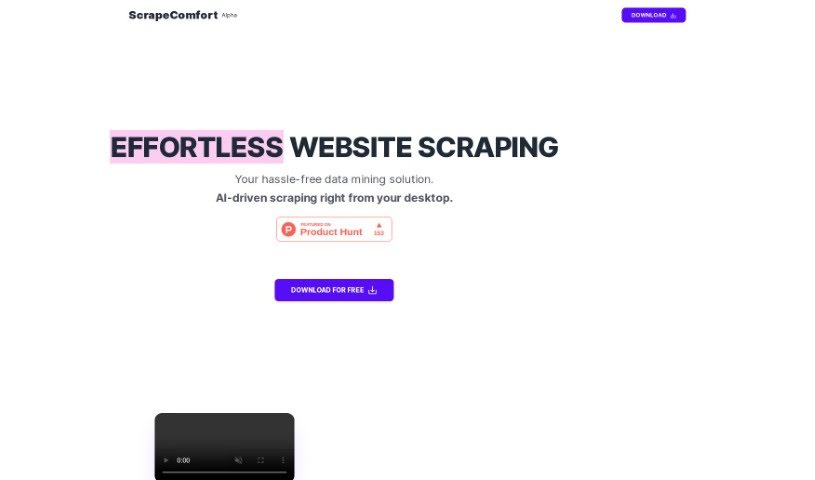
Screenshot of Scrape Comfort

Scrape Comfort

Discover Scrape Comfort, an AI-powered tool for effortless website data scraping in 2025. Learn its features, how to use it, and how it stacks up against other Data Analytics Tools.

Screenshot

What Exactly is Scrape Comfort?

Scrape Comfort is your go-to AI tool for grabbing data from any website, no sweat involved. It’s built using ChatGPT, that familiar chat-based AI, so you don’t need to be a coding whiz or get bogged down with tricky CSS selectors or XPaths. The whole setup is really straightforward and easy to get the hang of. You can feed it URLs in a few ways: using CSV files, linking up Google Sheets, or just typing them out in plain text. What’s neat is that it lets you download data directly from those URLs using your own browser. This even works for pages that need JavaScript to load properly. You can easily set up what data you want to pull out from the pages you download, just by picking from a dropdown menu and describing what you’re looking for in simple terms. Once you’ve got it, you can save that data right to your clipboard or as a CSV file, ready for whatever you need it for. Scrape Comfort is super handy for all sorts of things, like digging into data for analysis, checking out the market, or finding new leads. They offer different pricing options, including a free tier, with more advanced plans that come with special AI features and dedicated servers. Plus, they really care about your privacy – your OpenAI keys are kept safe and aren’t shared with their servers.

Who’s Behind Scrape Comfort?

Scrape Comfort was developed by someone who’s really good at using ChatGPT to pull data from websites without needing to write any code. The main idea was to create a tool that’s super easy for anyone to use for scraping websites. It gives you flexible ways to input the website addresses you’re interested in, whether that’s through CSV files, Google Sheets, or just plain text. It’s designed to help with things like data analysis, market research, and finding potential customers, and they offer various pricing plans to fit different needs.

What Can You Actually Do with Scrape Comfort?

Scrape Comfort is really versatile. Here’s a breakdown of its main uses:

  • Data Analytics: It’s great for automatically collecting data you need for research or data science projects.
  • Market Investigation: Want to understand your competition or figure out pricing strategies? Scrape Comfort can help you gather that crucial information.
  • Lead Acquisition: You can easily collect contact information to boost your sales and marketing efforts.
  • Competitive Assessment: Get a leg up by scraping data to see what your competitors are doing.
  • Pricing Strategy Development: Gather pricing data to inform your own strategies.
  • Sales and Marketing Initiatives: Streamline how you gather leads to make your campaigns more effective.

Essentially, it automates the data collection process, saving you a ton of time and effort across these areas.

Who Should Be Using Scrape Comfort?

This tool is particularly useful for:

  • Data Analysts: If you work with data, this can significantly speed up your collection process.
  • Market Researchers: Gaining insights from web data is crucial, and Scrape Comfort makes it accessible.
  • Sales and Marketing Professionals: Finding and collecting leads is a core function, and this tool simplifies it.

How Do I Get Started with Scrape Comfort?

Using Scrape Comfort for easy data mining and scraping is pretty straightforward. Just follow these simple steps:

  1. Input Your URLs: Start by entering the website addresses you want to get data from. You can do this by uploading CSV files, linking to Google Sheets, or just typing them in as plain text.
  2. Download the Data: Next, you’ll download the data from those URLs. You can use your own browser for this, and it works even for pages that need JavaScript to load. You can keep an eye on how the download is progressing and even choose whether to see the browser window while it’s happening.
  3. Set Up What to Extract: Now, tell Scrape Comfort exactly what data you want from the pages you’ve downloaded. You do this through a simple dropdown menu, just describing what you need in plain language.
  4. Save Your Findings: Finally, save the data you’ve extracted. You can put it directly into your clipboard or save it as a CSV file. This makes it super easy to start your data analysis, market investigation, or lead acquisition right away.

Remember, you don’t need any special technical skills to use Scrape Comfort. Plus, they’re committed to your privacy – they don’t share your OpenAI keys with their servers. If you want to learn even more, you can always check out the Scrape Comfort website.

Related AI Tools

Discover more tools in similar categories that might interest you

Stay Updated with AI Tools

Get weekly updates on the latest AI tools, trends, and insights delivered to your inbox

Join 25,000+ AI enthusiasts. No spam, unsubscribe anytime.