What is Scan Translator?
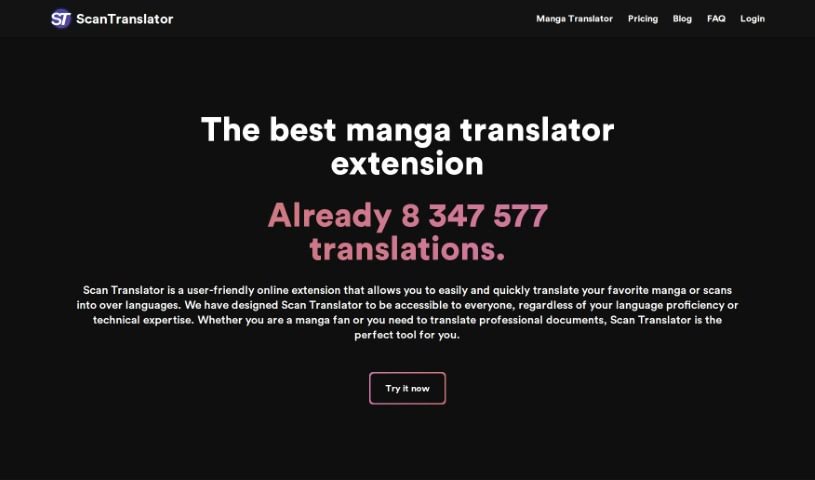
Scan Translator is an online extension tool specifically designed for translating raw manga and scanned documents. It uses artificial intelligence to efficiently translate scans and images, supporting over 50 languages with impressive accuracy. What really sets it apart is its ability to handle vertically aligned text and a variety of image types, making it super versatile for all sorts of document formats and layouts. Scan Translator works by integrating with Deepl and Google Vision APIs, which really boosts its performance. There’s a free plan available, and you can buy extra translation credits if you find yourself needing more. While it’s an online-only tool and doesn’t offer offline support, Scan Translator is really easy for anyone to use, no matter their tech skills or language knowledge. It’s perfect for both professional and personal translation needs.
Who created Scan Translator?
Scan Translator Overview:
Scan Translator was developed to make translating raw manga and scanned documents online much simpler. It first launched on March 27, 2023, by a team passionate about improving translation processes. By integrating with Deepl and Google Vision APIs, it delivers high accuracy and supports more than 50 languages. This tool is great for both professional and personal translations, offering a user-friendly interface, quick translations, and it handles vertical text and various image types really well. They offer a free plan with some limitations on translations, but you can easily buy more credits if you need them.
What is Scan Translator used for?
- It’s a handy Browser Extension.
- It supports over 50 languages, which is pretty amazing.
- You can use it to translate raw manga.
- It’s also great for translating scanned documents.
- It can handle graphical content translation too.
- It’s designed to translate vertically aligned text.
- It works with a variety of image types.
- You can use it to translate professional documents.
- It also supports text-to-text translation.
- It’s accessible to users of varying technological expertise.
- You can translate images irrespective of their original language.
- It handles vertically aligned texts and a wide range of image types.
- The integration with Deepl and Google Vision APIs really helps.
- It’s built for both professional and personal translations.
- The user-friendly interface is suitable for all tech levels.
- Expect fast translations with high accuracy.
- It’s accessible to all language proficiencies.
- You can get purchasable translation credits for more use.
- It’s a browser extension for easy access.
- It can translate images of any original language.
- It supports text-to-text translation.
- You can translate a variety of document types.
- It offers a browser extension for translations.
- It can translate vertical text.
- It can translate a variety of images.
- It’s great for professional translations.
- It’s also great for personal translations.
- It’s accessible to all technology levels.
- Expect efficient and fast translations.
- It offers a high-level of translation accuracy.
- It provides fast translations.
- It translates vertical text.
- It translates a variety of images.
- It’s designed for professional translations.
- It’s also designed for personal translations.
Who is Scan Translator for?
- Manga fans will love this.
- It’s perfect for individuals needing to translate professional documents.
- Manga translators will find it invaluable.
- It’s a great tool for professionals translating scanned documents.
- Professional Translators can rely on it.
- Individuals translating raw manga will find it very helpful.
- Users needing to translate professional documents should check it out.
- Translators of all kinds can benefit.
- Language professionals will appreciate its features.
- Professionals working with scanned documents will find it efficient.
How to use Scan Translator?
To get the most out of Scan Translator, just follow these simple steps:
- Access the Tool: Since Scan Translator is an online extension, make sure you’re using a compatible browser to access it.
- Upload Your Document: Go ahead and upload the raw manga or scanned document you need translated right into the tool.
- Select the Original Language: It’s important to tell the tool what language the original document is in so it can translate accurately.
- Choose Your Target Language: Next, pick the language you want the document to be translated into.
- Use the Extra Features: Don’t forget to take advantage of what the tool offers, like translating vertical text and handling different image types.
- Review and Confirm: Before you finish, take a moment to check the translated document to make sure everything looks accurate.
- Get More Credits if Needed: If you’ve used up your free translations, you can easily purchase additional translation credits.
Scan Translator really simplifies the whole translation process. It uses AI, Google Vision, and Deepl APIs to make sure your translations are efficient and high-quality. Plus, its user-friendly interface means anyone can use it, no matter their tech skills or how familiar they are with languages. They also offer a free plan with a set number of translation credits each week, and you can always buy more if you need them.
By following these steps, you’ll be able to effectively translate raw manga, scanned documents, and all sorts of graphical content with Scan Translator, making the process easy and accurate.