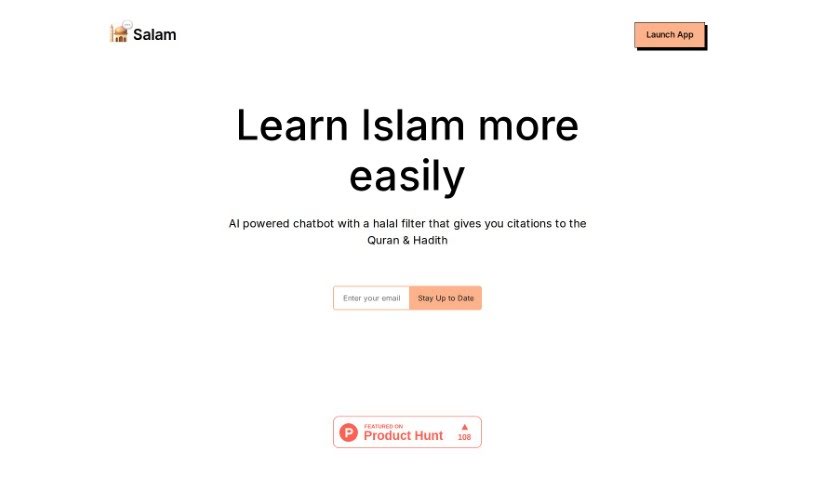
Screenshot of Salam Chat

Salam Chat

Discover Salam Chat, an AI chatbot for learning about Islam in 2025. We'll cover its features, compare it to other chatbots, and explain how to use it effectively.

Screenshot

What is Salam Chat?

Salam Chat is an AI-powered chatbot designed to make learning about Islam much simpler for everyone. What’s really neat is that it includes a halal filter and backs up its information with citations from the Quran and Hadith. It’s even been featured on Product Hunt! People often ask how to make sure the information it gives is accurate, if it’s safe for kids, how it makes money, what features users want next, and how people get chosen from the waitlist.

Who created Salam Chat?

Naureen Ahmed is the creator behind Salam Chat. The company’s main goal is to build an AI chatbot that’s not only halal-compliant but also provides those all-important citations from the Quran and Hadith, making it a more accessible way to learn about Islam. You might have seen it on Product Hunt! If you want to learn more, you can check out their website at app.salam.chat.

What is Salam Chat used for?

  • It helps you learn about Islam more easily.
  • It’s an AI chatbot that uses a halal filter and provides citations from the Quran & Hadith.

Who is Salam Chat for?

  • Islamic scholars
  • Muslim educators
  • Imams or religious leaders
  • Students of Islamic studies

How to use Salam Chat?

Here’s how you can get the most out of Salam Chat:

  1. First, head over to the official website at https://app.salam.chat/ to access the platform.
  2. Once you’re in the chat, you can start interacting with the AI chatbot. Remember, it’s built with a halal filter.
  3. Feel free to ask questions or just chat. You’ll get responses that include citations from the Quran and Hadith.
  4. If you want to save the site for later, use the shortcut Ctrl + D to bookmark it.
  5. Need to jump to the top or bottom of the chat? Use Ctrl + ↑/↓.
  6. You can also sort through entries by pressing Ctrl + ←/→ to arrange them either chronologically or alphabetically.
  7. To make navigating the chat even smoother, take advantage of these handy keyboard shortcuts.
  8. When you need to search, just type ’/’ to focus on the search bar. Press ‘Esc’ to exit the search focus.

By following these simple steps and using the shortcuts, you’ll be able to engage with Salam Chat effectively, access valuable Islamic information, and really boost your learning experience.

Related AI Tools

Discover more tools in similar categories that might interest you

Stay Updated with AI Tools

Get weekly updates on the latest AI tools, trends, and insights delivered to your inbox

Join 25,000+ AI enthusiasts. No spam, unsubscribe anytime.