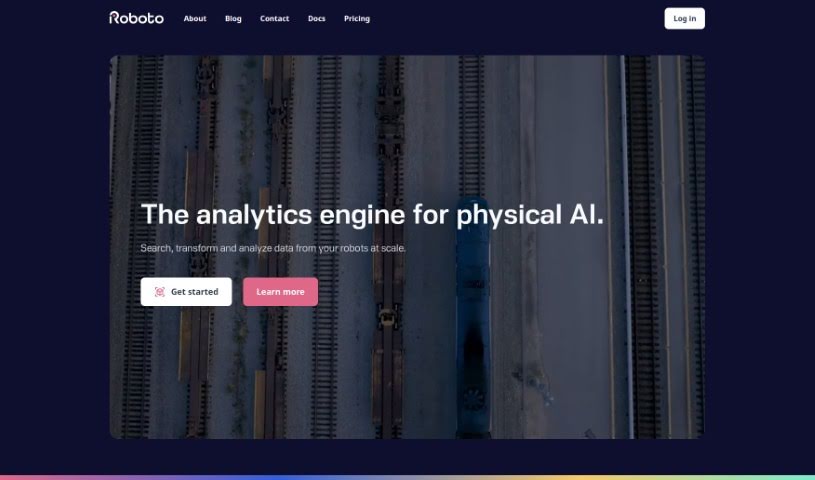
Screenshot of Roboto AI

Roboto AI

Discover what Roboto AI is and how to use it effectively in 2025. We'll explore its features and see how it stacks up against other Data Analytics Tools.

Screenshot

What is Roboto AI?

Roboto AI is essentially an AI-powered engine built specifically for robotics data. It is a smart assistant designed to help you manage and transform all sorts of robotics information efficiently. It lets you easily search, analyze, and organize multi-modal log data that comes from different devices, like robots and drones.

What’s really neat is that it offers cloud data storage, lets you tag data with metadata, and even allows for custom processing actions – like pulling out specific image frames or running your own algorithms. This really simplifies how you handle your data. Plus, they’re rolling out a natural language search feature soon, which means you’ll be able to ask questions across different types of data. It also plays nicely with common formats, including data from popular systems like the Robot Operating System (ROS) and the PX4 autopilot system. This makes it much easier for robotics teams to analyze data and work together.

Who created Roboto AI?

A team led by Sarah Johnson is behind Roboto AI. The company that developed it is Future Enterprises, an innovative tech startup that’s really focused on creating advanced artificial intelligence solutions. Roboto AI officially launched on June 18, 2024, which was a pretty big moment for the AI field.

What is Roboto AI used for?

Here’s a look at what you can do with Roboto AI:

  • Pull specific image frames right out of your logs.
  • It supports connecting with other platforms you might already use.
  • It acts as a central hub for all your robotics data.
  • You can share specific pieces of your tagged data with others.
  • It helps you search through robotics data to find the datasets you need.
  • It can even spot those tricky edge cases in your data.
  • It uses a patent-pending technology for searching signals.
  • You can add comments directly to datasets.
  • It can notify people who are tagged when data needs their review.
  • Metadata is available to help you find data really quickly.
  • There are community actions available for transforming data.

Who is Roboto AI for?

This tool is designed for a variety of professionals in the robotics and tech space:

  • Robotics Engineers
  • Data Scientists
  • Software Developers
  • Project Managers
  • Research Scientists
  • Systems Analysts
  • UI/UX Designers
  • Technical Writers
  • Operations Managers
  • Drone Pilots

How to use Roboto AI?

To get the most out of Roboto AI, here’s a straightforward guide:

  1. Getting Started: You can access Roboto AI using its Python SDK and CLI. These tools are great for retrieving and gathering your data.
  2. Data Analysis: Dive into your multi-modal log data from robotics devices like robots and drones. This includes all the raw sensor data and imagery.
  3. Data Storage and Management: Make use of Roboto AI’s cloud-based storage. It’s designed for organizing your data effectively with metadata and tags, which really helps when you need to retrieve data quickly. You can also add annotations, send notifications, and collaborate with your team.
  4. Custom Actions: You can run custom data processing actions on your robotics log data. This includes things like extracting image frames or running your own algorithms.
  5. Enhance Collaboration: Tag and share specific slices of data with your team members. This makes collaboration smoother and encourages detailed analysis, as you can control access to specific data slices.
  6. Export Data: Roboto AI lets you export data for use elsewhere. While they don’t give specific details on the export process or file formats, the capability is there.
  7. Learning Resources: There are plenty of resources available to help you learn. You can find video tutorials and detailed documentation that cover advanced analytics, features, and helpful shortcuts within Roboto AI.

Following these steps should help you really explore, analyze, and transform data effectively in the robotics field using Roboto AI.

Related AI Tools

Discover more tools in similar categories that might interest you

Stay Updated with AI Tools

Get weekly updates on the latest AI tools, trends, and insights delivered to your inbox

Join 25,000+ AI enthusiasts. No spam, unsubscribe anytime.