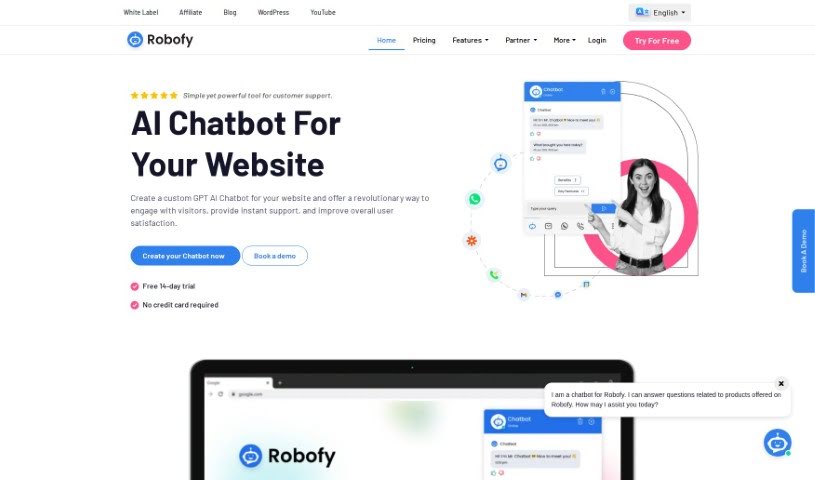
What is Robofy?
Robofy is a smart AI chatbot tool designed to give website visitors instant, accurate answers. It’s super flexible, working smoothly with popular platforms like Wix, WordPress, Shopify, and WooCommerce. Plus, it speaks over 50 languages, including Spanish and Arabic, so you can connect with a global audience. Robofy’s always on the job, offering 24/7 customer support, helping you generate leads, and letting you customize the chatbot to feel like a natural extension of your brand. You get quick responses, a widget you can tailor to your look, a real-time inbox to see conversations, and lots of advanced settings to play with. It even has gentle nudges to encourage actions, an analytics dashboard for insights, language recognition, automatic content updates, and you can even train it to get better over time. The goal here is simple: cut down on support time and costs, get your website visitors more engaged, and offer them a friendly, human-like chat experience with personalized replies. Oh, and you can try it out for free for 14 days – no credit card needed to sign up!
Who created Robofy?
Robofy was actually developed by Sprouto InfoSolutions Pvt Ltd, and it first launched on June 27, 2023. The company behind Robofy, Sprouto InfoSolutions Pvt Ltd, offers a range of services, not just chatbots, but also things like APIs and an affiliate program.
What is Robofy used for?
- Generating Leads: It’s great for capturing potential customer information.
- Cutting Support Time & Costs: Automates answers to common questions, freeing up your team.
- Boosting Website Engagement: Keeps visitors interested by providing immediate answers.
- Offering 24/7 Assistance: Your customers get help anytime, day or night.
- Customizing Your Chatbot Widget: Make it look just like your brand.
- Real-time Chatbot Inbox: See conversations as they happen.
- Automated Content Updates: Keeps your chatbot’s knowledge current.
- Flexible Embedding Options: Easily add it to your site.
- Training Your Chatbot: Improve its responses over time.
- Creating a Custom GPT AI Chatbot: Offer a truly unique way to interact with your website visitors.
- Providing Instant Support: Enhance user satisfaction with quick help.
- Reducing Support Time & Cost: Automate responses to frequently asked questions.
- Boosting Website Engagement: Instantly answer user queries to keep them on your site.
- Providing 24/7 Assistance: Answer customer questions anytime.
- Generating Leads Effectively: Use built-in features to capture leads.
- Customizing Chatbot Appearance: Match your brand’s unique style.
- Continuous Training: Improve the chatbot using links, documents, PDFs, chat history, and more.
- Easy Integration: Add it to your site with simple code, either as a floating widget or share a standalone link.
- Optimizing Responsiveness: Choose between ChatGPT 3.5 and 4.0 for the best performance.
- Instant & Accurate Answers: Get reliable information quickly.
- Customized Chatbot Tone: Set the personality of your bot.
- Reducing Support Time & Cost: Automate responses to common queries.
- Boosting Website Engagement: Instantly answer user queries.
- Providing Instant & Accurate Answers: Get reliable information quickly.
- 24/7 Assistance Provision: Always be available for your customers.
- Customizing Chatbot Widget Appearance: Make it match your brand.
- Analyzing User Ratings: Get insights from an analytics dashboard.
- Creating a Trustworthy AI Chatbot: Build confidence with features like a customized tone.
- Training the Chatbot: Keep its knowledge base fresh.
- Rapid Response: Get answers fast.
- Viewing Real-time Answers: See what the bot is saying instantly.
- Getting Detailed Reports: Access user ratings and performance data.
- Selecting ChatGPT Versions: Optimize responsiveness with 3.5 or 4.0.
Who is Robofy for?
Robofy is a great tool for a wide range of users, including:
- Digital freelancers
- Small-sized businesses
- Medium-sized businesses and startups
- Large-scale businesses
- Real estate professionals
- Educational institutions
- Hospitality businesses
- Healthcare providers
- Freelancers
- Large-scale enterprises
- Medium-sized businesses
- Startups
How to use Robofy?
Setting up an AI chatbot for your website with Robofy is pretty straightforward. Here’s how you do it:
- First, sign into your Robofy AI chatbot panel.
- Next, pop your website’s link into the Robofy Dashboard.
- Then, just let the chatbot do its thing and analyze your website.
- Once it’s all set up, you can easily integrate the chatbot into your site. Just copy the code they provide and paste it into your site’s header.
- And that’s it! Your AI chatbot for the website will go live and start chatting with your visitors.
There are also some extra features and steps you can take:
- You can create a custom chatbot by picking the right Robofy plan for your business, adding your website, and letting Robofy scan it to build the bot.
- Feel free to customize how the chatbot looks, tweak the advanced settings, and then install it on your website.
- Robofy even offers a free demo so you can check out what the chatbot can do on up to 5 web pages.
- The chatbot is versatile and can work with various industries like real estate, education, hospitality, and healthcare.
- Good news – you don’t need any coding skills to get the chatbot up and running on your website!
- Features like choosing the chatbot’s language, automatic content updates, flexible embedding options, and integration with multiple platforms really boost its functionality.
Following these steps will help you get Robofy’s AI chatbot set up and running smoothly on your website, making sure you provide instant support and keep your users happy.