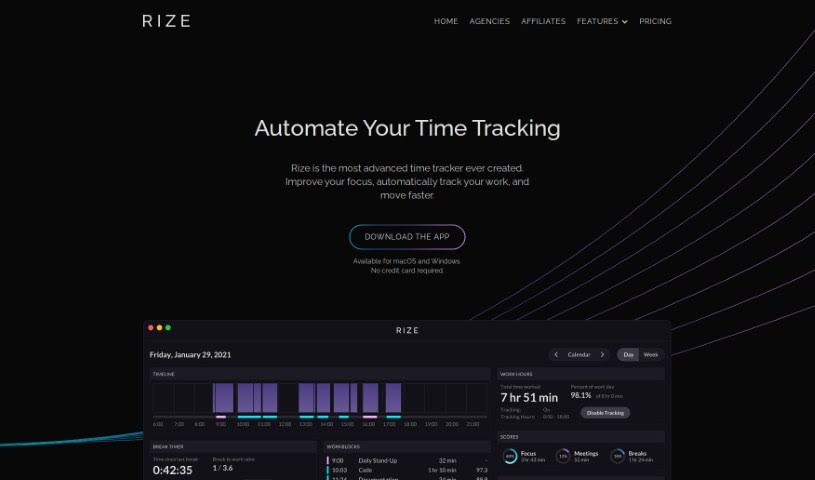
Screenshot of Rize IO

Rize IO

Discover what Rize IO is and how to use it effectively in 2025. We'll explore its features and see how it stacks up against other automation tools.

Screenshot

What is Rize IO?

Rize IO is a handy tool designed to help you manage your time better and boost your productivity. It comes with some really useful features like automatically tracking your time, giving you daily and weekly reports, letting you set up your own categories, and even sending you AI-powered reminders for breaks. Will Goto and Macgill Davis, who have a solid background in software engineering and design from places like Twitter and Periscope, created Rize IO. Their goal is to help you make the most of your time by offering real-time tips on staying focused, taking breaks, and improving your overall productivity. You can use Rize IO on macOS and Windows. They offer a free version, and paid plans start at $9.99 a month.

Who Created Rize IO?

Will Goto and Macgill Davis are the minds behind Rize IO. Will has a strong background in front-end software engineering and design, having worked at prominent companies like Twitter and Periscope. Macgill, on the other hand, focuses on back-end software engineering, also with experience at Twitter and Peer. Before Rize IO, they successfully co-founded and ran a startup that secured over $3.1 million in funding over three years.

How to Use Rize IO?

Here’s a simple guide to get the most out of Rize IO:

  1. Sign Up: First things first, sign up for Rize IO. You don’t need a credit card to start, which makes it super easy to jump in.
  2. Download the App: Rize IO is available for macOS (you’ll need Mojave 10.14.6 or newer) and Windows (Windows 10 or later). Just make sure your system meets these requirements, then download the app.
  3. Activity Tracking: Rize IO automatically keeps track of the time you spend in your computer’s focused window. It also categorizes your browser time by asking for the current URL. Plus, it can connect with your Google or Outlook Calendar to log meeting times, even if you’re not actively on the video call.
  4. Customize Categories: You can create your own categories to really understand where your time is going. This is a great way to see how productive you are and pinpoint areas where you could improve.
  5. Privacy and Security: Don’t worry, your data with Rize IO is kept safe on Amazon Web Services. It’s encrypted both when it’s stored and when it’s being sent. The Rize IO team really prioritizes keeping your information secure throughout the design and development process.
  6. Features: Take a look at all the different features Rize IO offers. This includes automatic time tracking, daily and weekly reports, custom tracking schedules, AI-powered break notifications, project tagging, session timers, distraction blockers, focus music, and much more.
  7. Subscription: Rize IO has a free tier, and their paid plans start at $9.99 per month if you pay annually. You can even try out all the features for free for 7 days before deciding if you want to commit to a paid plan.
  8. User Guide: For more in-depth instructions on how to use specific features, check out the user guide available right within the app.

By following these steps, you can really make Rize IO work for you, helping you become more productive and manage your time more effectively.

Related AI Tools

Discover more tools in similar categories that might interest you

Stay Updated with AI Tools

Get weekly updates on the latest AI tools, trends, and insights delivered to your inbox

Join 25,000+ AI enthusiasts. No spam, unsubscribe anytime.