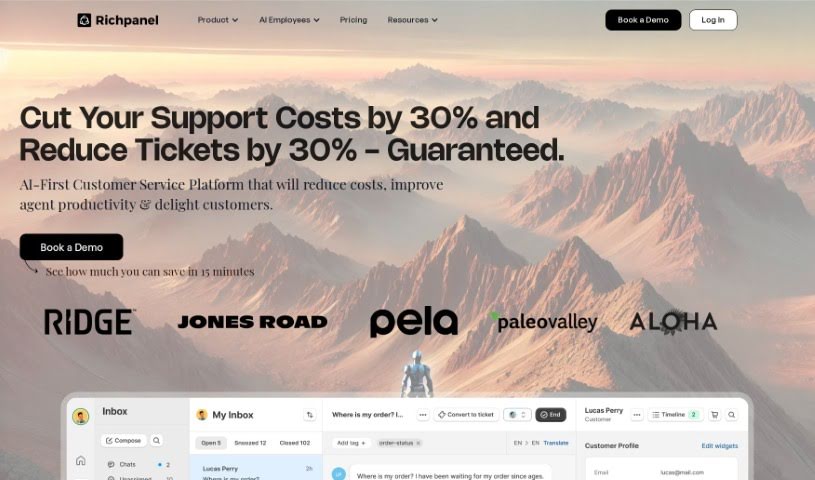
Screenshot of Richpanel

Richpanel

Discover what Richpanel is and how to use its features effectively in 2025. We'll explore its capabilities and compare it to other customer service tools.

Screenshot

What is Richpanel?

Richpanel is an AI-powered help desk software designed to make customer service smoother and boost customer satisfaction. It uses GPT-4 AI technology and includes an AI assistant called ‘Richpanel Sidekick’. The platform connects with many other systems, offers support across multiple channels, has built-in commerce tools, and a self-service portal. Essentially, Richpanel aims to lower customer service costs, improve how much gets automated, and make customers happier overall.

The platform works by automating various parts of customer service using its powerful GPT-4 AI. The ‘Richpanel Sidekick’ AI assistant helps support agents give quick, accurate answers and resolve tickets faster. It also comes with built-in commerce tools, a self-service portal for tracking orders and reporting issues, and offers a wide range of reporting and analytics features to manage customer service comprehensively.

People who use Richpanel have given it good reviews, often mentioning its easy-to-use interface, smart automation features, and how effective its analytics and reporting tools are for improving support strategies. The platform has been noted for its ability to significantly cut down on customer queries, handle ticket resolutions more efficiently, and generally improve customer service experiences.

Who created Richpanel?

Richpanel was founded in 2020, and over 2,000 brands currently use it. The company is backed by Sequoia and is focused on developing autonomous AI agents to improve customer support operations. These agents are designed to act like humans, learn from interactions, and help brands scale their support without losing efficiency. Richpanel’s success is linked to its access to data, its focus on AI agents rather than just chatbots, and its continuous learning models. The company officially launched on December 4, 2023, and is led by a team committed to transparency and doing impactful work.

What is Richpanel used for?

  • Streamlines customer service: Makes the whole process of helping customers much easier.
  • Facilitates collaboration: Helps support teams work together more effectively.
  • Automates tasks: Handles things like ticket management, suggesting products, creating invoices, tracking orders, and reporting damage.
  • Uses GPT-4 AI: Leverages advanced AI to boost service efficiency and automate customer support.
  • Benefits all businesses: Helps companies of any size improve their customer service and satisfaction.
  • Boosts customer satisfaction: Contributes to happier customers by providing fast, accurate, and reliable service.
  • Speeds up ticket resolution: Uses automation tools and an AI assistant to get through tickets quicker.
  • Offers automation templates: Provides ready-to-use templates to help you build automations.
  • Self-service portal: Allows customers to track orders and report damaged items easily.
  • Increases automation rate: Automates more customer service processes.
  • Reduces costs: Helps lower customer service expenses through automation.
  • Product recommendations: Suggests relevant products to customers.
  • Automates repetitive tasks: Handles routine jobs like ticket handling.
  • Generates invoices: Creates invoices automatically.
  • Automates order tracking: Keeps customers updated on their orders.
  • Automates damage reporting: Simplifies the process of reporting damaged items.
  • Enhances service speed and quality: Improves how quickly and well customer service responds.
  • Intelligent ticket assignment: Routes tickets to the right people automatically.
  • Facilitates independent task management: Lets customers handle tasks like tracking orders on their own.
  • Impacts sales revenue: Can directly influence sales figures.
  • Quickly accesses context: Provides immediate access to conversation history.
  • Revenue reporting: Offers insights into revenue related to customer service.
  • Conversions tracking: Monitors customer conversions.
  • Instant query resolution: Resolves customer questions right away.
  • Reduction of customer service costs: Lowers expenses in customer support.
  • Enhancement of overall customer satisfaction: Makes customers happier.

Who is Richpanel for?

  • Customer service representatives
  • Support agents
  • Sales Representatives
  • Marketing professionals
  • Sales professionals
  • Team Managers
  • E-commerce professionals
  • Customer Support Agents
  • Customer support teams
  • Businesses looking to improve customer service efficiency and satisfaction
  • E-commerce Managers
  • Tech Support Teams
  • Marketing personnel
  • Marketing specialists
  • Help Desk Specialists
  • Customer Service Managers
  • Support Teams
  • Sales teams
  • Customer Success Managers

How to use Richpanel?

To get the most out of Richpanel, here’s a simple guide:

  1. Get to know Richpanel: First, understand that Richpanel is an AI-powered help desk software. It’s designed to make customer service smoother and boost satisfaction by using GPT-4 AI, supporting multiple communication channels, and including commerce tools.
  2. Setup and Onboarding: Use the resources available, like the Onboarding Guide, to get the platform set up quickly, often within a day. You can also watch training videos to become proficient in about an hour.
  3. Leverage AI Support: Make the most of Richpanel’s AI capabilities. It can suggest responses, summarize customer issues, automate tasks, and improve customer service at scale with accurate and empathetic interactions.
  4. Integrate with Channels: Connect Richpanel easily with platforms like Zendesk, Salesforce, Gorgias, and others. This lets you manage various channels, including email, live chat, SMS, and social media.
  5. Manage Tickets Efficiently: Use features like assigning and snoozing tickets, merging conversations, adding tags, using private notes, viewing customer profiles, and checking timelines to handle customer queries effectively.
  6. Customize and Automate: Take advantage of macros, automation rules, custom fields for conversations and customers, AI summaries, two-way AI translation, a shared inbox, and various AI-generated replies to offer personalized and efficient service.
  7. Analyze Performance: Use Richpanel’s reporting and analytics tools to track and analyze how your customer service is performing. This helps you make informed decisions and measure the impact of your service efforts.
  8. Use the Self-Service Portal: Set up the self-service portal so customers can manage their orders, track shipments, report problems, and find answers instantly. This reduces the workload on your support agents.
  9. Consider Upgrades: Look into upgrading your plan if needed. Higher tiers offer unlimited AI replies, more seats, collaborators, support for multiple stores, and advanced features for even better customer support.
  10. Learn from Others: Check out testimonials from other businesses that have benefited from Richpanel’s CRM features, user-friendly interface, integrations, automation, analytics tools, and efficient customer service solutions.

By following these steps, you can effectively use Richpanel’s features to streamline your customer service, increase automation, and ultimately enhance overall customer satisfaction.

Related AI Tools

Discover more tools in similar categories that might interest you

Stay Updated with AI Tools

Get weekly updates on the latest AI tools, trends, and insights delivered to your inbox

Join 25,000+ AI enthusiasts. No spam, unsubscribe anytime.